


Explain "Critical" security advisory for 60.3ESR
https://www.mozilla.org/en-US/security/advisories/mfsa2018-27/ Shows "Critical," but no details except for CVEs below beginning with "high." So question: is there a critical vulnerability fixed in this version or not? If a critical vulnerability has been fixed, where do I find details?
[url=https://postimg.cc/KRNg80WG][img]https://i.postimg.cc/KRNg80WG/Screen-Shot-2018-10-24-at-1-55-50-PM.png/img/url
![https://postimg.cc/KRNg80WG][img]https://i.postimg.cc/KRNg80WG/Screen-Shot-2018-10-24-at-1-55-50-PM.png](https://postimg.cc/KRNg80WG][img]https://i.postimg.cc/KRNg80WG/Screen-Shot-2018-10-24-at-1-55-50-PM.png)
Solusi terpilih
OK, seeing those 2 re. memory corruption now if I scroll to bottom of page. Assumed critical fixed would be listed first just below the critical heading in red, instead of appearing after ones less severe: high, moderate, low. Hadn't thought it was necessary to keep scrolling down the page to see those. This presentation showing the critical after low doesn't make a lot of sense and introduces confusion. But will know in future where to look.
Baca jawaban ini dalam konteks 👍 0Semua Balasan (3)
No way to edit. Direct link for image above
https://i.postimg.cc/RZr1G8QH/Screen-Shot-2018-10-24-at-1-55-50-PM.png
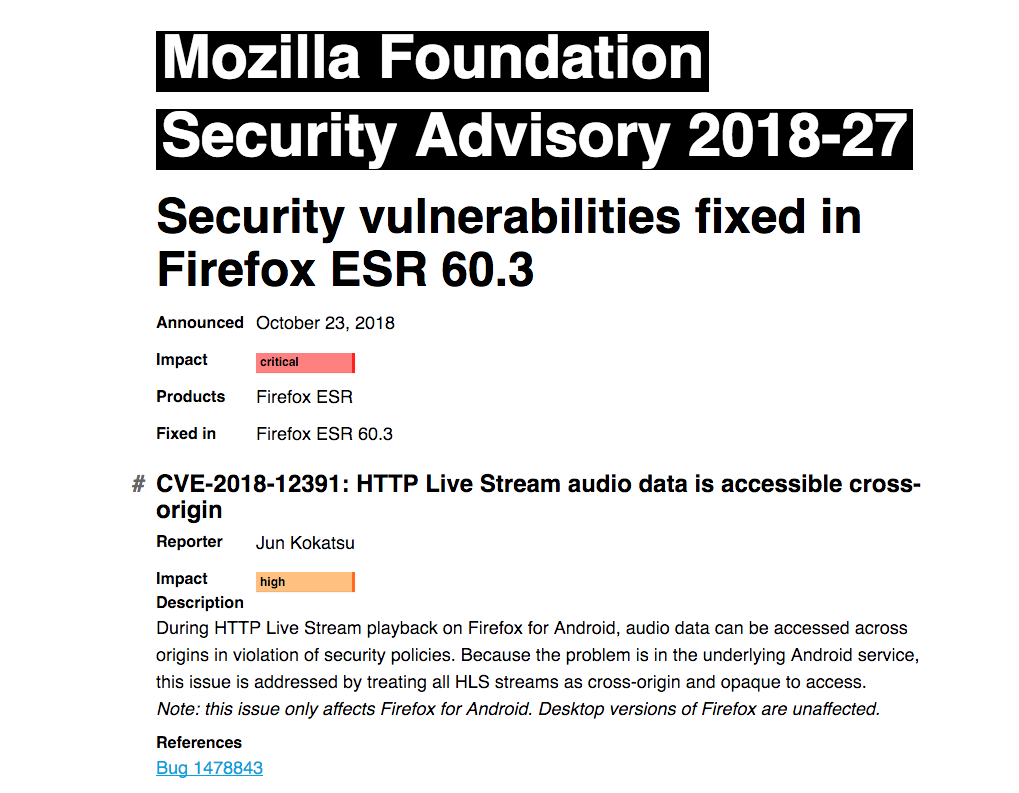
The details about each is on the page. It mentions "Fixed in Firefox ESR 60.3" on top of page.
Firefox Releases https://www.mozilla.org/security/known-vulnerabilities/firefox/
Firefox ESR (currently 60 ESR) https://www.mozilla.org/security/known-vulnerabilities/firefox-esr/
Diperbarui oleh James pada
Solusi Terpilih
OK, seeing those 2 re. memory corruption now if I scroll to bottom of page. Assumed critical fixed would be listed first just below the critical heading in red, instead of appearing after ones less severe: high, moderate, low. Hadn't thought it was necessary to keep scrolling down the page to see those. This presentation showing the critical after low doesn't make a lot of sense and introduces confusion. But will know in future where to look.
Diperbarui oleh mvk87 pada