


Windows 10 reached EOS (end of support) on October 14, 2025. If you are on Windows 10, see this article.

Pomoc přepytać

Hladajće so wobšudstwa pomocy. Njenamołwimy was ženje, telefonowe čisło zawołać, SMS pósłać abo wosobinske informacije přeradźić. Prošu zdźělće podhladnu aktiwitu z pomocu nastajenja „Znjewužiwanje zdźělić“.

Dalše informacije
Rozrisany Archiwowany

Firefox keeps closing my Facebook tab.

aseltzer

I tried the answers previously given and found the following answers: (1) Create an allow cookie exception (Tools > Options > Privacy > Cookies: Exceptions) to keep such a cookie, especially for secure websites and if cookies expire when Firefox is closed. (2) Do not use Clear Recent History to clear the "Cookies" and the "Site Preferences". I'm using Firefox 8 beta 4 on a Win 2K system and I can't find a "Cookies: Exceptions" option under "Privacy." I also can't find "clear recent history." If the latter is the default option I need to know what to do to avoid using it.

I tried the answers previously given and found the following answers: (1) Create an allow cookie exception (Tools > Options > Privacy > Cookies: Exceptions) to keep such a cookie, especially for secure websites and if cookies expire when Firefox is closed. (2) Do not use Clear Recent History to clear the "Cookies" and the "Site Preferences". I'm using Firefox 8 beta 4 on a Win 2K system and I can't find a "Cookies: Exceptions" option under "Privacy." I also can't find "clear recent history." If the latter is the default option I need to know what to do to avoid using it.

Wšě wotmołwy (2)

Wubrane rozrisanje

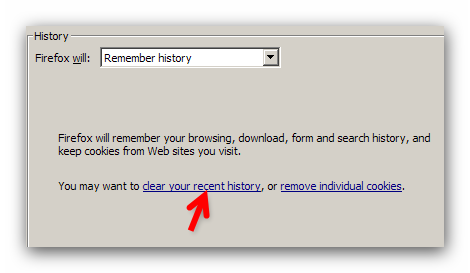
Options -> Privacy -> Firefox will : Use custom settings for history {Select from drop down menu.}

You will see Accept cookies from sites and Exceptions next to it.

See the image below.
Wot xr417 změnjeny