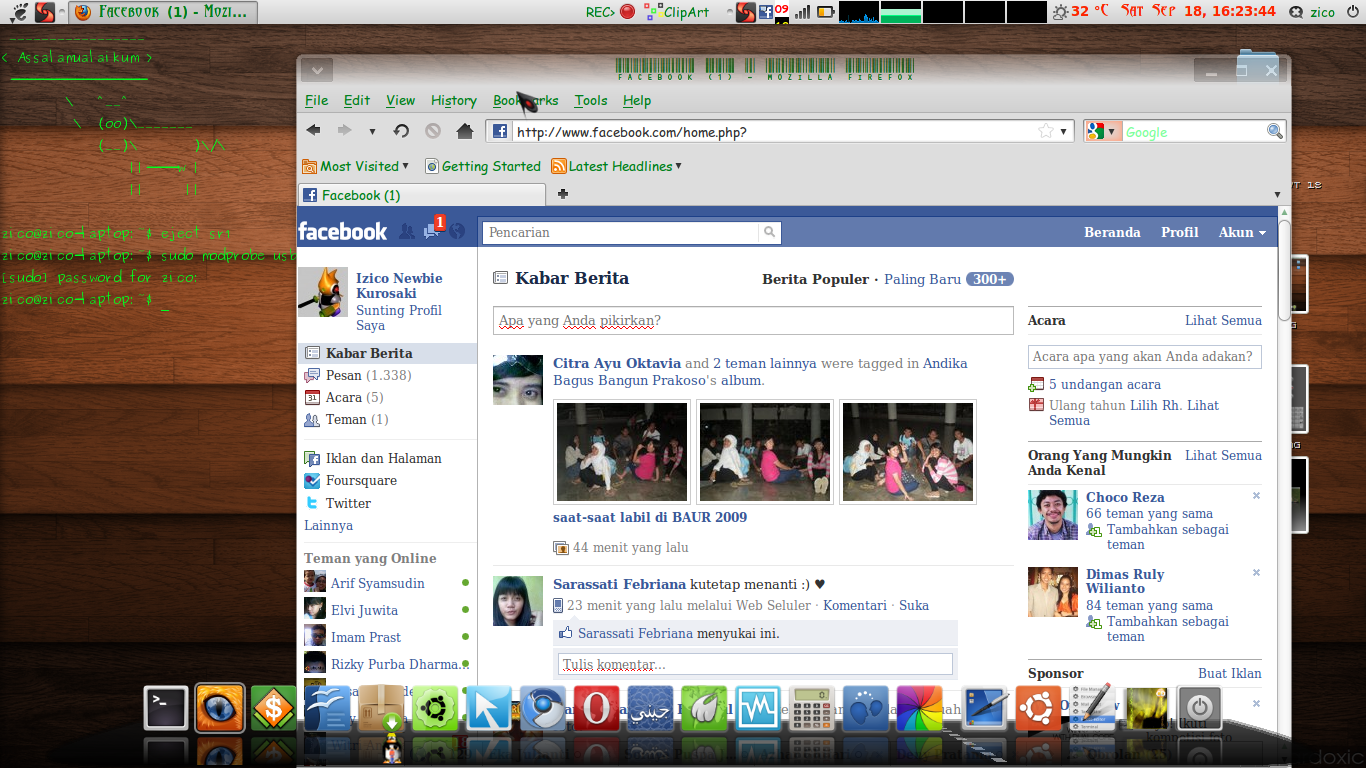
my firefox is can not show the text from Facebook.com

firefox on my Ubuntu 10.04 can not show text from www.facebook.com when i open it, i try to uninstall Firefox then re-install Firefox again but it can not fix my Firefox problem, i also try to clear cookies and history, but it also can not fix my firefox Problem,
Wšě wotmołwy (2)
Start Firefox in Use Troubleshoot Mode in Firefox to check if one of your add-ons is causing your problem (switch to the DEFAULT theme: Tools > Add-ons > Themes).
See Troubleshoot extensions, themes and hardware acceleration issues to solve common Firefox problems and Troubleshoot issues with plugins like Flash or Java to fix common Firefox problems
Try to disable the website fonts as a test and try a few different default (serif/sans-serif) fonts.
Edit > Preferences > Content : Fonts & Colors: Advanced
(disable [ ] Allow pages to choose their own fonts, instead of my selections above)
Thnks very much... your suggestion is give me a solution..
Try to disable the website fonts as a test and try a few different default (serif/sans-serif) fonts.
Edit > Preferences > Content : Fonts & Colors: Advanced
(disable [ ] Allow pages to choose their own fonts, instead of my selections above)
with follow your suggestion:
"Try to disable the website fonts as a test and try a few different default (serif/sans-serif) fonts. Edit > Preferences > Content : Fonts & Colors: Advanced (disable [ ] Allow pages to choose their own fonts, instead of my selections above)"
my firefox problem was fixed, thank U... is