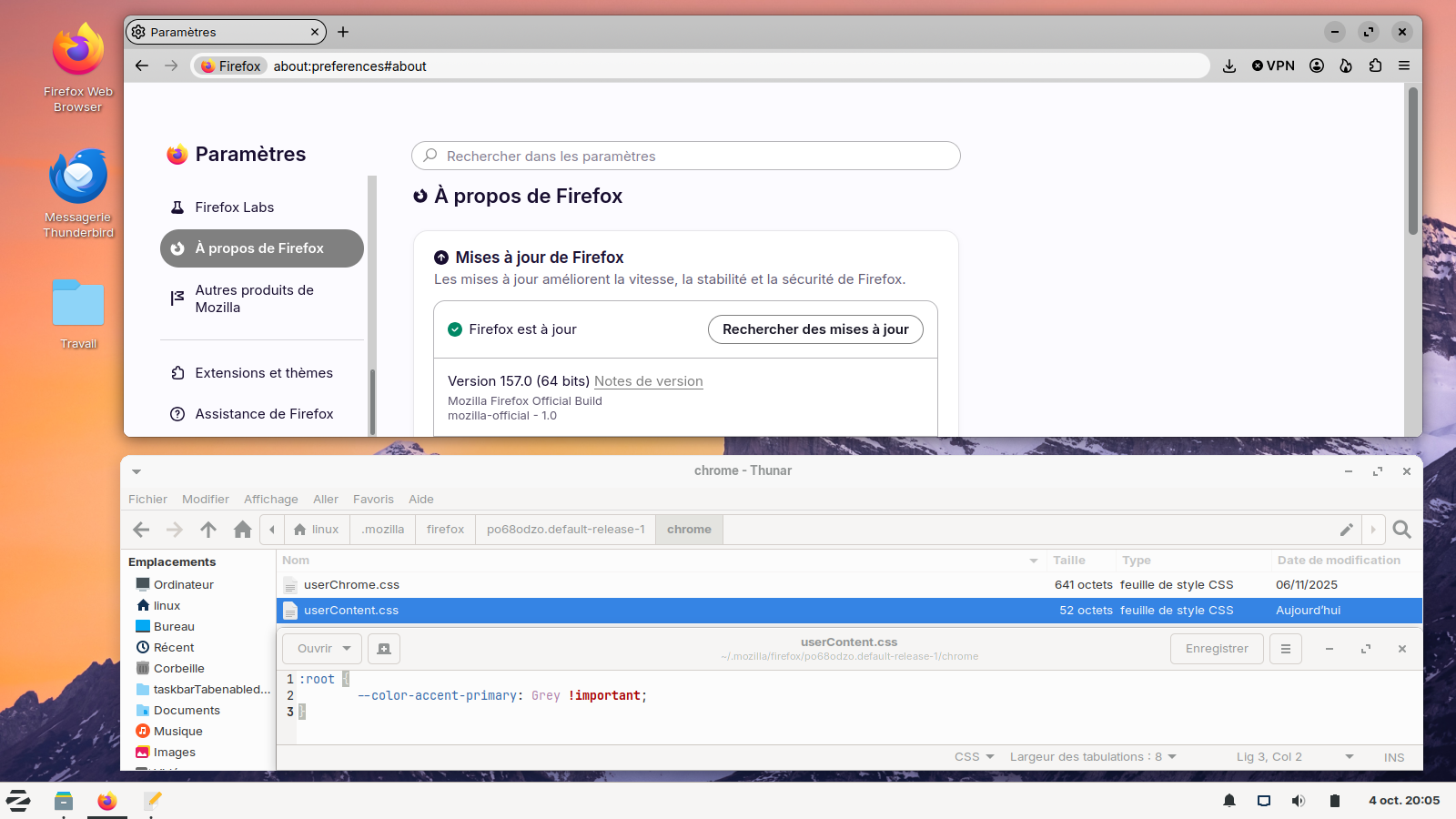
nova settings vetical tab selected color

under the new nova ui style, settings ui now has a left hand column listing the settings categories available the selected catqgory is highlighted in a light purple color. not a fan. how do I change the color. don't mind collateral damage as not a fan of this color.
Wšě wotmołwy (3)
Hi grey.71,
The light purple highlight is part of the new Nova Settings design. I don’t believe there is currently a normal Firefox setting that lets you change that particular selected-category colour.
Firefox 157 introduced the refreshed colour palette and redesigned Settings as part of Nova.
If you’re comfortable with advanced customization, userChrome.css may be able to change parts of the interface, but the exact selector for the Settings sidebar may still be changing with Nova. I wouldn’t recommend changing about:config just to alter the colour.
You could also leave feedback on Mozilla Connect, since the new design is still being refined and Mozilla is actively collecting feedback on Nova.
Bonsoir
A space for users to give product feedback https://support.mozilla.org/en-US/kb/what-mozilla-connect
Introduction, please read, contributors guide on Firefox advanced customization with css https://support.mozilla.org/en-US/kb/contributors-guide-firefox-advanced-customization
Colors https://www.w3schools.com/colors/colors_hex.asp
If you wish to try userContent.css
:root { --color-accent-primary: Grey !important; }
Copy/paste the code into your notepad Save Type: All files userContent.css
Create a chrome folder Move userContent.css to your chrome folder
Go to your profile folder https://support.mozilla.org/en-US/kb/profiles-where-firefox-stores-user-data#w_how-do-i-find-my-profile
Move your chrome folder to your profile folder
Go to configuration editor https://support.mozilla.org/en-US/kb/about-config-editor-firefox Enter a search term toolkit.legacyUserProfileCustomizations.stylesheets Double-click on the preference, to set its value to true
And restart Firefox
If you change userContent.css, restart Firefox
Below, the result of the test of this userContent.css
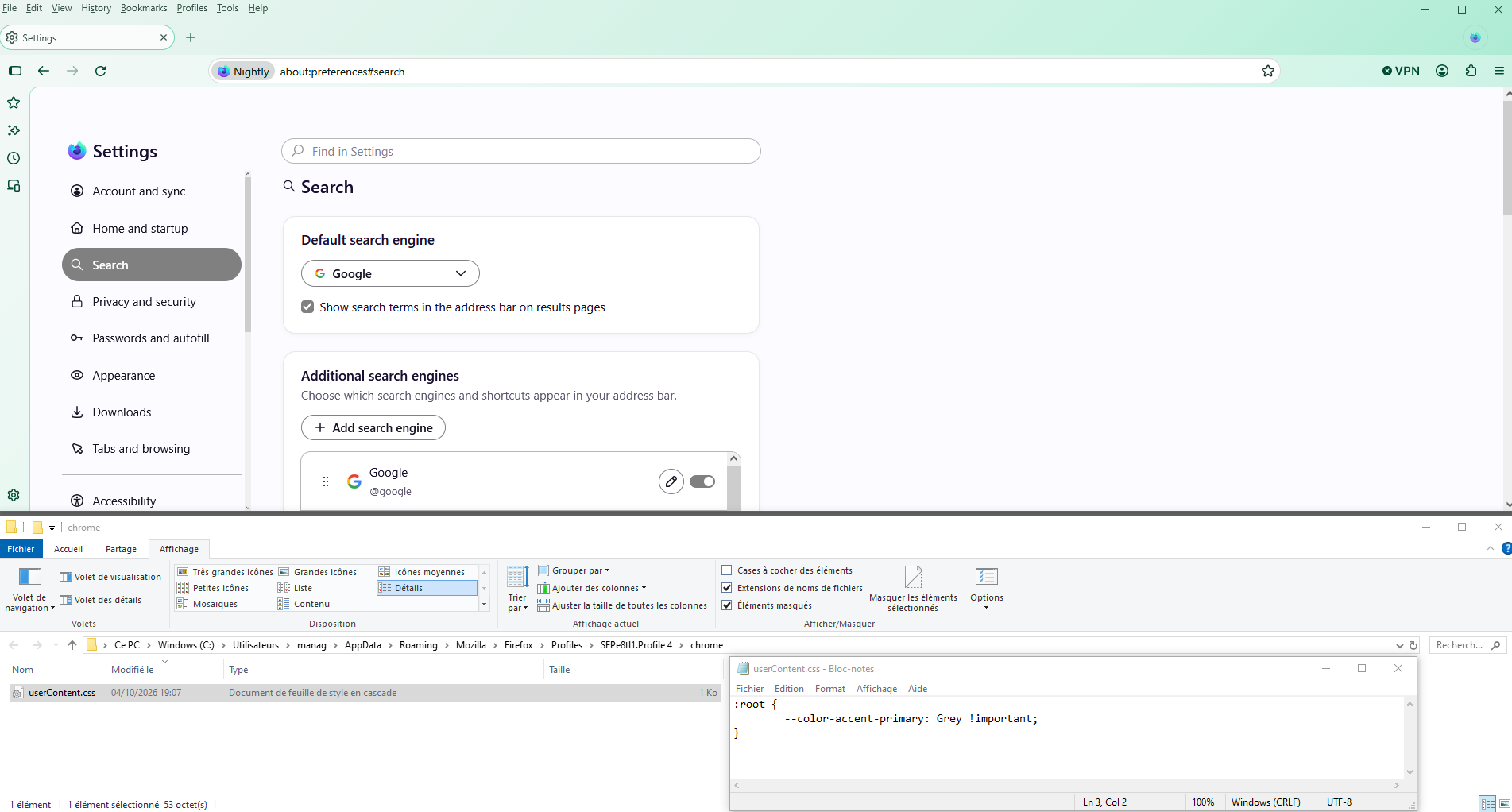
Below, Linux, the result of the test of this userContent.css