Wočinjeny
"Exceptions - cookies and site data" vs "Exceptions - clear history on shutdown"

Hello,
in Firefox 154, it looks like there are 2 places if you want to create exceptions to clearing data when exiting.
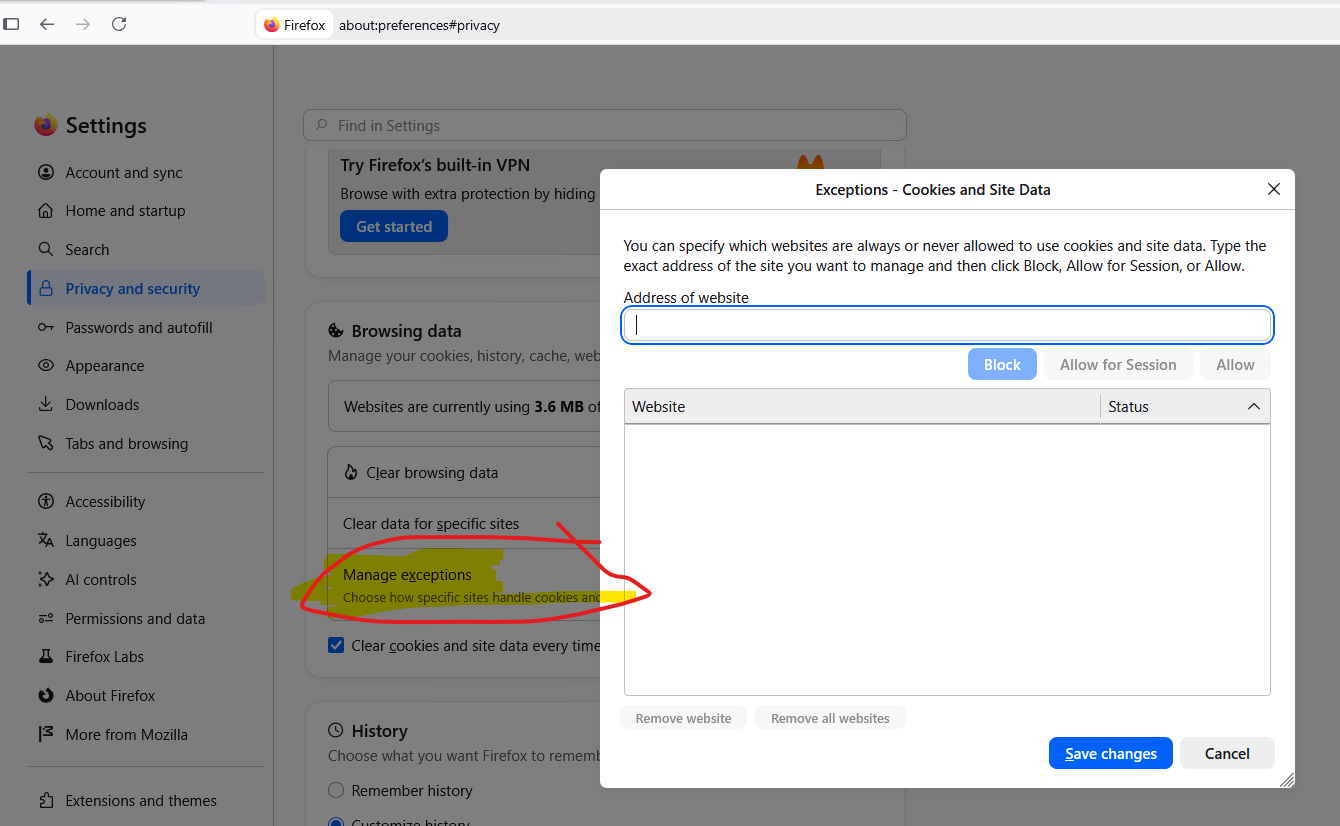
1. In about:preferences#privacy under "Browsing data": "Exceptions - cookies and site data"
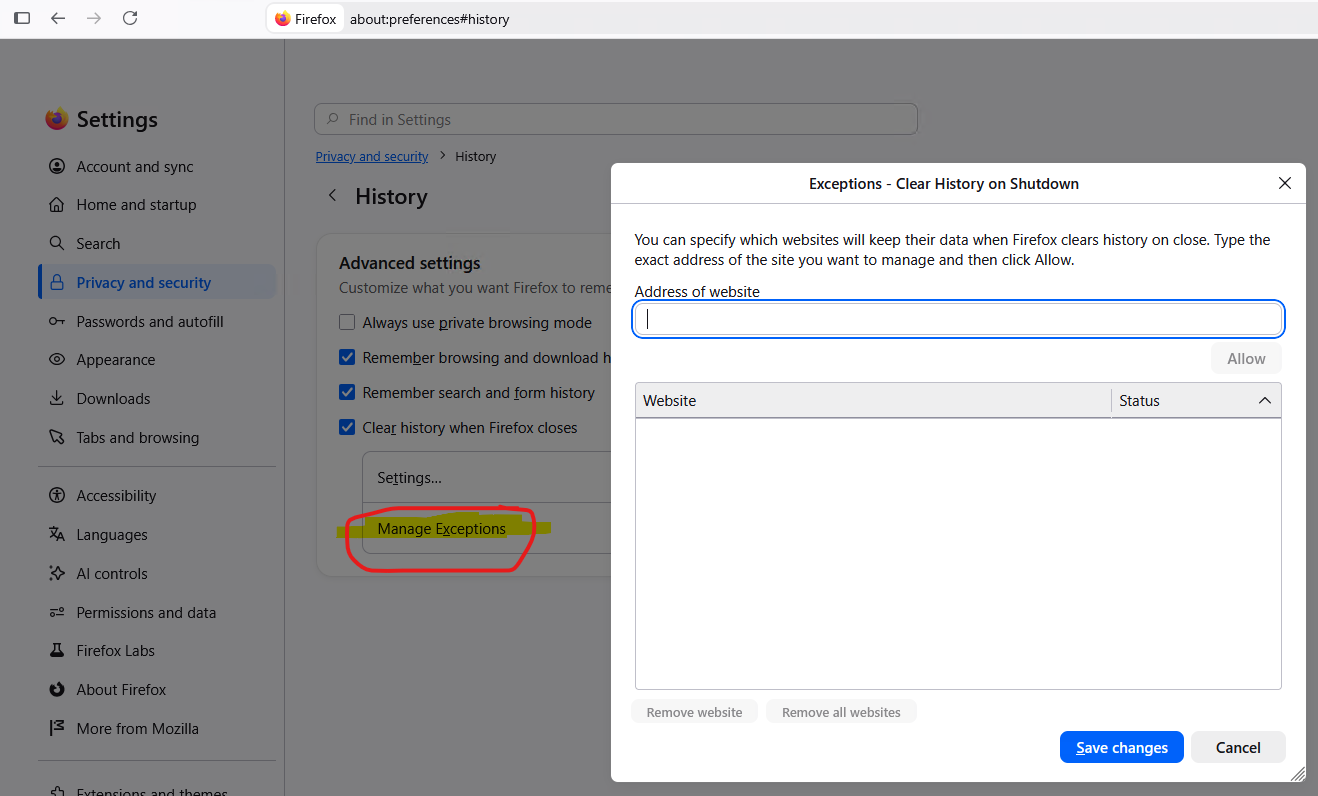
2. and in about:preferences#history: "Exceptions - clear history on shutdown"
The 1st place allows more than just an exception to clearing data on exit, it allows negative exceptions too (i.e. "block" and "session-only"), whereas the 2nd place does not have those, and is only an exception to clearing data on exit.
having both of those dialogues is pretty confusing and seems duplicative.
what are the under the hood differences between them, and which one should be preferred for exceptions to clearing data on exit?
Hello,
in Firefox 154, it looks like there are 2 places if you want to create exceptions to clearing data when exiting.
1. In about:preferences#privacy under "Browsing data": "Exceptions - cookies and site data"
2. and in about:preferences#history: "Exceptions - clear history on shutdown"
The 1st place allows more than just an exception to clearing data on exit, it allows negative exceptions too (i.e. "block" and "session-only"), whereas the 2nd place does not have those, and is only an exception to clearing data on exit.
having both of those dialogues is pretty confusing and seems duplicative.
what are the under the hood differences between them, and which one should be preferred for exceptions to clearing data on exit?