


Messages layout

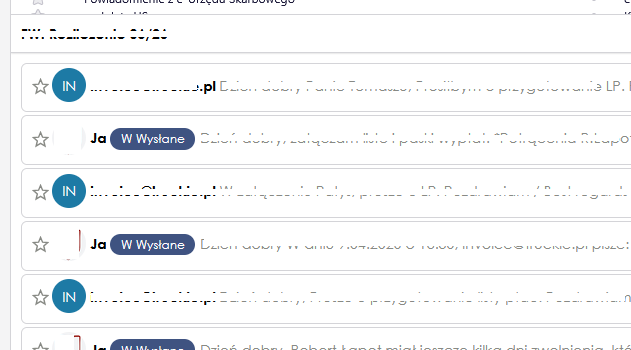
How can I get the message layout shown in the attached screenshot?
Wšě wotmołwy (1)
Hello there\Moderator 5/7/2026 / 01:48 / europe.
Hello there
Tomasz kos.
Supernova look Yes, you can get this layout if you are using Thunderbird version 115 or newer. The screenshot you provided shows Thunderbird utilizing the Vertical View layout combined with the Cards View message list.
To set this up on your own screen, follow these steps: 0Click the Application Menu button (the three horizontal lines in the top right). 1Navigate to View > Layout and check Vertical View. (This moves your email preview pane to the right). 2Look at the top right of your message list (just to the right of the Quick Filter button) and click the Message list display options icon. 3Select Cards View from the dropdown menu.
Wot Googlethunderbird. změnjeny