


My default thunderbird profile is frozen and I can't even import my files/folders into a new profile

I just had a support session and the tech was unable to solve the problem. We tried installing a new version of Thunderbird and importing the messages over from the default install and it just freezes up. He tried replacing account settings with the account settings from a previous version and that didn't work either. He suggested contacting Mozilla to see if there was a way to import messages from the frozen default to my new profile.
Wšě wotmołwy (10)
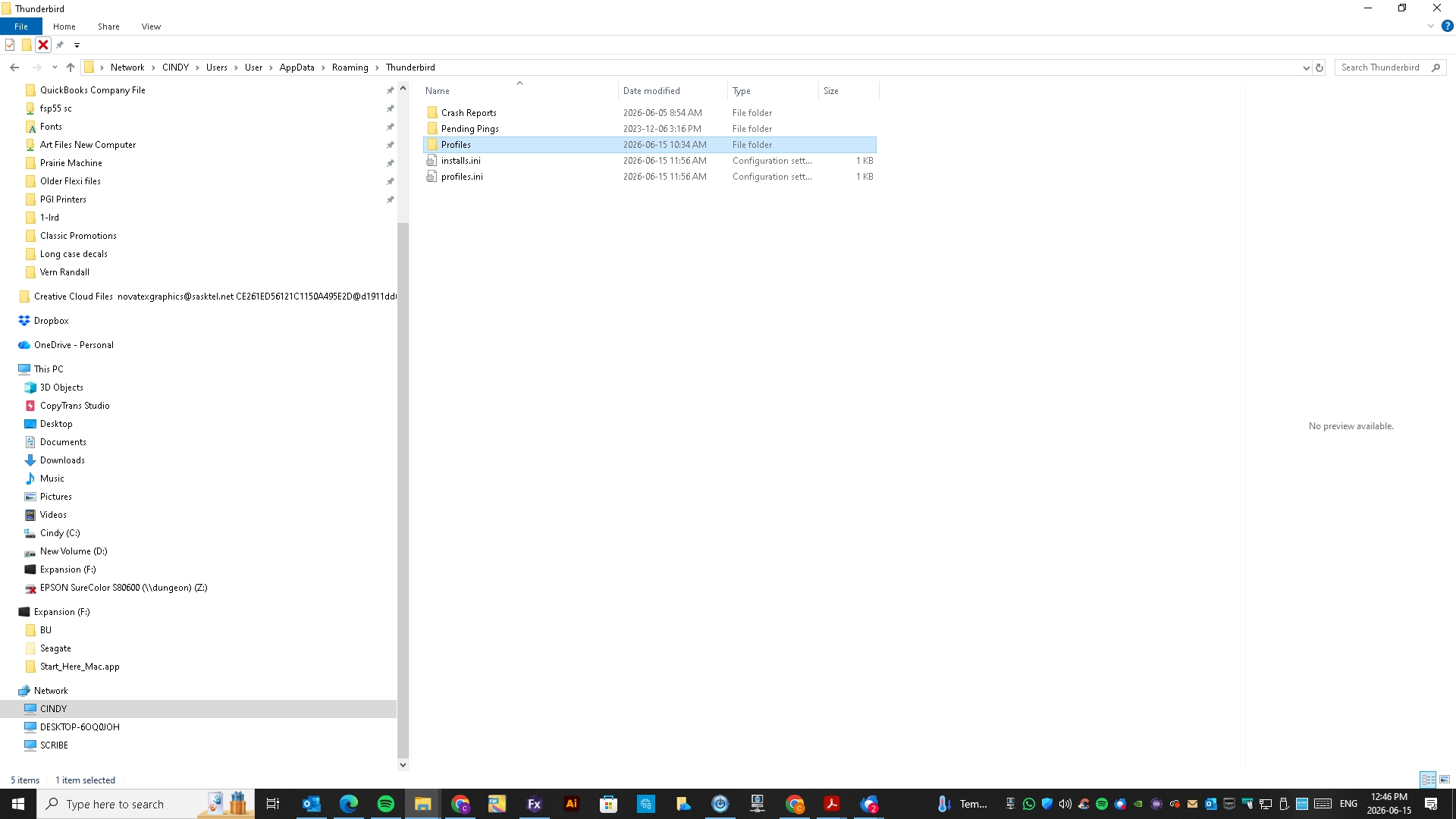
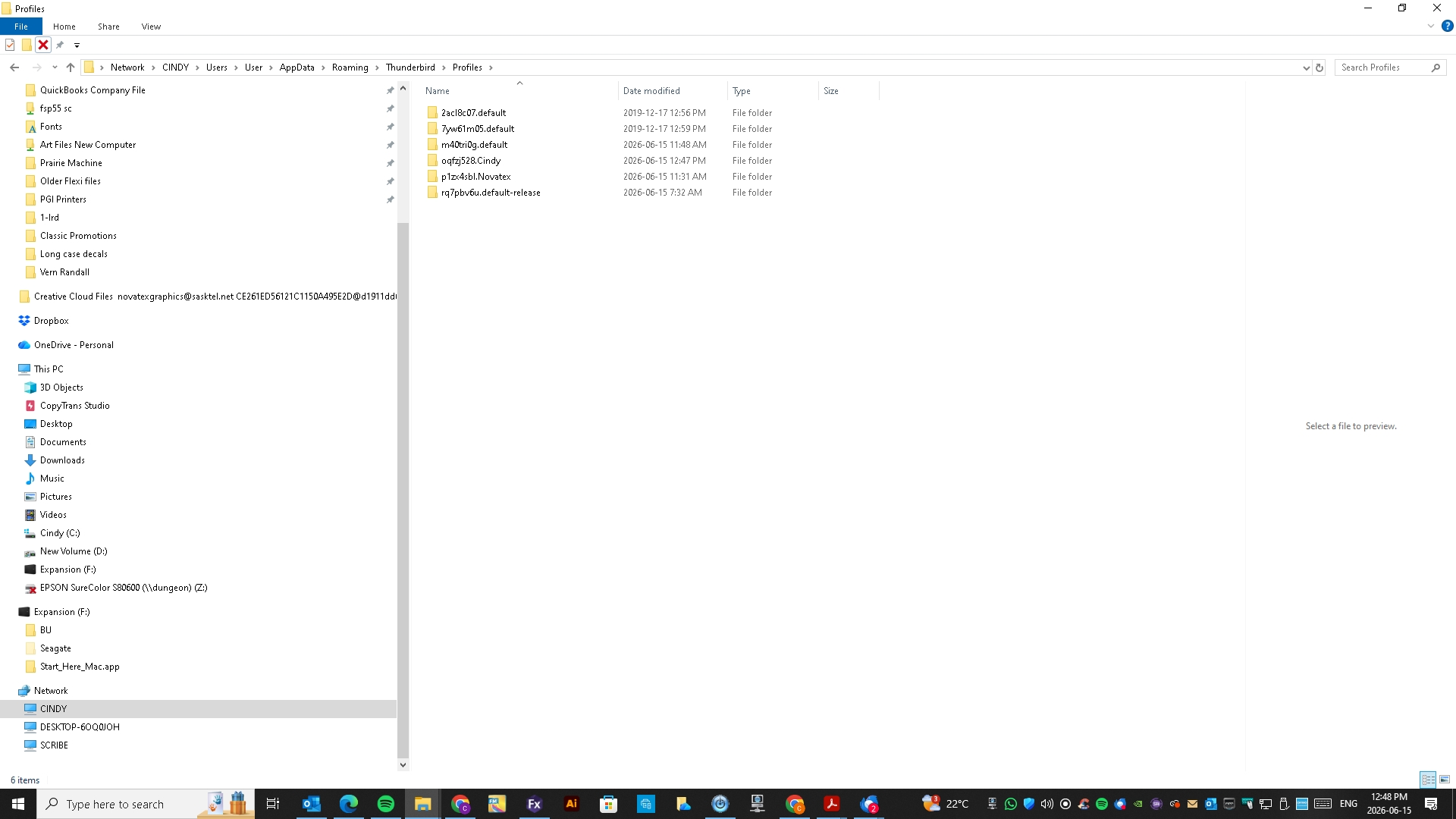
Please post a screenshot of what you have from prior setup. Normally,it's at c:\users\<yourid>\appdata\roaming\thunderbird
Here you go. I am currently using the Cindy Profile, but want files from my default profile.
to switch from the cindy profile to the default do this:
- click help>troubleshootinginformation
- scroll to 'profiles' and click 'about:profiles'
- this next screen lists the available profiles. click one to launch
When I click the default it freezes . And note that the Account Settings tab is open but not responsive.
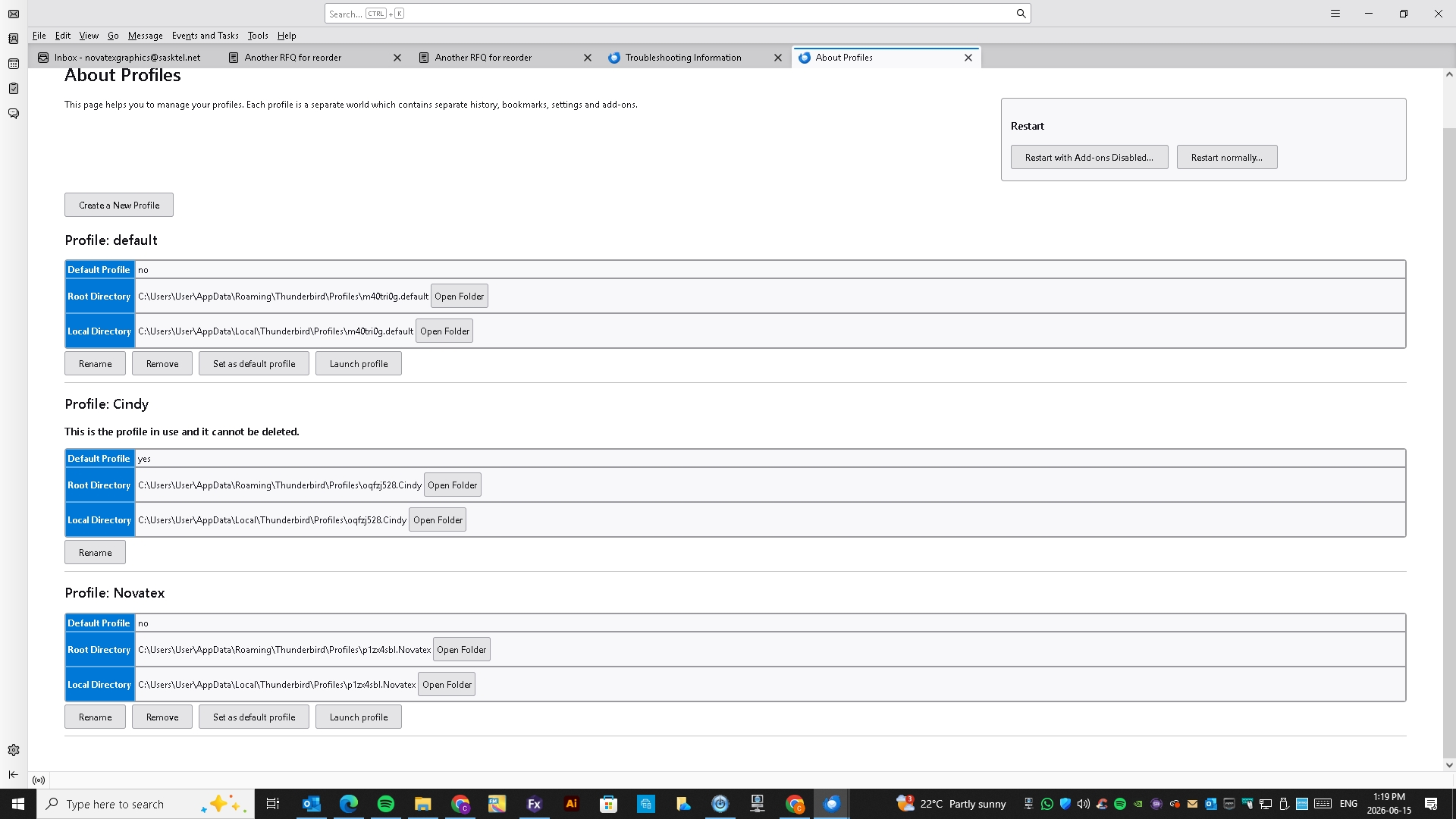
The Novatex Profile is the one we created to see if we could import the messages from the default- with no success.
Open the desired profile and do a screenshot. Seeing the desired profile may help. What do you mean by 'no success'? Details can be helpful.
Here you go. I have a screenshot of what it looks like when I open it, and what it looks like when I try to click on Account Settings. By no success, I mean that the new profile freezes up when we try to import messages and addresses together or separately from the default profile.
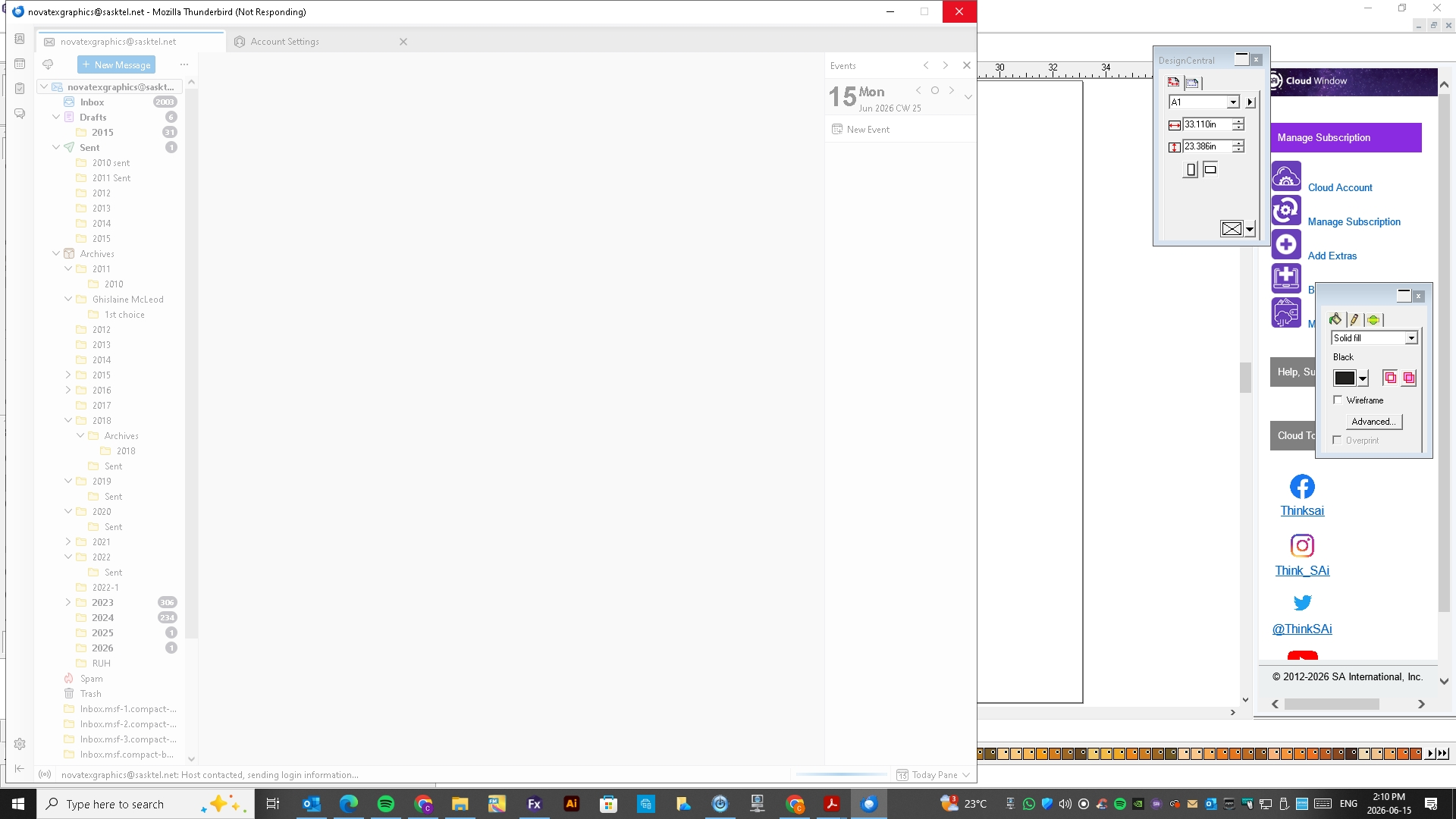
I am trying to follow this. As I understand,
- you start thunderbird and it starts ok
- you click account settings and it instantly freezes? Or do you do something first and then it freezes? thank you
It opens, but freezes immediately. When you try to click on anything, the screen goes dim and that's it.
Two possibilities: - the install is corrupted. download thunderbird again and install over the top of the failing one - OR, the profile is corrupt, in which case you can still import messages after restarting with a clean profile. To do that, here are suggested steps:
- copy the profile with the messages you want away from the thunderbird profile to ensure it is safe
- delete the ...appdata\roaming\thunderbird folder
- restart thunderbird, which will then create a new profile
- setup account normally
- now , to salvage to old messages, do this:
- install the importexporttools NG addon
- highlight Local Folders and rightclick
- select the importexport option to import mbox file '
- locate and select one of the desired message folders from old profile. these will appear in sets, such as inbox, inbox.msf, sent, sent.msf, etc. ignore the msf entries, as the other file is the one with the messages.
- repeat the process for each message folder to import