


Windows 10 reached EOS (end of support) on October 14, 2025. If you are on Windows 10, see this article.

Pomoc přepytać

Hladajće so wobšudstwa pomocy. Njenamołwimy was ženje, telefonowe čisło zawołać, SMS pósłać abo wosobinske informacije přeradźić. Prošu zdźělće podhladnu aktiwitu z pomocu nastajenja „Znjewužiwanje zdźělić“.

Dalše informacije
Rozrisany

Firefox (Android) still suggesting websites from my history after clearing full history.

Abdur Rauf

Hello.

My problem is exactly what the title says. After I clear my history, Firefox still suggests me websites (not in my bookmarks). In the settings, when "search browsing history" is enabled, I get suggested some websites I used in the past even after clearing all time history. If I disable "search browsing history", then only the websites are not suggested. I already cleared everything like site data and cookies, all time browsing history etc.

I've attached 2 Screenshots: First screenshot is of the "search browsing history" setting. Second screenshot is of the search suggestion. There are 2 markings which mean: 1. (Main Problem) The suggested website by Firefox, which shouldn't appear after history cleanup. (It doesn't appear when the setting is off.) 2. This suggested website is different and in my bookmarks and is not a problem. (I am only mentioning it because I know the concerning website is not in my bookmarks.)

I use same sync account for Windows and Android and I don't have this problem on Windows. What should I do? Thank you for your time.
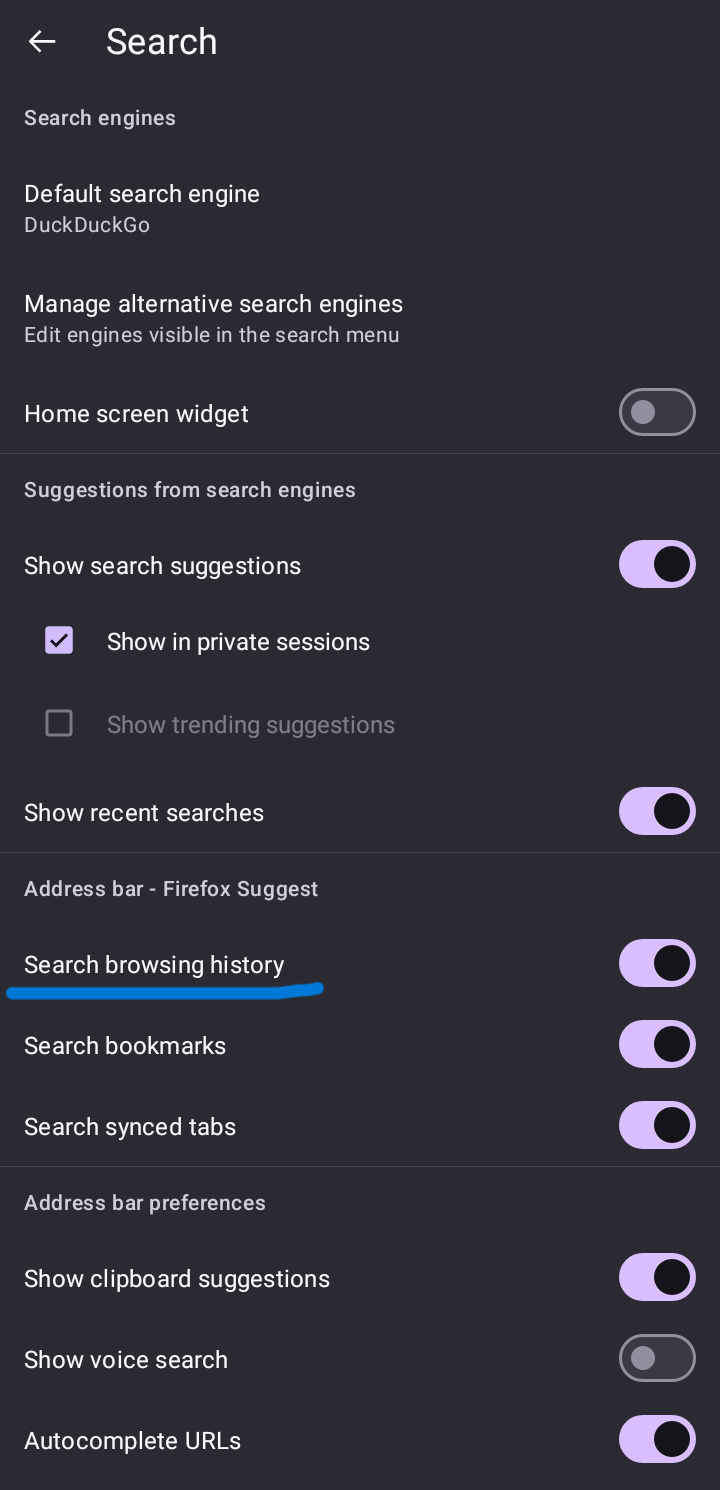
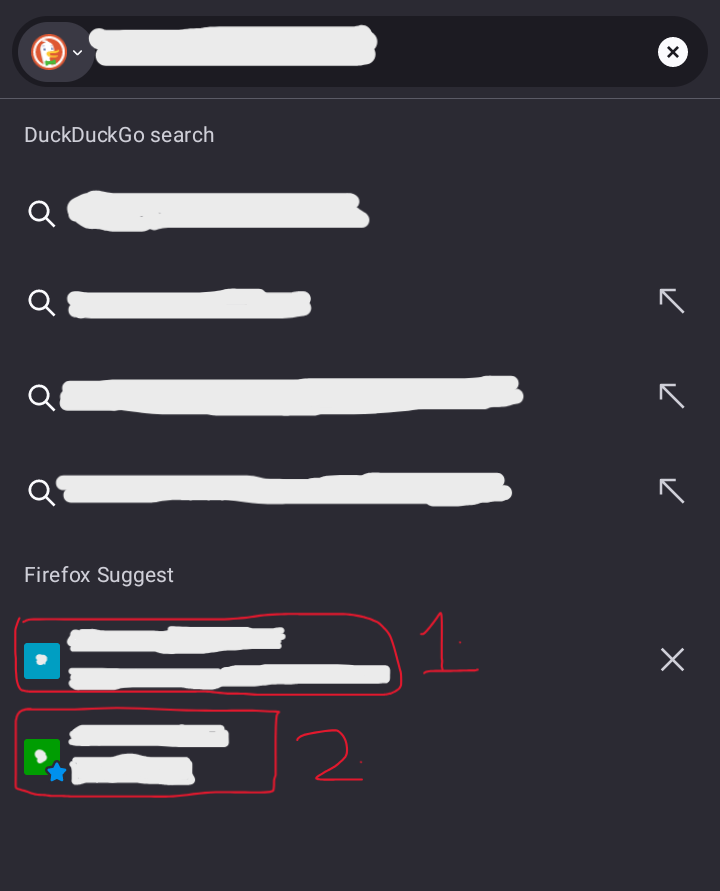
Hello. My problem is exactly what the title says. After I clear my history, Firefox still suggests me websites (not in my bookmarks). In the settings, when "search browsing history" is enabled, I get suggested some websites I used in the past even after clearing all time history. If I disable "search browsing history", then only the websites are not suggested. I already cleared everything like site data and cookies, all time browsing history etc. I've attached 2 Screenshots: '''First screenshot''' is of the "search browsing history" setting. '''Second screenshot''' is of the search suggestion. There are 2 markings which mean: 1. (Main Problem) The suggested website by Firefox, which shouldn't appear after history cleanup. (It doesn't appear when the setting is off.) 2. This suggested website is different and in my bookmarks and is not a problem. (I am only mentioning it because I know the concerning website is not in my bookmarks.) I use same sync account for Windows and Android and I don't have this problem on Windows. What should I do? Thank you for your time.
Připowěsnjene fota wobrazowki

Wšě wotmołwy (1)

Wubrane rozrisanje

[FIXED]

So the problem is fixed, thanks to "No-Star4283" on Reddit.

I reinstalled Firefox and it worked. Maybe the issue was local persistent storage which was not being cleared normally. Signed in my account again and synced too and still no issues now.

Stajće prašenje

Dyrbiće so pola swojeho konta přizjewić, zo byšće na přinoški wotmołwił. Prošu stajće nowe prašenje, jeli hišće wužiwarske konto nimaće.