Google authorisation popup does not appear when trying to add Gmail account to Thunderbird

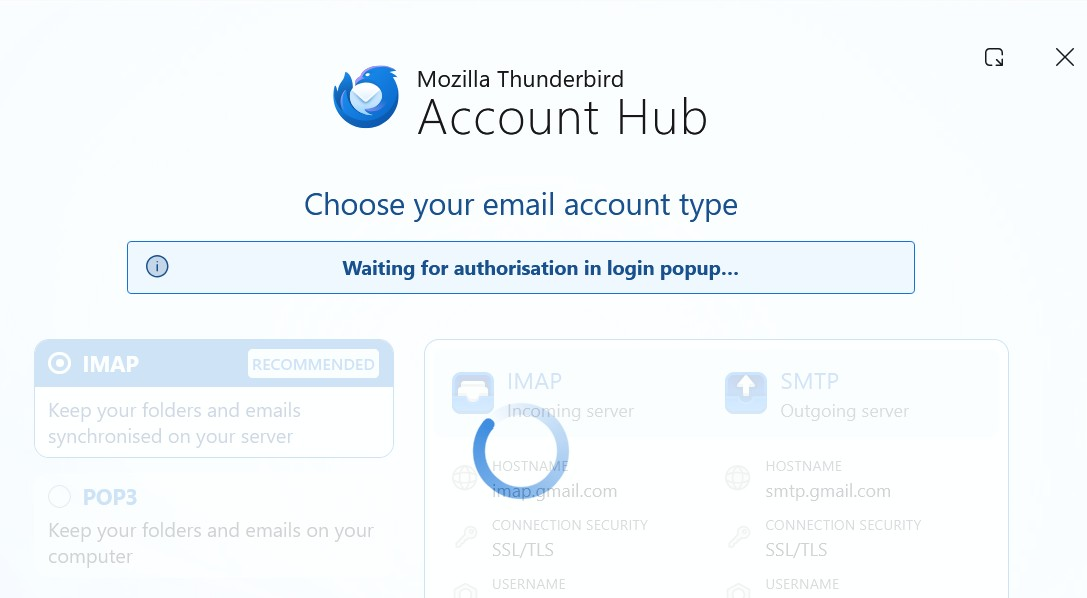
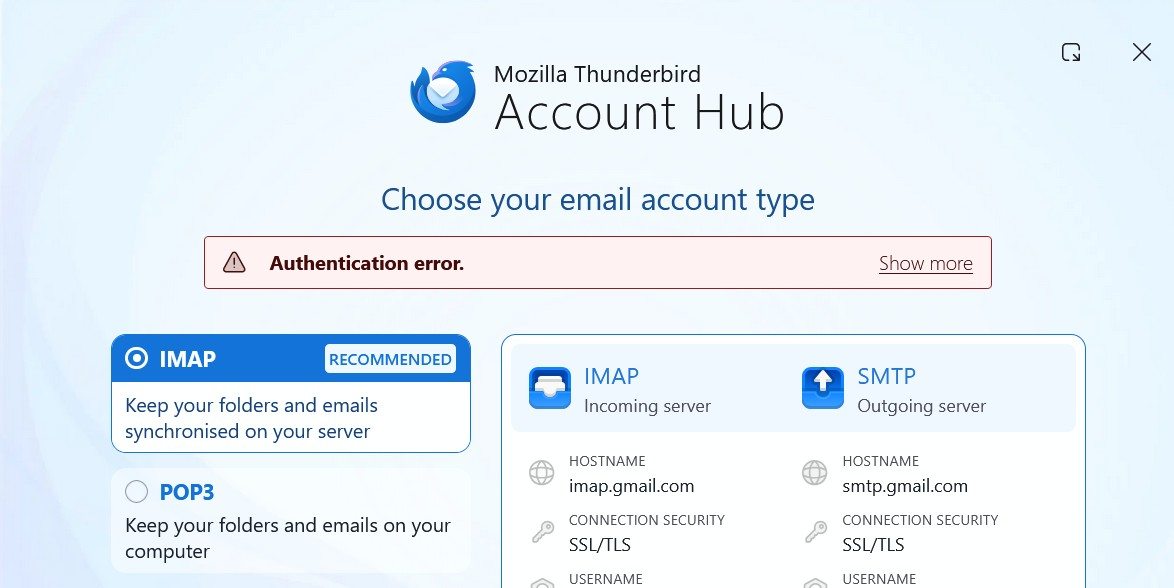
I am trying to add a Gmail account to Thunderbird. After clicking Continue from the configuration window, the system shows a 'Waiting for authorisation in login popup' window with a rotating circle, which eventually finishes and the window says 'Authentication error. Unable to log in at server. . . .'. As I understand it, the login popup window should be from Google asking me to confirm that it is OK for Thunderbird to connect to the Gmail server. It looks like that Google popup is being blocked. Does anyone have any suggestions as to how to get the Google permission popup to appear?
Wšě wotmołwy (2)

Make sure to allow cookies in Thunderbird. Don't use a VPN when attempting to authenticate. Also make sure there is no local web server running on your computer or any other service listening to TCP port 80. To check this open a command prompt, and run this command:
netstat -an | findstr LISTEN | findstr ":80[^0-9]"
If you are still stuck, please post screenshots illustrating the problem.
Thanks for your suggestions.
I have have allowed cookies in Thunderbird, am not using a VPN, and have run the command as stated. The command returned nothing.
This is what happens when I try to add the gmail account. After entering the gmail address I get a window stating "Configuration has been found in Mozilla ISPDB" After clicking 'Continue' I get the window shown in the first uploaded image below. The stated login prompt never appears. After a few minutes of that image, with rotating circle, the window shown in the second uploaded image appears, stating "Authentication error".
I need to find out how to get the login prompt to appear. Turning off my Adblocker web browser extension does not solve the problem. To date, I have been using Outlook as my email system. When one adds a gmail address to that one gets a browser window appearing from Google requesting permission to allow the system to access gmail. I presume I should see the same sort of browser window when adding a gmail address to Thunderbird.
I hope this information gives you enough to suggest other things I can try.