Incessant update nagging

How do I disable update notifications? I do not wish to update and I do not wish to be continually nagged to do so.
Wšě wotmołwy (3)
Hello
Firefox release notes https://www.mozilla.org/en-US/firefox/releases Mozilla Foundation Security Advisories https://www.mozilla.org/en-US/security/advisories
DisableAppUpdate https://connect.mozilla.org/t5/discussions/upgrade-notification-spam/m-p/64080/highlight/true#M22529 for information purposes.
I do not want to read about release notes, or care about advisories, so I followed the third link. It provided six other links and a screen shot of:
"policies": {
"DisableAppUpdate": true
But I could not figure out how to access the location where that text can be accessed and modified.
Please provide one clear way to disable update notifications.
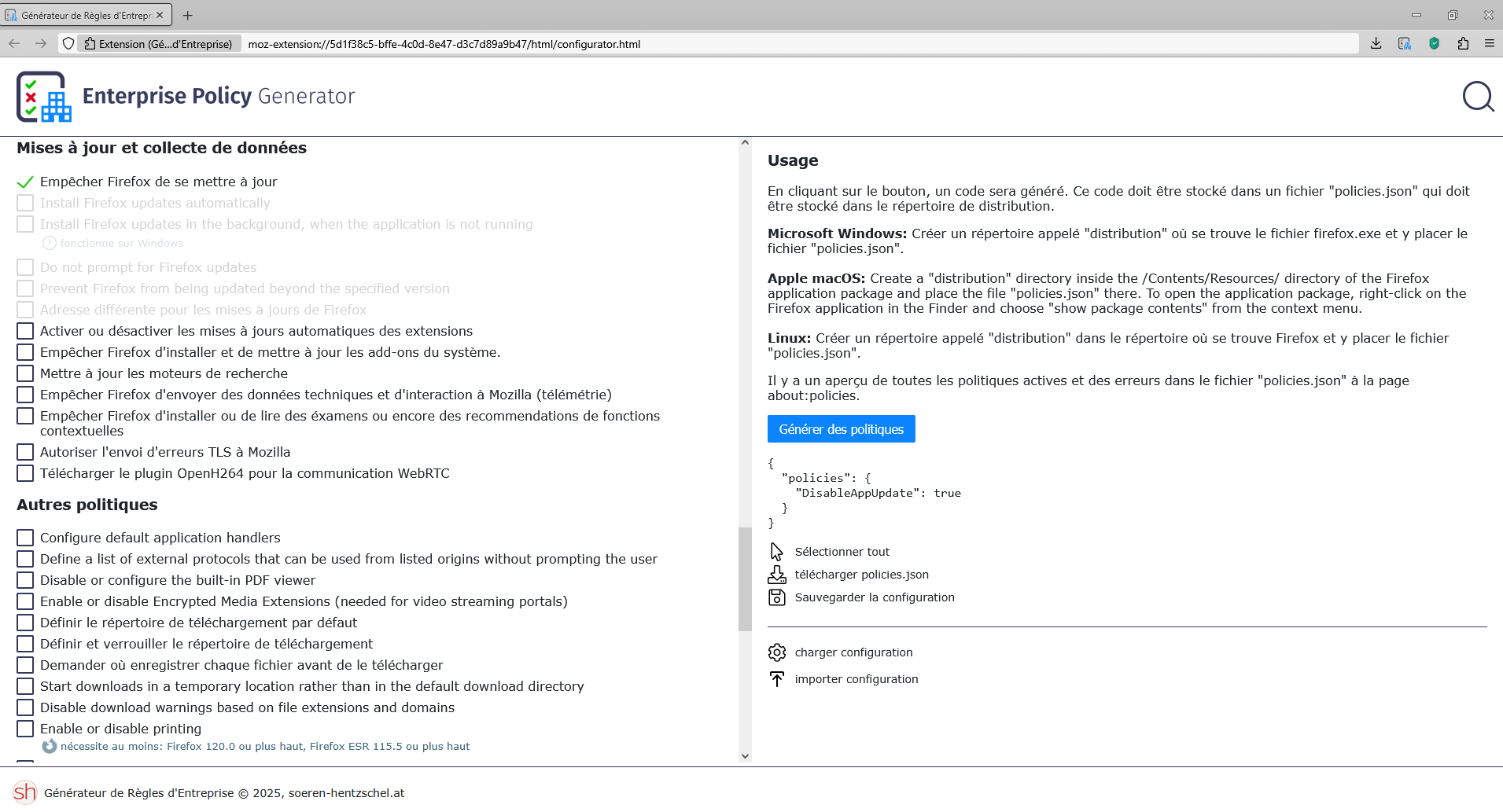
The Enterprise Policy Generator https://addons.mozilla.org/firefox/addon/enterprise-policy-generator helps to create the configuration file.
Prevent Firefox from updating
{ "policies": { "DisableAppUpdate": true } }
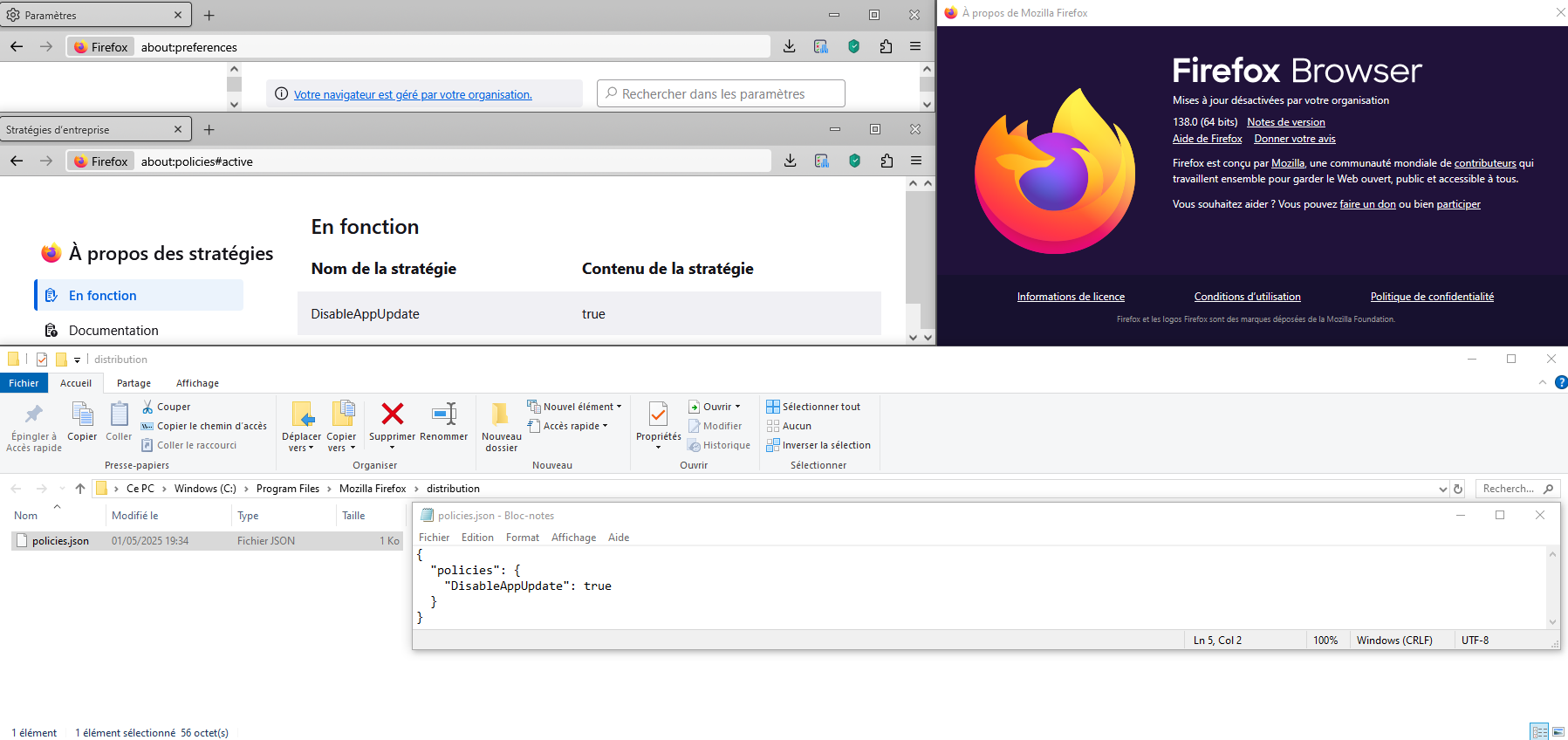
Copy/paste the above code (example) into Notepad Save Type: All files policies.json
Then Create the distribution folder Move policies.json to the distribution folder Move the distribution folder to the folder where Firefox is installed
Use the Troubleshooting Information page to help fix Firefox issues https://support.mozilla.org/en-US/kb/use-troubleshooting-information-page-fix-firefox
Application Binary: Shows where Firefox is installed.
Restart Firefox
Your browser is being managed by your organization, that's normal.
Use the Troubleshooting Information page to help fix Firefox issues
Enterprise Policies: This shows you if your browser is being managed by Windows Group Policy or a policies.json file. If enterprise policies are managing Firefox, clicking on Active will show you a list of the policies that are currently active on Firefox..