


Setting day range for deleting old emails

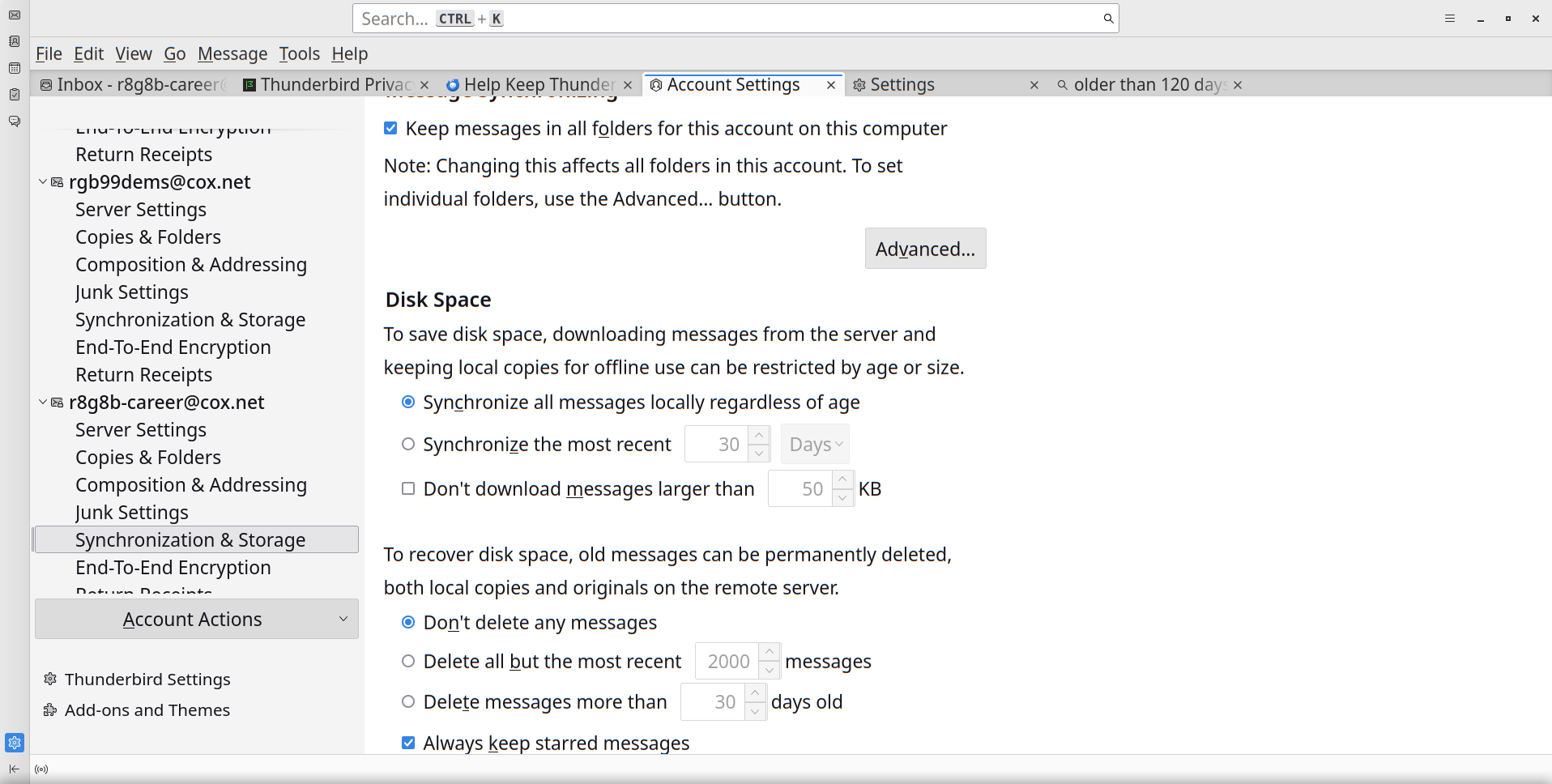
My profile file has become exceeding large, and I want to delete any emails older than a year. I can go to Synchronization and Storage, and there's an option to delete emails that are older than some number of days. However, the number of days for which to delete older emails is grayed out until the radio button for that option is selected. When I select it, a popup messagee appears that says this setting will permanently delete emails on both the server and local storage. If I select OK, emails older than 30 days are immediately deleted before I have a chance to modify the value. Is there a way to modify the value before the emails are deleted?
My profile file has become exceeding large, and I want to delete any emails older than a year. I can go to Synchronization and Storage, and there's an option to delete emails that are older than some number of days. However, the number of days for which to delete older emails is grayed out until the radio button for that option is selected. When I select it, a popup messagee appears that says this setting will permanently delete emails on both the server and local storage. If I select OK, emails older than 30 days are immediately deleted before I have a chance to modify the value. Is there a way to modify the value before the emails are deleted?
Wšě wotmołwy (1)
click file>offline to go offline and then make your changes