


Output device

I got new headphones recently, and they are working on literally everything but firefox, I have looked on my windows settings, made sure he settings were correct, looked through the firefox settings, nothing. Does anyone know how to change the output device specifically for firefox?
Wšě wotmołwy (2)
I plugged in my headphones and have no issues. see screenshots You should show your settings.
Edition Windows 11 Pro
Version 23H2
Installed on 14-Jun-23
OS build 25393.1
Experience Windows Feature Experience Pack 1000.25350.1000.0
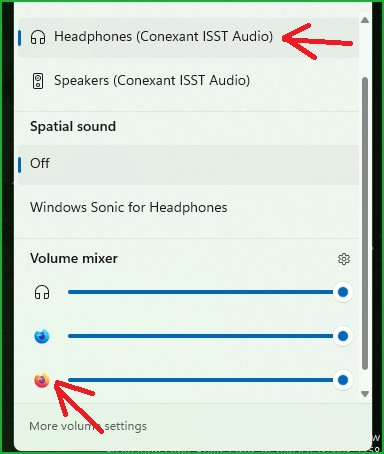
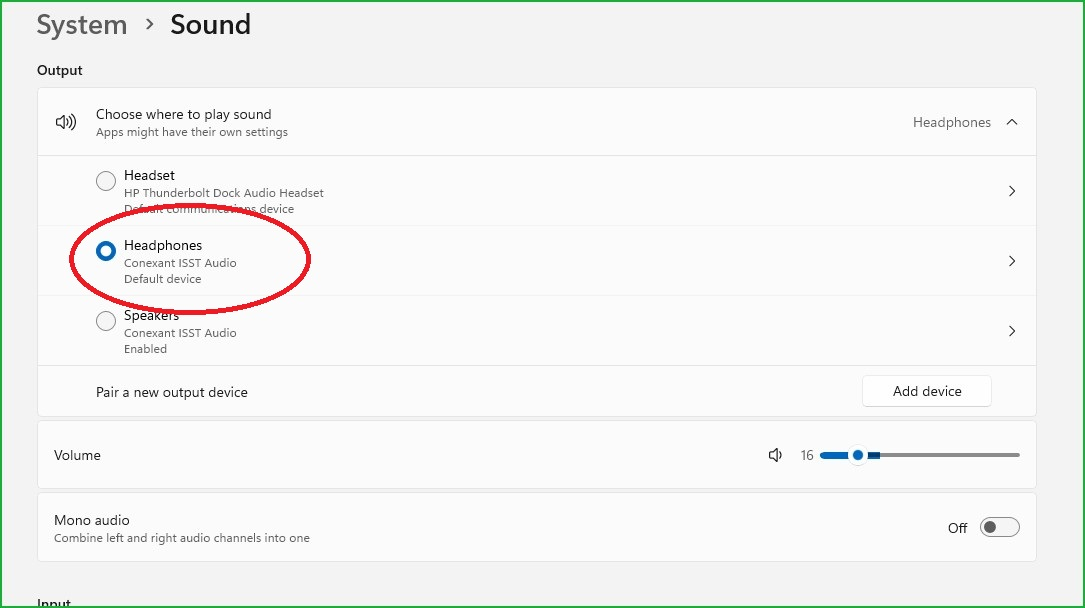
In my experience, Firefox always uses the default system output device -- the one selected using the little speaker icon toward the right end of the Windows 10 taskbar. There might be a way to set Firefox to use a different device, but I am not aware of one.