


Windows 10 reached EOS (end of support) on October 14, 2025. If you are on Windows 10, see this article.

Pomoc přepytać

Hladajće so wobšudstwa pomocy. Njenamołwimy was ženje, telefonowe čisło zawołać, SMS pósłać abo wosobinske informacije přeradźić. Prošu zdźělće podhladnu aktiwitu z pomocu nastajenja „Znjewužiwanje zdźělić“.

Dalše informacije
Archiwowany

Need a detailed view of storage used by each site.

Terry wotmołwjeny
heaven.hunter

I see that Firefox can show us how much data (bytes) stored on disk by each site.

But, can Firefox show a more detailed information about it, i.e. the breakdown of how much is used for cache, local-storage, etc? And even further, can we delete/clear only one specific kind of them, e.g. "Only delete the cache, but retain the cookie"?

I see this feature in MS Edge as attached below, but can't find the same in Firefox.

I want to clear the data stored by several sites (Google and some sites taking up 800MB each). But I don't want to clear the cookie if possible, since I don't want to being logged out from those sites.
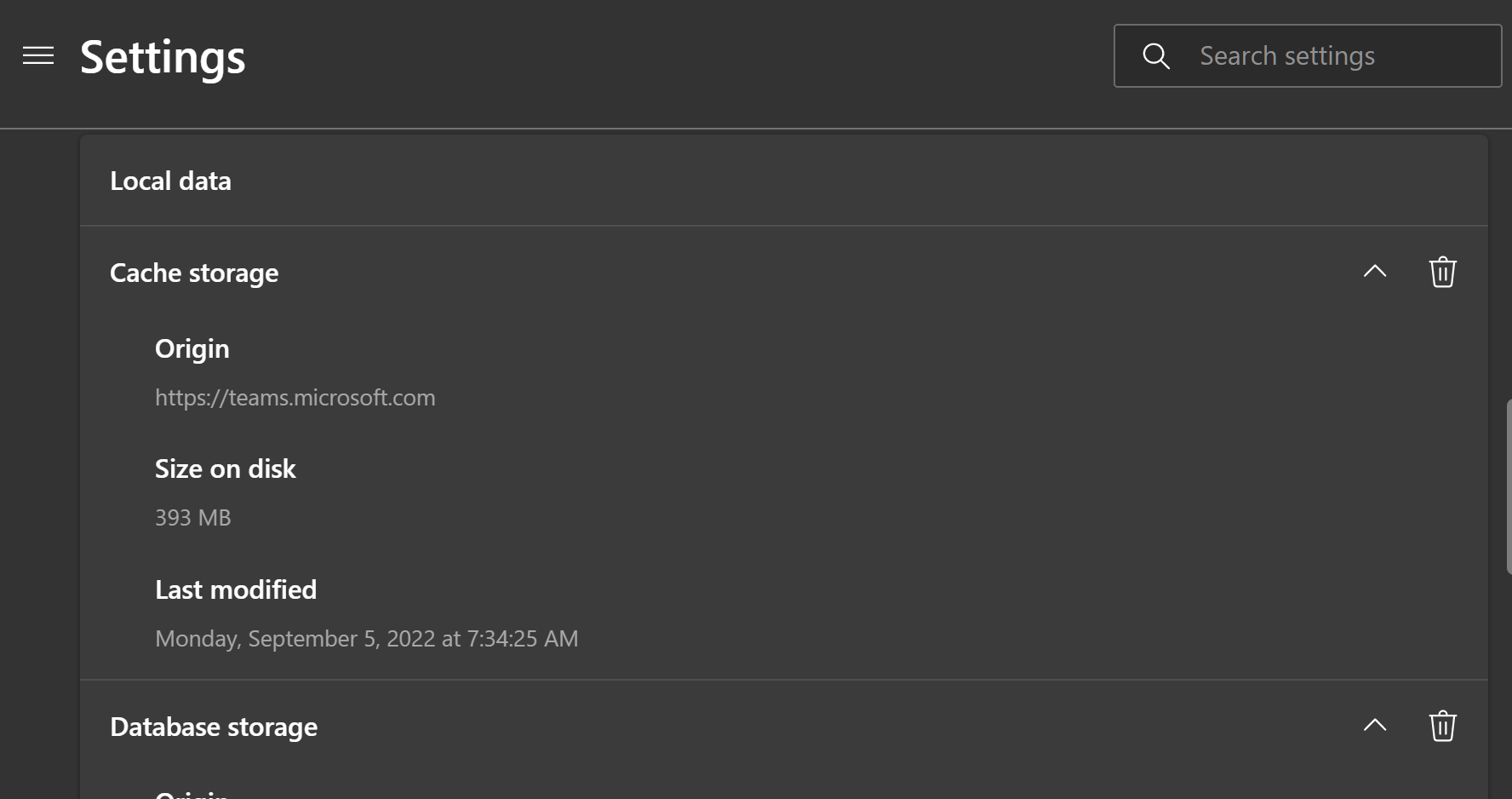
I see that Firefox can show us how much data (bytes) stored on disk by each site. But, can Firefox show a more detailed information about it, i.e. the breakdown of how much is used for cache, local-storage, etc? And even further, can we delete/clear only one specific kind of them, e.g. "Only delete the cache, but retain the cookie"? I see this feature in MS Edge as attached below, but can't find the same in Firefox. I want to clear the data stored by several sites (Google and some sites taking up 800MB each). But I don't want to clear the cookie if possible, since I don't want to being logged out from those sites.
Připowěsnjene fota wobrazowki

Wšě wotmołwy (2)

A lot of useful things are listed in about:about like about:processes, about:performance, about:memory

To manage cookies for a site https://support.mozilla.org/en-US/kb/clear-cookies-and-site-data-firefox#w_clear-cookies-for-any-website

Have you looked at the storage tab in the inspector (ctl-shft-i)?