


Message at startup disappeared

When I opened Thunderbird just now, there was a message at the top center of my screen pertaining to an issue that I did not fully understand. I should have taken a screen shot, apparently. As soon as I clicked on the application, the message went away.
This message may have pertained to my email server. But I am not sure.
Is there a way to get this message to appear again? Closing and reopening Thunderbird did not elicit a repeat of the warning message.
I am using 68.10.0(64bit) on Ubuntu 18.04.
Wubrane rozrisanje
I did not figure out if Thunderbird has a log for messages given to the User.
However, I DID discover a problem a few days after the initial posting of this thread, when Thunderbird became unable to save or read emails from my mail server. I think it is logical to assume the two were related. The message was probably a warning about the imminent disconnect.
There was an issue with Thunderbird's reference to the email server's certificate being out of sync. I can't recall the details at this point, but standard updates of both Thunderbird and the remote Ubuntu OS (via apt-get update/upgrade) were sufficient to get everything working again.
Tutu wotmołwu w konteksće čitać 👍 0Wšě wotmołwy (5)
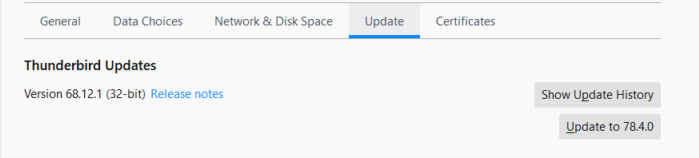
Perhaps an update notification? Edit/Preferences/Advanced/Update to check.
Thanks for pointing out the preferences section in the Edit tab. I was over-focused on the Message, Tools, and Help tabs.
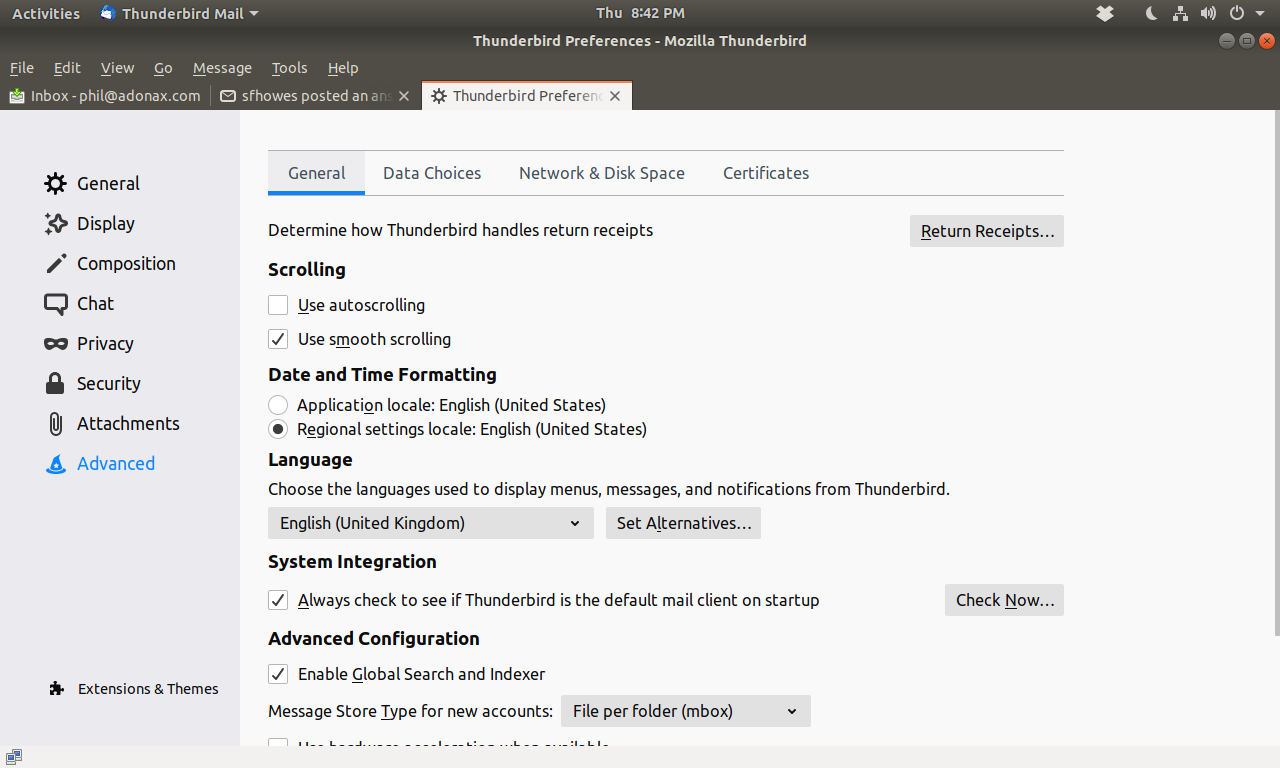
Unfortunately, I don't see an "Update" section under the Advanced preferences. My "Advanced" section has four tabs: General/Data Choices/Network & Disk Space/Certificates.
Maybe there is some sort of log somewhere, where Thunderbird stores a record of it's actions? I'm not able to locate it as of yet, though.
Everything seems to be working fine, but I am wondering what the service was that I was given a message about. It was saying something was being shut or overridden for some reason. I should always take screen shots, I guess is the main takeaway here.
The attached picture shows the Advanced options on W10. There is also an install.log in the Program Files folder, and Tools/Activity Manager might show something. The error seems like it's reporting a security certificate exception.
Interesting. No such tab on my Ubuntu Firefox. Looking for logs or references to logs in a few "obvious" places, etc/Thunderbird (no config file), var/log/ (no Thunderbird or Mozilla or Firefox folders).
I updated my certs for my mail server with CertBot just 3 weeks ago, highly unlikely it's that. I need to go check my mail server (on a remote computer that I'm not set up to reach from this one). Maybe there is something on its logs that will have a clue.
Thanks for trying to help puzzle this out!
Wubrane rozrisanje
I did not figure out if Thunderbird has a log for messages given to the User.
However, I DID discover a problem a few days after the initial posting of this thread, when Thunderbird became unable to save or read emails from my mail server. I think it is logical to assume the two were related. The message was probably a warning about the imminent disconnect.
There was an issue with Thunderbird's reference to the email server's certificate being out of sync. I can't recall the details at this point, but standard updates of both Thunderbird and the remote Ubuntu OS (via apt-get update/upgrade) were sufficient to get everything working again.