


Firefox icon showing incorrectly
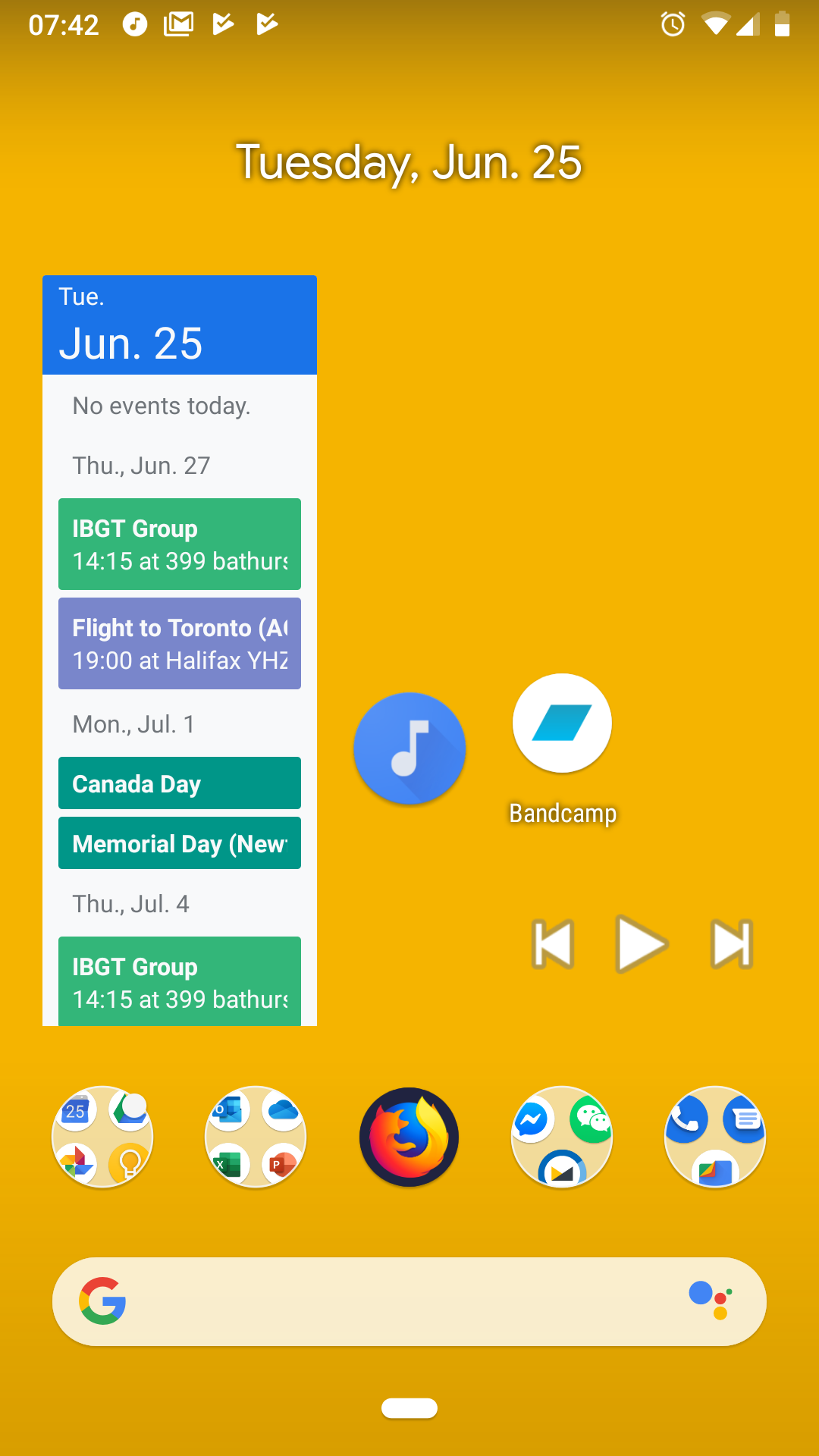
The white (transparency) pixels in the icon are showing up as black on my phone, I'm using Google Pixel 2. Attached is a screen shot of the issue.
When I first installed FF last year it wasn't like this, at some point it became bugged and reinstalling, restarting, removing local storage won't solve the problem.
Thank you in advance for your help.
Wšě wotmołwy (4)
Hi
So that I can see what you are seeing, please can you attach the screen shot you have mentioend in a response to this thread.
Hi Seburo,
Sorry that I forgot to attach the image. Here's what it looks like.
yifu
ThinkWithP_body said
Hi Seburo, Sorry that I forgot to attach the image. Here's what it looks like. yifu
Now that I'm able to see the icon on my larger PC screen, I'm starting to realize that the colour may have been intentional, instead of a display issue. I was confused because the icon in the google play store had no dark background around the icon.
Hi
That icon is displying correctly, and also in the Google Play Store. We try to make the icons look best for every situation it is seen in, and this is something that is looked at regulary.