


Windows 10 reached EOS (end of support) on October 14, 2025. If you are on Windows 10, see this article.

Pomoc přepytać

Hladajće so wobšudstwa pomocy. Njenamołwimy was ženje, telefonowe čisło zawołać, SMS pósłać abo wosobinske informacije přeradźić. Prošu zdźělće podhladnu aktiwitu z pomocu nastajenja „Znjewužiwanje zdźělić“.

Dalše informacije
Archiwowany

"Top Sites" tiles disappeared after latest update and new tabs are fully blank

redder00 wotmołwjeny
redder00

Hey guys. Since a few days ago, after updating firefox, suddenly all the top sites shortcuts which were on new tabs disappeared. and not only that. all new tabs I open, they are "Fully" blank. I can't even see the firefox icon at the top left, or the gear Icon on top right of the black pages. I refreshed firefox a few times and each time they came back but after a few minutes they disappeared again. at first I thought maybe adblockplus is causing the problem. but even after removing it, it happened again. Until I finally noticed this only happens whenever I refresh, and then try to change the position of the tiles, or edit them. the moment I touch the tiles and want to edit them or change their place, they disappear in new tabs. What should I do?

Any help will be appreciated.
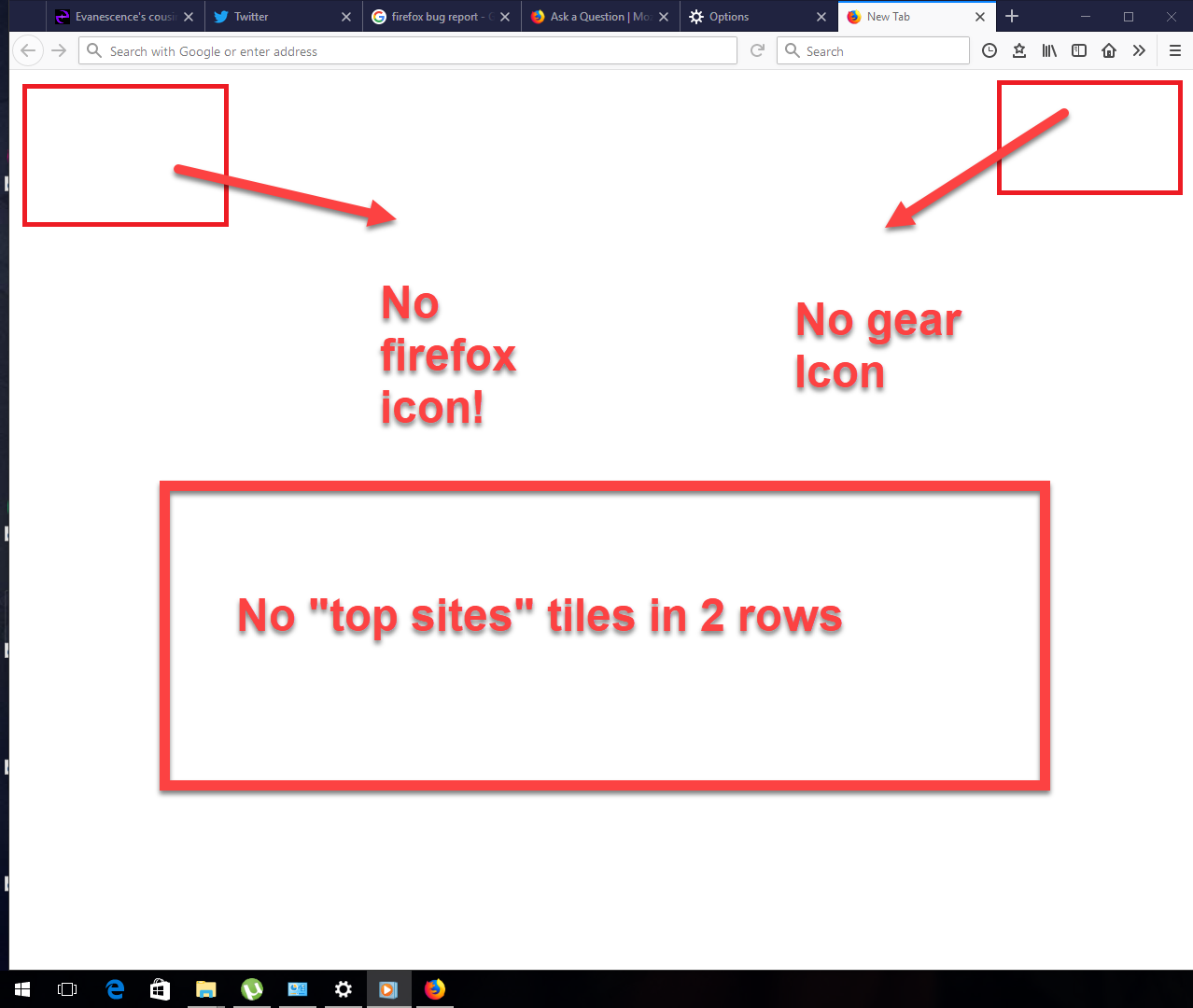
Hey guys. Since a few days ago, after updating firefox, suddenly all the top sites shortcuts which were on new tabs disappeared. and not only that. all new tabs I open, they are "Fully" blank. I can't even see the firefox icon at the top left, or the gear Icon on top right of the black pages. I refreshed firefox a few times and each time they came back but after a few minutes they disappeared again. at first I thought maybe adblockplus is causing the problem. but even after removing it, it happened again. Until I finally noticed this only happens whenever I refresh, and then try to change the position of the tiles, or edit them. the moment I touch the tiles and want to edit them or change their place, they disappear in new tabs. What should I do? Any help will be appreciated.
Připowěsnjene fota wobrazowki

Wšě wotmołwy (2)

Go to about:config and check if there browser.newtabpage.enabled = true.

TyDraniu said

Go to about:config and check if there browser.newtabpage.enabled = true.

Solved it! thank you very very much!