


Cannot choose preferred search engine
FF57.01 (Windows 10) comes with Amazon.com as a pre-installed search engine. I want to change this to Amazon.co.uk. The "help" page at https://support.mozilla.org/en-US/kb/add-or-remove-search-engine-firefox describes what should happen. But when I follow this I do not get the magnifying glass with green icon - just a plain magnifying glass, and Amazon.co.uk is not added to the list of search engines. What is the cure for this bug?
Wšě wotmołwy (2)
Wubrane rozrisanje
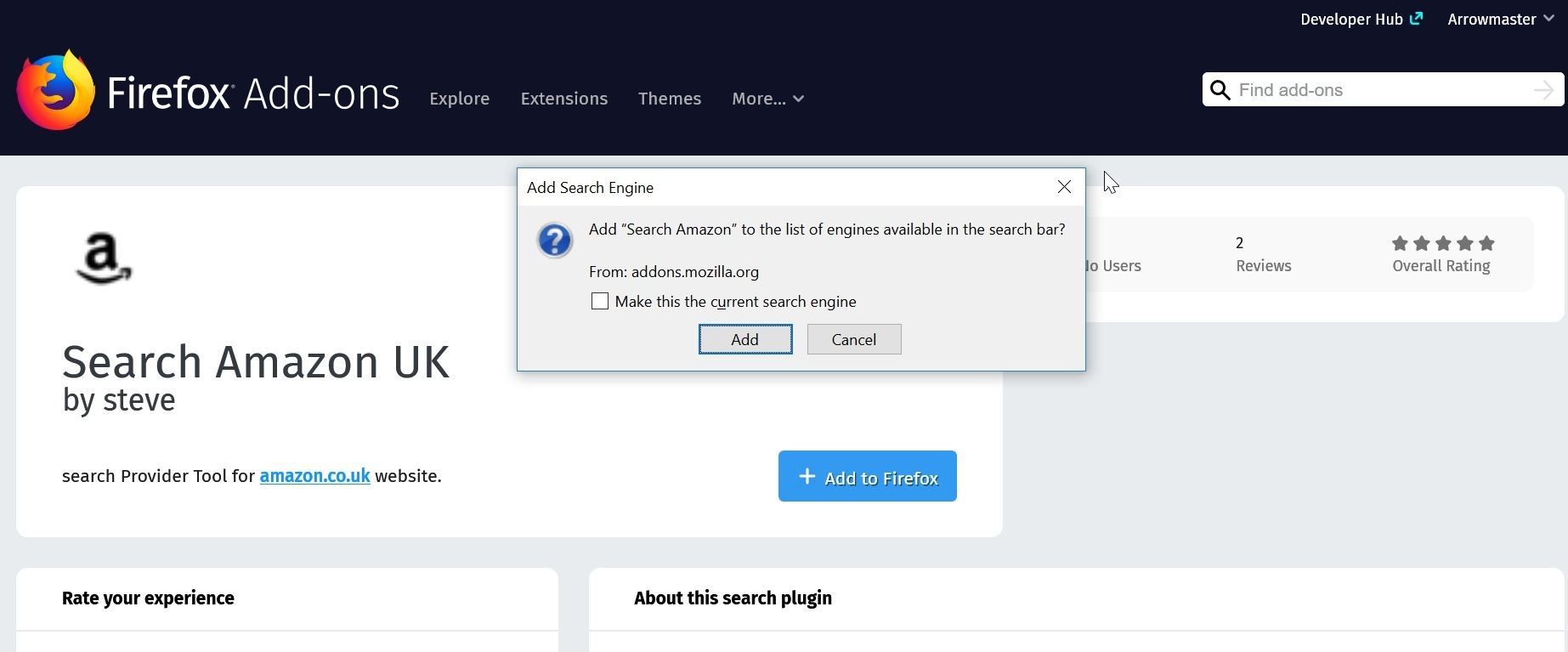
Hi @Conradfan. I understand your problem and fortunately, there is a solution. The issue is that the Amazon search listed it just for Amazon.com, but if you install this"Amazon.uk Search" add-on for Amazon.co.uk searches and set it as the default, it works great:
https://addons.mozilla.org/en-US/fire.../amazonuk-search/
I have just installed it myself as I use the site a lot already. See snap of it being installed, you can select the "Make this the current search engine" checkbox when doing so if you like. I now have this and the original Amazon.com searches both available now.
Please let us know if this fixes your problem.
Thanks Richard - works OK