


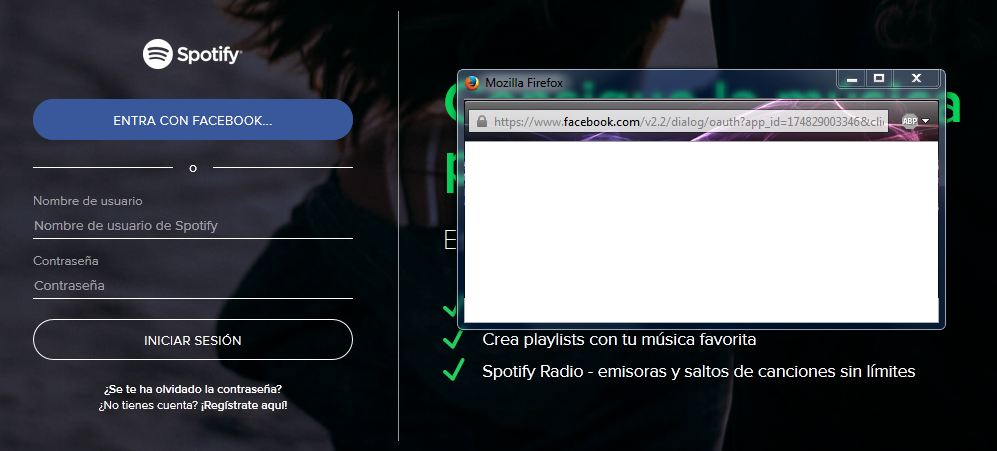
Cant login using Facebook, dont have this problem with other browsers.

Spotify for example, when i try to log using my facebook account wont let me, i dont have this problem using Chrome. The popup window let me enter my facebook account and password, but doesnt go any further, the problem is the same in every site
Wšě wotmołwy (1)
You can check the date and time and time zone in the clock on your computer: (double) click the clock icon on the Windows Taskbar.
You can retrieve the certificate and check details like who issued certificates and expiration dates of certificates.
- click the link at the bottom of the error page: "I Understand the Risks"
- let Firefox retrieve the certificate: "Add Exception" -> "Get Certificate"
- click the "View" button and inspect the certificate
Check who is the issuer of the certificate
You can see details like intermediate certificates that are used in the Detail tab.
If you can't inspect the certificate via "I Understand the Risks" then try this:
Open the "Add Security Exception" window by pasting this chrome URL in the Firefox location/address bar and check the certificate:
- chrome://pippki/content/exceptionDialog.xul
In the location field of this window type or paste the URL of the website.
- retrieve the certificate via the "Get certificate" button
- click the "View..." button to inspect the certificate in the Certificate Viewer
You can inspect details like the issuer and the certificate chain in the Details tab of the Certificate Viewer. Check who is the issuer of the certificate.
There is security software like Avast and Kaspersky and BitDefender that intercept secure connections and send their own certificate.