


Browserc crahses whilst signed into Moxilla Account on Samsung Android Tablets
Apparently, there must be a flaw with Mozilla Account where it relates to being logged in and the browser crashing within 2 minutes of use. WHENCi'm logged into my Mozilla Account to sync bookmarks, etc., the browser crashes within about 2 minutes of browsing after the fact. I know about there being some issue with Java causing the issue, (see prior questions posed in this forum), but it's getting pretty dawned annoying. Ai have to LOG OUT of the Mozilla Account to be able to use the browser.
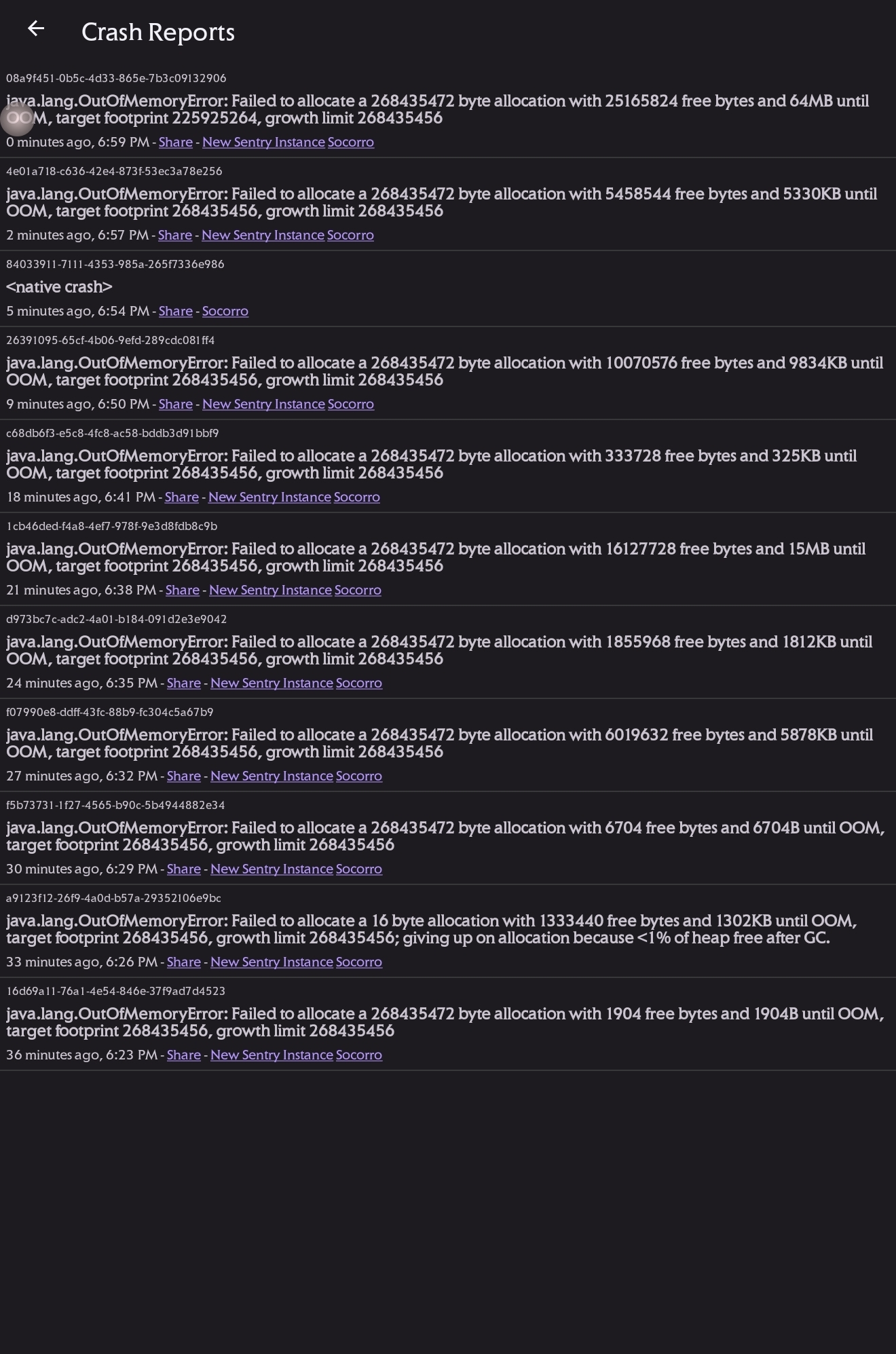
This mainly occurs on a Samsung Galaxy Tab running the latest version of Android and Samsung's One UI. this is still occurring despite updating to the current Android version of the browser. I'm attaching a screenshot of the most recent crashes that Haven't experienced for review.
Can someone please look into this issue? If a solution can be found, can it be pushed out automatically?
THANKS!
Svi odgovori (1)
Hi
I am sorry to hear that Firefox for Android is crashing. I hope that we can help resolve this for you. Before following the steps below, make sure that you have updated both your Android device and Firefox for Android to the latest versions available.
As a first step, close down many of the tabs that you have open to as few as possible. Does this help reduce the incidence of a crash?
If this does not resolve the issue, open the Android Settings app, select Apps then find Firefox in the list. In the section titled Storage and Cache, select the option to clear the cache (do not clear data!). Does this help?
Following that, our developers will need to look into this in more detail with some logs from inside your copy of Firefox for Android. Type about:crashes in the address bar which will display information about recent crashes. If you select the most recent Socorro link, a crash report will open in a new tab. If you could copy and paste the address of the page that opens into a reply to this thread, we will be able to look into this further for you.
I hope that this helps.