


Thunderbird interface issue: "Attach" button is not working / Bug report from Bobruysk Educational and Methodological Office

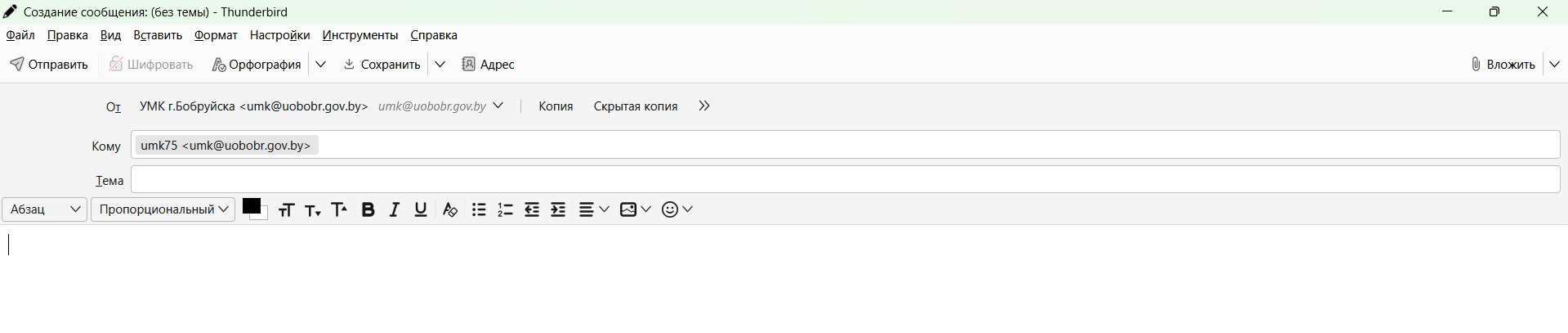
Hello, We are writing to report a technical issue on behalf of the State Educational and Methodological Institution "Educational and Methodological Office of Bobruysk" (email: [redacted from public] @uobobr.gov.by). An interface failure occurred in the Mozilla Thunderbird program starting on October 9, 2026. Specifically, the "Attach" (Вложить) button has stopped working and does not respond when clicked. Could you please help us resolve this issue or provide guidance on how to fix this interface glitch? Thank you for your assistance. Best regards, The Team of the Educational and Methodological Office of Bobruysk
Izmjenjeno od James
Svi odgovori (3)

Hi umk75,
Its a temporary solution:
Goto Settings - Then under General Settings scroll down to Config Editor - Then copy mail.compose.attach.dir and paste to search bar - Delete the setting - .
Attachment button start working. If is it happen again then repeat above steps.
Izmjenjeno od Vishwadeep Mukherjee

Odabrano rješenje
It was a bug in desktop, and it is fixed with the v158.0 release. If your TB hasn't updated yet, go to TB menu > Help > About Thunderbird.
Thank you very much!