Firefox is triggering my work webfilters

I work for a school district. At some point over the summer, a Firefox update started triggering my districts web filters. The filter says it's connected to Firefox VPN, but I don't have the VPN turned on. After a minute or two, I am able to access the internet normally in Firefox or any other browser.
There must be a setting or something in Firefox that triggers this since I can use any other browser normally, but once I open Firefox, everything on my computer is blocked from internet connectivity until the timeout is over.
Svi odgovori (5)
Odabrano rješenje
That's worth raising with your IT or security vendor if the rules are opaque to you. If it e.g. triggers just on an eligibility/status check, that's unfortunate.
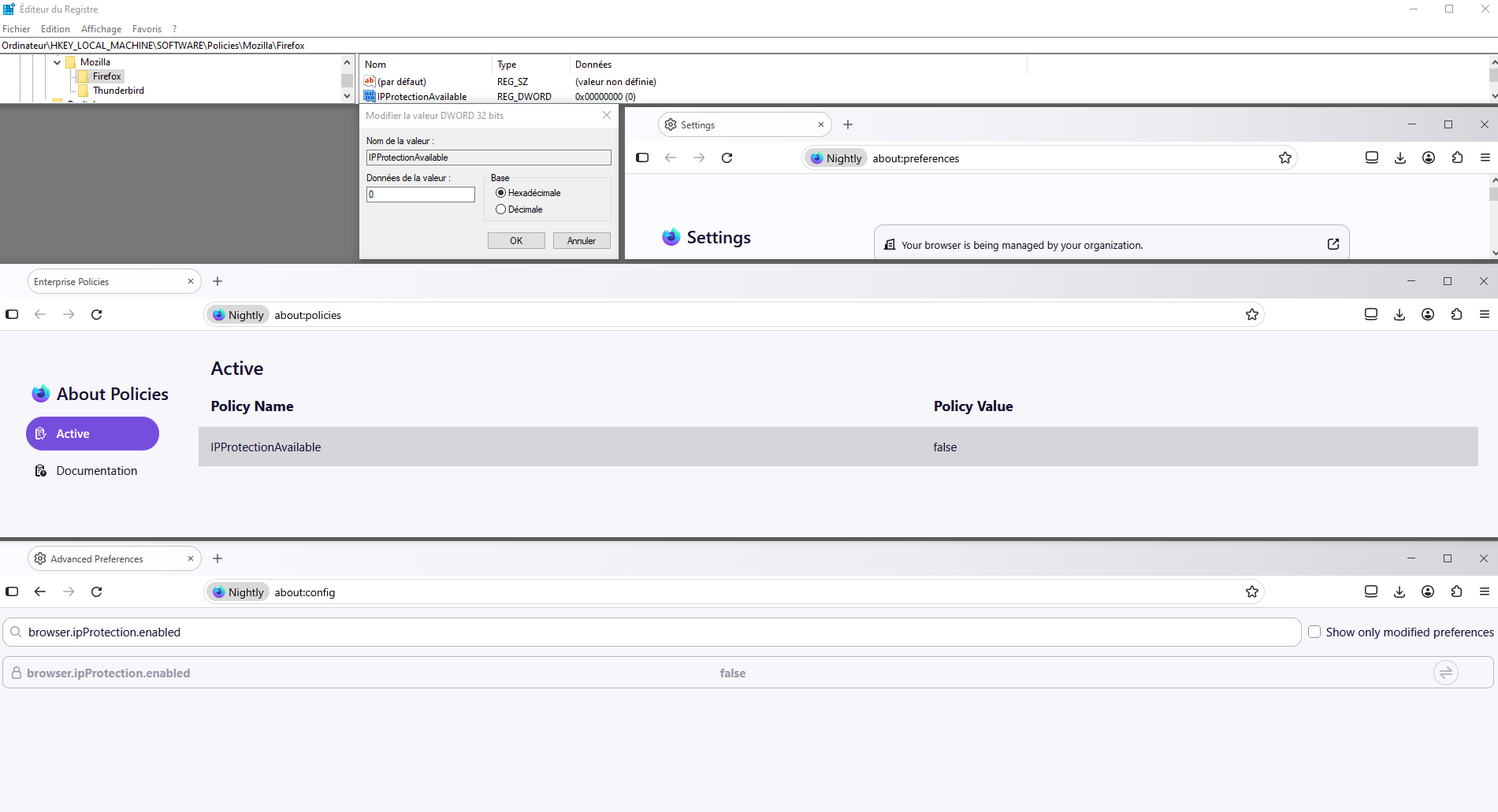
You can disable the whole functionality via an enterprise policy if you can't use it in your environment, or just flip its configuration browser.ipProtection.enabled to false to see if that changes anything on your network.
I appreciate your suggestion. I have brought it up with my IT guy/department. He mildly harasses me for using Firefox and tells me to switch to Chrome like everyone else. We did spend some time together looking through settings on my end and his to see if we could find the offending feature. I'm convinced it isn't simply a "no firefox" setting, but instead something that was updated with the Firefox VPN that is triggering it.
I was hoping someone would know if it is a setting I can toggle on my end.
Well without knowing which rule you're tripping it's hard to tell.
If you want to try the above, see Configuration Editor for Firefox (be mindful of the warnings there) and then search for:
browser.ipProtection.enabled
and click the arrows there to switch it to "false". See if that's the change you're looking for, or the filter trips on something completely unrelated.
Ok, that did solve the problem. Thank you very much.
Hello
Via an enterprise policy, to complement, https://support.mozilla.org/en-US/questions/1576925, below, a illustration with the Windows registry, your browser is being managed by your organization.