Missing list of cookies in Settings
With the new organization of Settings, my list of cookies has disappeared. I was trying to delete cookies from a specific site, but when I go to that option in "settings," there is no list of cookies.
I have tried restarting both Firefox and my computer and the list is still missing.
Any suggestions on getting it back?
Svi odgovori (2)
Odabrano rješenje
Nevermind. I found it by using the side bar instead of the search box.
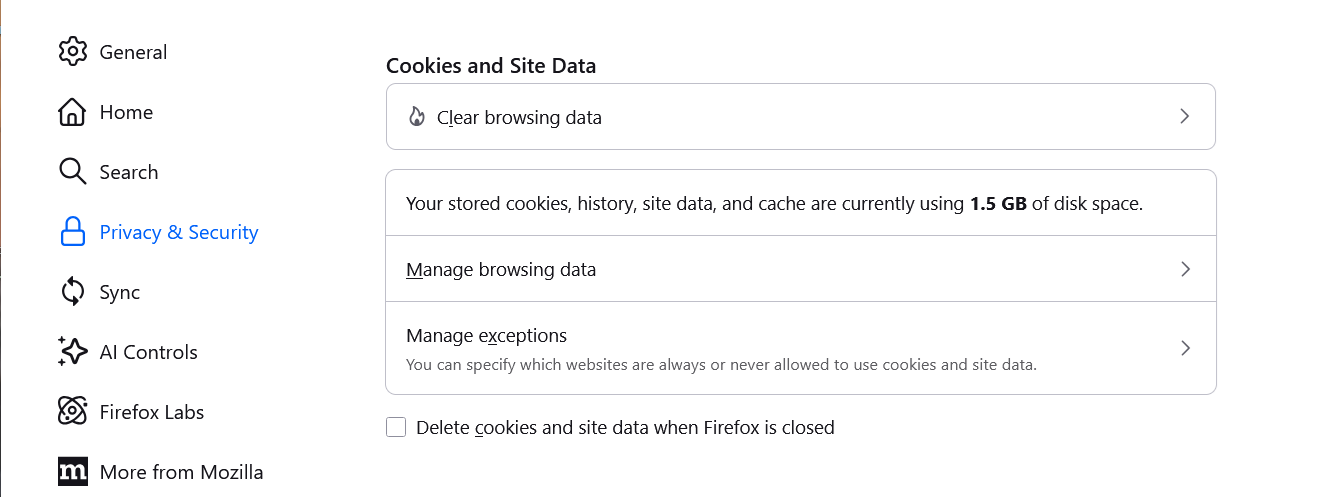
For anyone else looking for the same, given there has been a change in verbiage in the current version, this is how the section used to look before v152.0:
"Manage browsing data" was the entry point before:
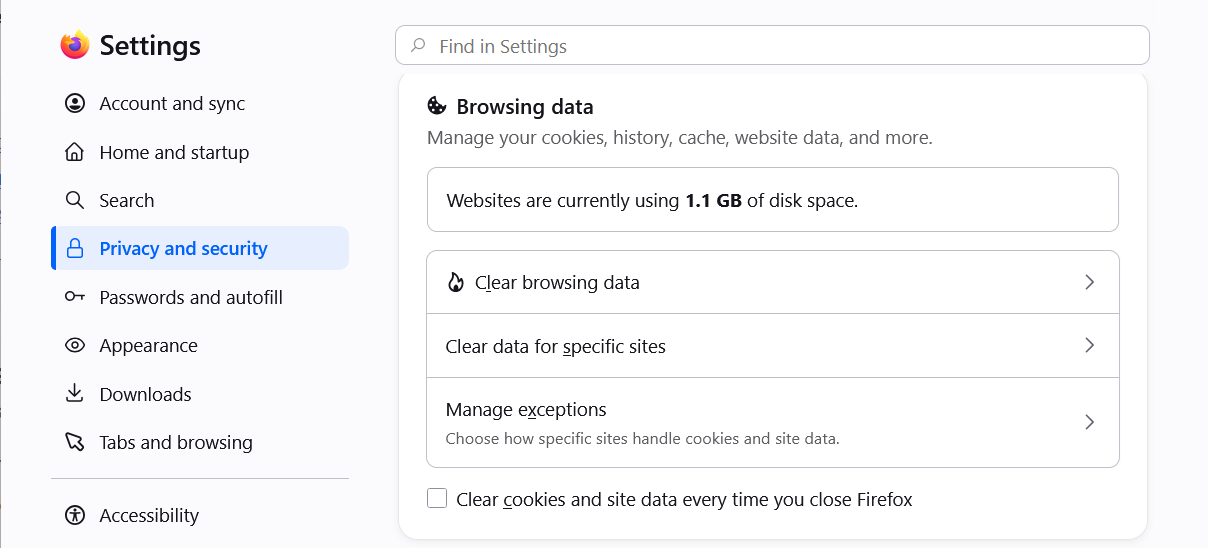
Now starting with v152.0, the sections are redesigned and some affordances have been changed like here with new wording for additional clarity:
"Clear data for specific sites" is actually the item label going forwards: