


Windows 10 reached EOS (end of support) on October 14, 2025. If you are on Windows 10, see this article.

Pretraži podršku

Izbjegni prevare podrške. Nikad te nećemo tražiti da nas nazoveš, da nam pošalješ telefonski broj ili da podijeliš osobne podatke. Prijavi sumnjive radnje pomoću opcije „Prijavi zlouporabu”.

Saznaj više

Poor translation and setup

  • 1 odgovor
  • 0 ima ovaj problem
  • 5 prikaza
  • Posljednji odgovor od Denys

The browser recognizes Russian on the website as English and automatically translates it into "Russian," but what it actually produces is a jumble of letters that are neither Russian nor English. Essentially, the browser is translating from Russian—which I don't need to translate, since I'm from Russia—into an incomprehensible, non-existent language. And I can't turn off automatic translation of Russian because it's not available. There's a toggle switch: "Never translate English," but that doesn't work for Russian. You can click "Never translate this site" on the website itself, but the problem is that it's for a single website. It means I have to turn off translation and reload the website every time I visit a Russian-language website. This is very inconvenient. I ask you to add an option to disable translation of an entire language, not just English or a specific website.
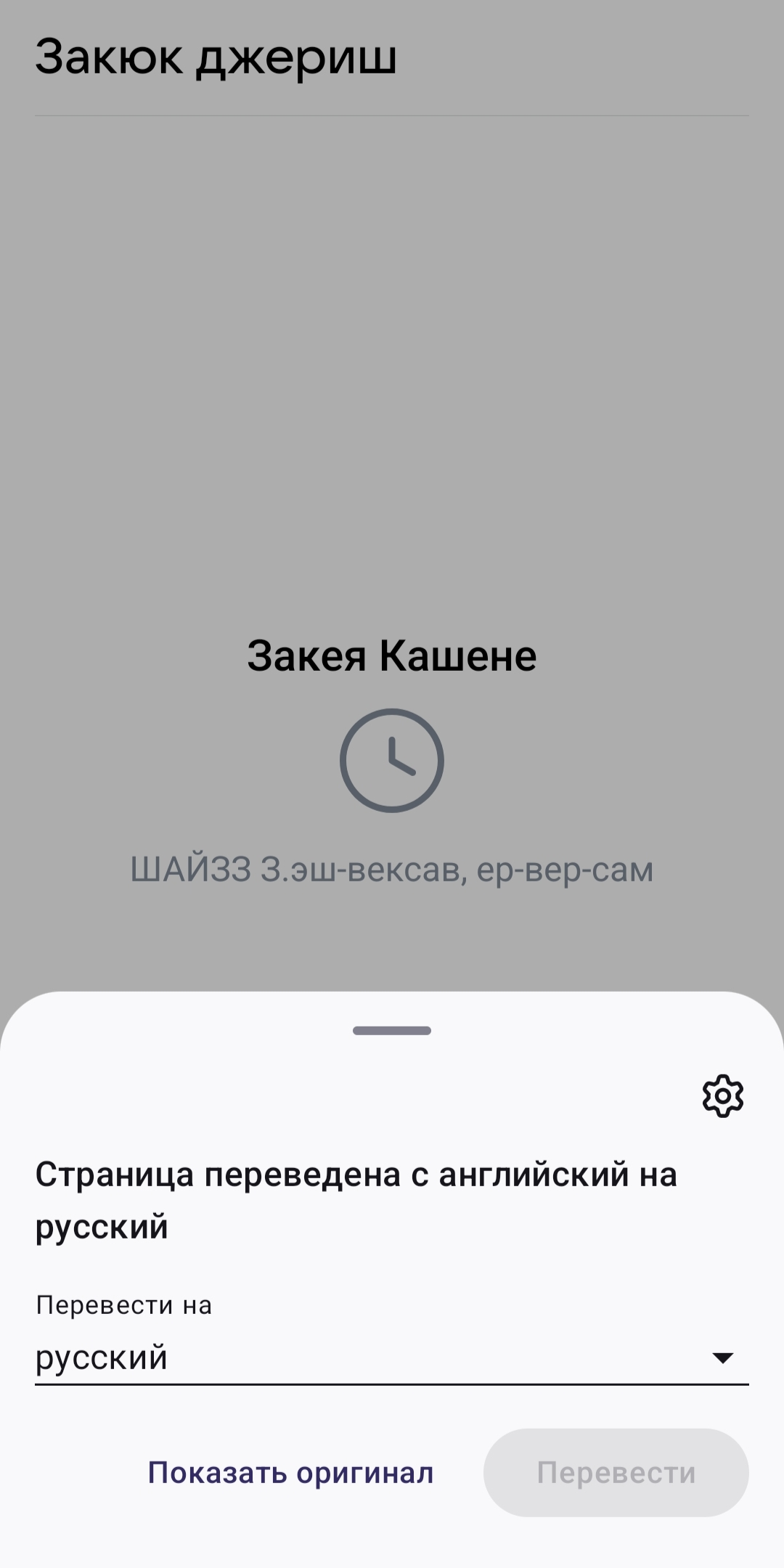
The browser recognizes Russian on the website as English and automatically translates it into "Russian," but what it actually produces is a jumble of letters that are neither Russian nor English. Essentially, the browser is translating from Russian—which I don't need to translate, since I'm from Russia—into an incomprehensible, non-existent language. And I can't turn off automatic translation of Russian because it's not available. There's a toggle switch: "Never translate English," but that doesn't work for Russian. You can click "Never translate this site" on the website itself, but the problem is that it's for a single website. It means I have to turn off translation and reload the website every time I visit a Russian-language website. This is very inconvenient. I ask you to add an option to disable translation of an entire language, not just English or a specific website.
Priložene slike ekrana

Svi odgovori (1)

Hi,

You can go to Settings > Translations > Automatic translation and adjust the settings there.

Does this happen to every website in Russian?

Postavi pitanje

Za odgovaranje na poruke moraš se prijaviti na tvoj račun. Postavi novo pitanje, ako još nemaš račun.