


email shows Reply screen not original email
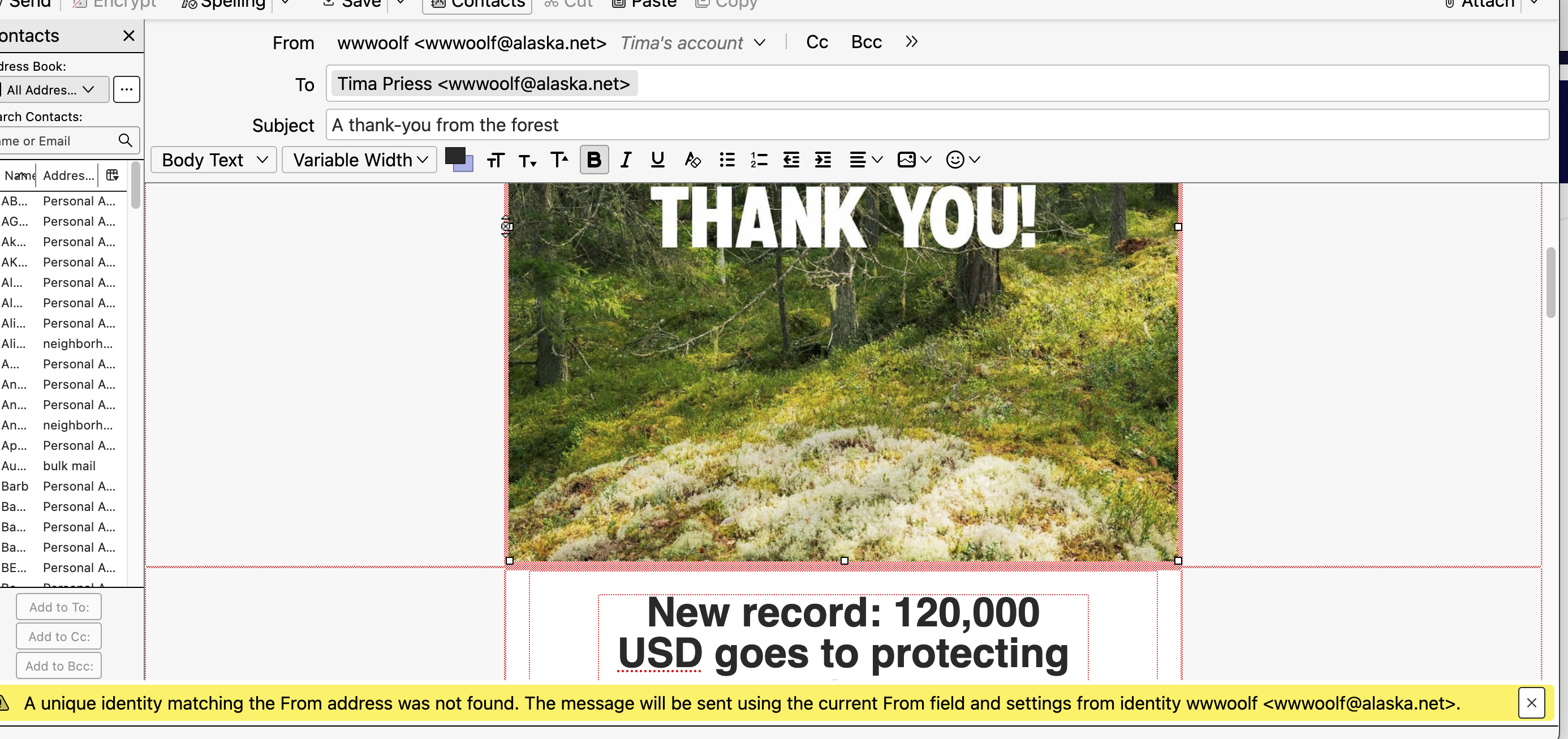
When I click on an email, instead of just showing the email, it sets up a Reply screen showing From me and To Me. At the bottom there is an alert: "A unique identity matching the From address was not found. The message will be sent using the current From field and settings from identity......" (lists my email user name and address). Im not clicking Reply, I'm just double clicking the message to Read it.
Running Sequoia 15.7.2 on MacBook Air. It just started today. I have turned it off and on, no change.
Svi odgovori (14)
Yikes I read through the exchange and I have the the same problem. But I have no idea how it was fixed. I got as far as something about Drafts should not be clicked But I cant even find that. In fact, when the emails are opened, they dont have that option to show remote info so I cant even see the headers. It doesnt give any options to do anything but send a reply
Look at Account Settings, Copies & Folders, to see if the folder assignments are correct. Or, install the FolderFlags add-on and see if you need to change the folder type for Inbox.
well all that is in settings folders...is where to put sent messages.. see below. Am I in the wrong place? Why would it do this all of a sudden? The Sequoia update ? But no one else is having the problem.
Where do I get the Folder Flags?
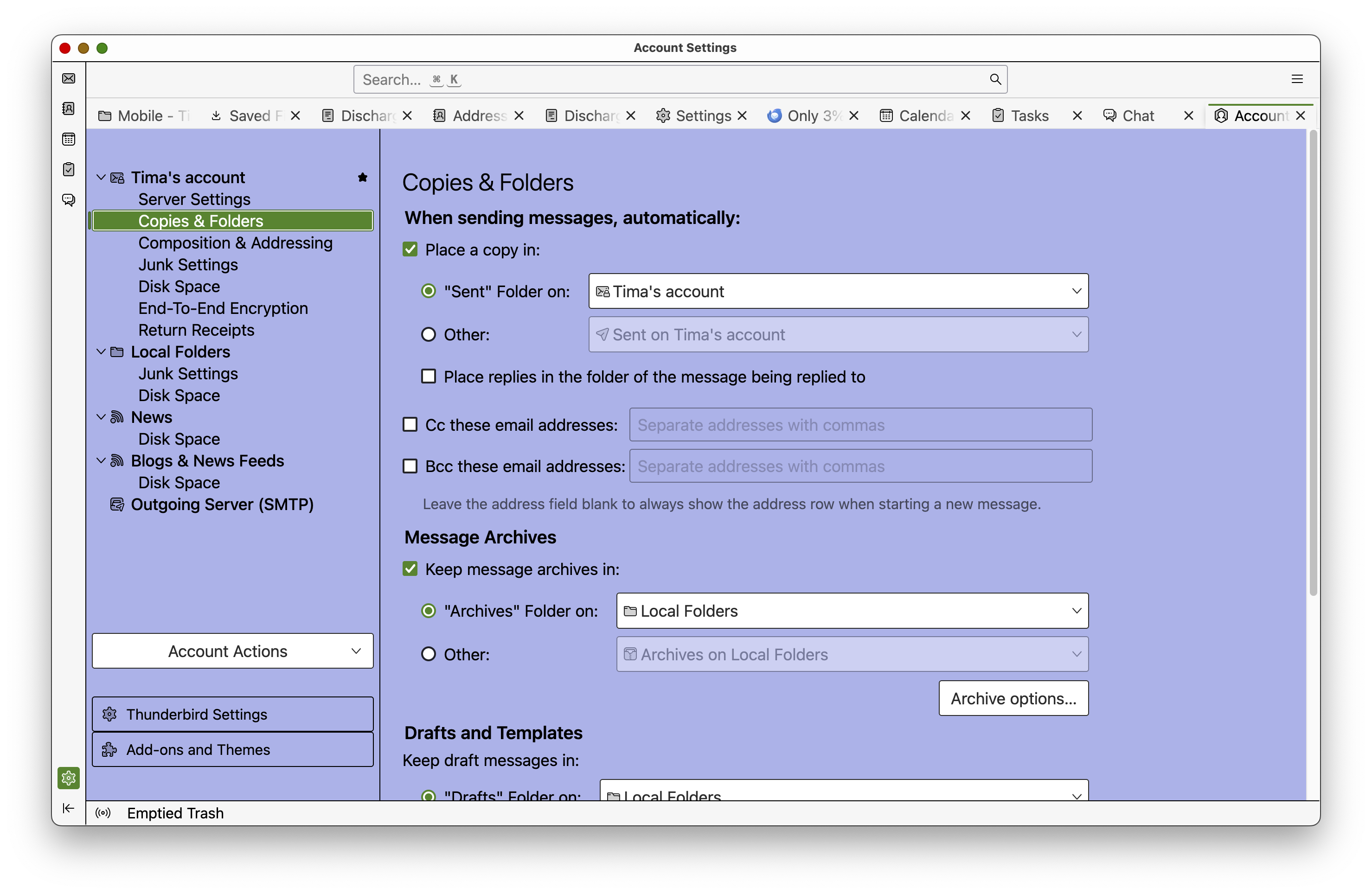
Your settings look OK.
An Inbox acting like a Drafts folder is a fairly common issue.
You should follow the links in my replies, or search for FolderFlags in the TB add-on manager.
I'm sorry but I am totally lost. I turned on the extension but have no idea what to do with it and don't see any info. I followed your links and saw Cheeseman thread. But he says 'thanks this worked' but I have no idea what he is talking about. what worked? I have one message in Local Folders that looks normal. Everything in my inbox is a Reply instead of a message. It is basically unusable so I have to use my Ipad for email. Is there any other way to get help? I just don't see what youre saying i need to do.
I am so confused, I would pay someone to walk me through this. I just don't get it
This post includes pictures that should help:
https://support.mozilla.org/en-US/questions/1460237#answer-1670673
I'm more confused. That says Gmail...I'm not using gmail, and I'm on a Mac. I don't see anythingthat looks like that
I have not resolved this issue. But have more info. If I click on an individual message, it shows as a draft with me as the sender. But if I manually "Open Message" from the dropdown, it shows normally. If I "open in Conversation" it shows the draft. I can delete the message one at a time and then the next message displays as normal. However, it still says Draft, and it still shows dark as if it has not been read. so, I can only read the messages one at a time, by going back and forth to the dropdown. Since there i no scroll arrow when viewing an individual message, it takes forever to go back to the drop down menu

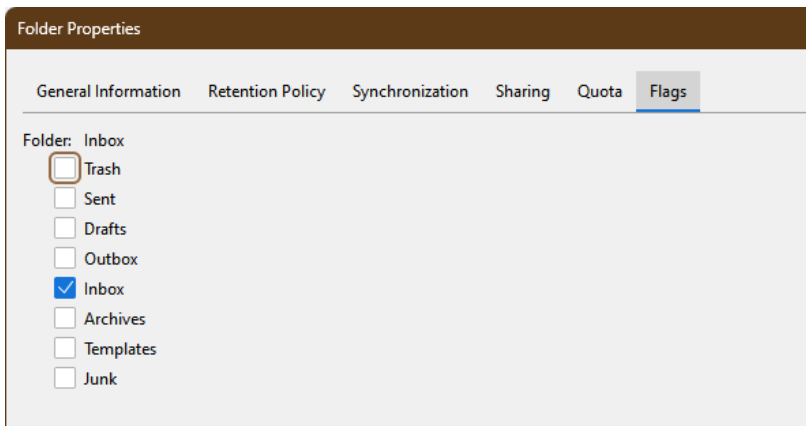
Thanks Ed - But you are showing me a screen shot from a PC, not a Mac. When I click on Properties, it only shows number of messages, a box to include messages in this folder Global search, and a Repair Folder button which I've tried and it does nothing.
I am asking for a mac and only getting suggestions for a PC.

Thunderbird’s windows are very similar on Windows and Mac. Do you not have a row of tabs at the top of that window? Have you installed FolderFlags yet?
So the Tabs on the Mac didn't look like the picture above...I had to right click on the Individual Inbox to find the Properties option. BUT for some reason I didn't see "Attach" FolderFlags to Thunderbird so I downloaded it but it was not active. Then there were so many tabs open across the top from opening different folders to fix this, that Flags wasnt visible until I deleted a bunch of them. And then I clicked on Folder Flags and magically it all cleared up! So between a geeky friend and all your comments from the Windows version, we figured out where stuff was and why the extension wasnt happening.
The only mystery is why it happened in the first place after years and years of using Thunderbird. It could have been an update of Sequoia but I would have expected the issue to show up as soon as the update was completed.
Thank you all. FolderFlags fixed it but how would anyone know about that since it doesnt describe this issue in the release notes?