


Не могу установить почту

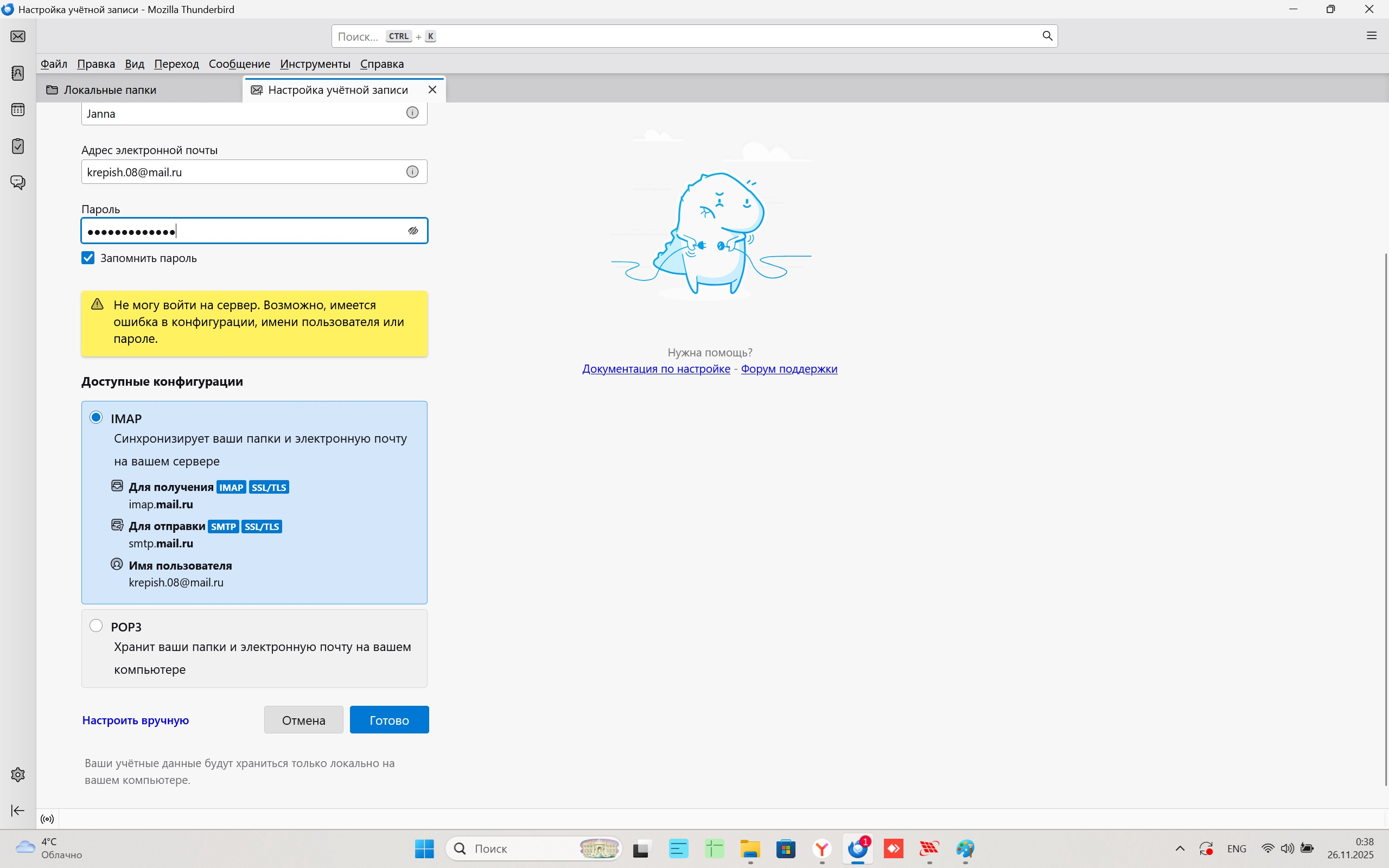
Здравствуйте, не могу установить почту! прикрепляю фото с ошибкой.
Svi odgovori (4)
I think the 'password' has to be a 'special password' used for external apps like TB.
I also used the "special password" used for external applications. The "special password" gives the same error. I installed this email on two computers with the Thunderbird email client, but it won't install on my laptop. I was able to set up a POP3 connection on my laptop. However, I was unable to set up an IMAP connection on the same laptop.
If it works on the two computers but not the laptop, it suggests there's some external app on the laptop, such as antivirus or VPN, that causes the issue.
I can't locate the documentation now, but recall that OAuth2 authentication for mail.ru is supported in TB. Try that instead of 'normal password' and use the account, not special, password in the OAuth window when you're asked to allow TB access.
Hello there
Documentation’s 2024/2025. How to enable OAuth2 for mail.ru in Thunderbird
Locate the server settings: Go to Account Settings (or Account Settings > Server Settings) for your mail.ru account. Change the authentication method: Look for the Authentication method dropdown menu. If OAuth2 is not immediately visible, try saving the server name first, then reopening the settings. You should then be able to select OAuth2 as an option.🎅 Update for both incoming and outgoing: Repeat the process for both your incoming mail server (IMAP/POP) and your outgoing mail server (SMTP) to ensure both are using OAuth2 authentication. Confirm with your provider: Ensure your mail.ru account is set up correctly to support OAuth2, which is required for this method to work.
Izmjenjeno od Googlethunderbird.