Windows 10 reached EOS (end of support) on October 14, 2025. For more information, see this article.

Pretraži podršku

Izbjegni prevare podrške. Nikad te nećemo tražiti da nas nazoveš, da nam pošalješ telefonski broj ili da podijeliš osobne podatke. Prijavi sumnjive radnje pomoću opcije „Prijavi zlouporabu”.

Saznaj više

Disable session restore does not work

  • 1 odgovor
  • 1 ima ovaj problem
  • 336 prikaza
  • Posljednji odgovor od jonzn4SUSE

I would like to disable automatic session restore completely. When I restart my PC, crashes or anything like that, I do not want Firefox to restore my previously opened tabs or windows. When I open firefox after a system reboot / crash, I want to only open my default home page. Only if I manually click History > Restore Previous Session should firefox ever restore my session, otherwise never restore my sessions.

I tried unchecking Settings > Startup > Open previous windows and tabs, and also tried following this article: https://support.mozilla.org/en-US/questions/1182594

My sessions still restores after my computer restarts or crashes.

Why do I want this? When I reboot my computer, I want a clean slate to start from scratch, not the dozens of pages (and other software) I had open from my previous session.

I am running linux mint btw.

I would like to disable automatic session restore completely. When I restart my PC, crashes or anything like that, I do not want Firefox to restore my previously opened tabs or windows. When I open firefox after a system reboot / crash, I want to only open my default home page. Only if I manually click ''History > Restore Previous Session ''should firefox ever restore my session, otherwise never restore my sessions. I tried unchecking ''Settings > Startup > Open previous windows and tabs'', and also tried following this article: https://support.mozilla.org/en-US/questions/1182594 My sessions still restores after my computer restarts or crashes. Why do I want this? When I reboot my computer, I want a clean slate to start from scratch, not the dozens of pages (and other software) I had open from my previous session. I am running linux mint btw.

Priložene slike ekrana

Svi odgovori (1)

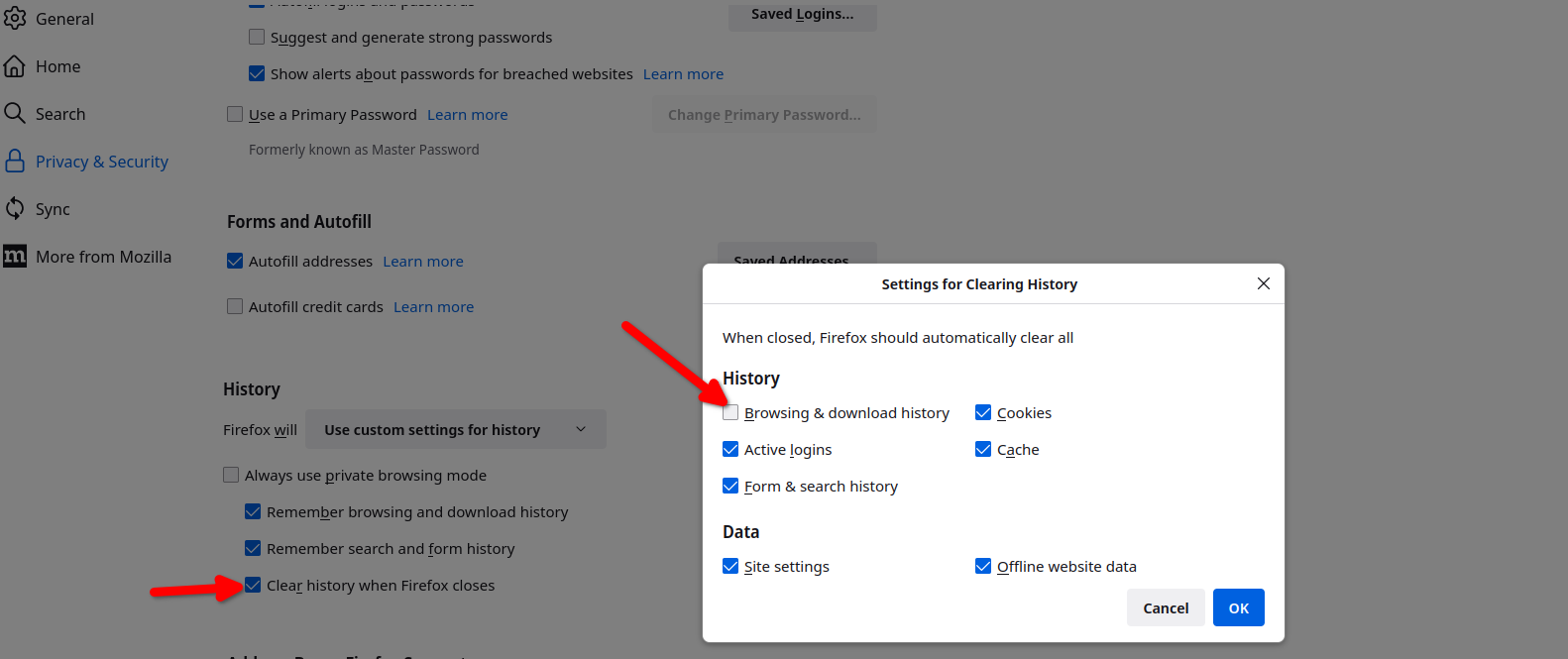
You can also set Firefox to not remember browser history. see screenshot