Lost bookmarks with update to 140.0.2 (64-bit)

Good Afternoon, My Firefox browser was automatically updated today and I lost all my bookmarks.
Does anyone have any suggestions to find my bookmarks?
Thank you
Good Afternoon,
My Firefox browser was automatically updated today and I lost all my bookmarks.
Does anyone have any suggestions to find my bookmarks?
Thank you
Svi odgovori (1)

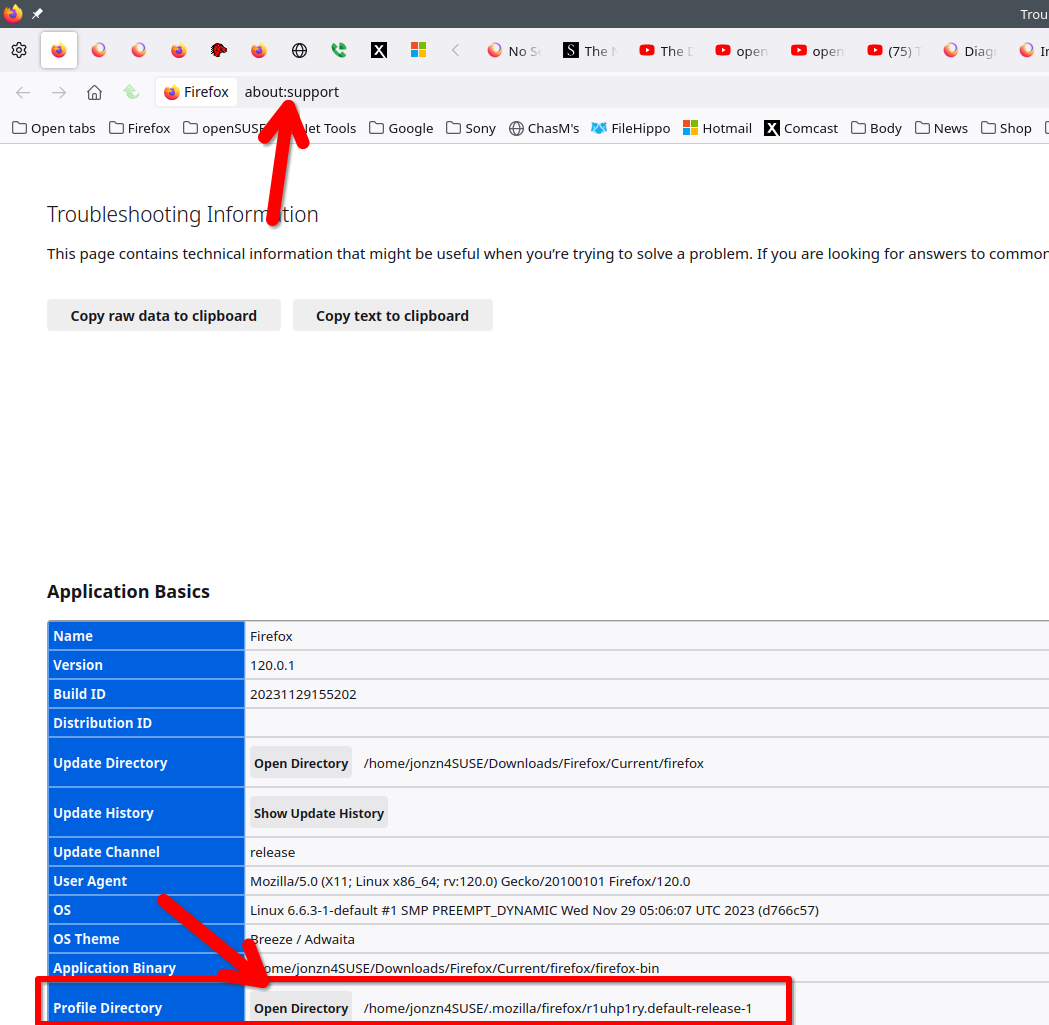
It sounds like Firefox created a new profile. In the browser go to about:support, open your profile folder, and then go up 1 folder to see if there's more than 1. Also check the date time stamp on the folders. If there is another profile, you can also just go to about:profiles in browser and switch to that profile. This seems to be a popular issue in the forum.