


This video does not load in FireFox but works fine in Edge / Chrome / Safari

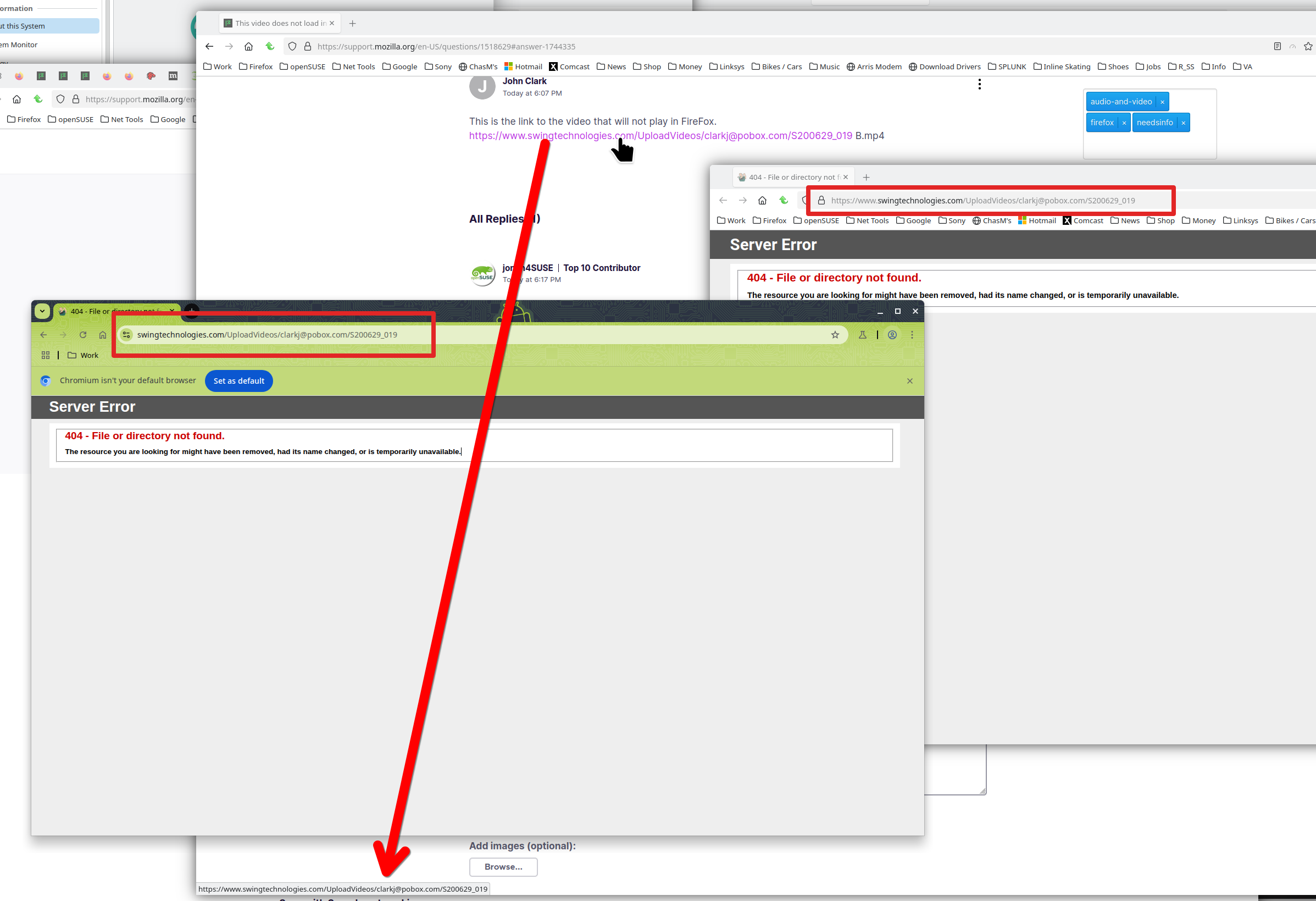
This is the link to the video that will not play in FireFox. https://www.swingtechnologies.com/UploadVideos/clarkj@pobox.com/S200629_019 B.mp4
Izabrano rješenje
Started working again with the update I received today. Thanks for the prompt fix. The space in the URL was another issue. All other browser automatically took care of the spaces and FireFox did not. This was not an issue in prior versions but got broken along the way. Had to fix in my code.
Pročitaj ovaj odgovor u kontekstu 👍 1Svi odgovori (5)
John Clark said
This video does not load in FireFox
What does that mean? Show the issue. Your url is not working for me. Do we need an account to see the video? What OS? If windows, home or pro? If windows, are you running any security software besides MS Defender? What version of Firefox?
Izmjenjeno od jonzn4SUSE
Try this one Jonz: https://www.swingtechnologies.com/UploadVideos/clarkj@pobox.com/S200629_019%20B.mp4
It works for me on Nightly. Then in the url bar, I even tried removing the %20 part & adding a real blank space and the video played.
SUMO's forum software doesn't hyperlink parts of a link that have a space. The " B.mp4" is needed. When a link like this is clicked, the browser is supposed to automatically change the space to a url encoding of %20 (which means empty space). So at the end of the link, it's supposed to be %20B.mp4 after S200629_019.
Odabrano rješenje
Started working again with the update I received today. Thanks for the prompt fix. The space in the URL was another issue. All other browser automatically took care of the spaces and FireFox did not. This was not an issue in prior versions but got broken along the way. Had to fix in my code.

John Clark said
This is the link to the video that will not play in FireFox. [http://example.com https://www.swingtechnologies.com/UploadVideos/clarkj@pobox.com/S200629_019 Bmp4]
Hey John, just tested, it looks like Firefox is choking on the space in the file name (S200629_019 B.mp4). Browsers like Chrome and Edge auto-handle it, but Firefox can be picky. Try renaming the file to remove the space (like S200629_019B.mp4) or encode the URL properly using %20 in place of the space. So: .../S200629_019%20B.mp4