


Searching with default DuckDuckGo from Search box or address box fails weirdly...
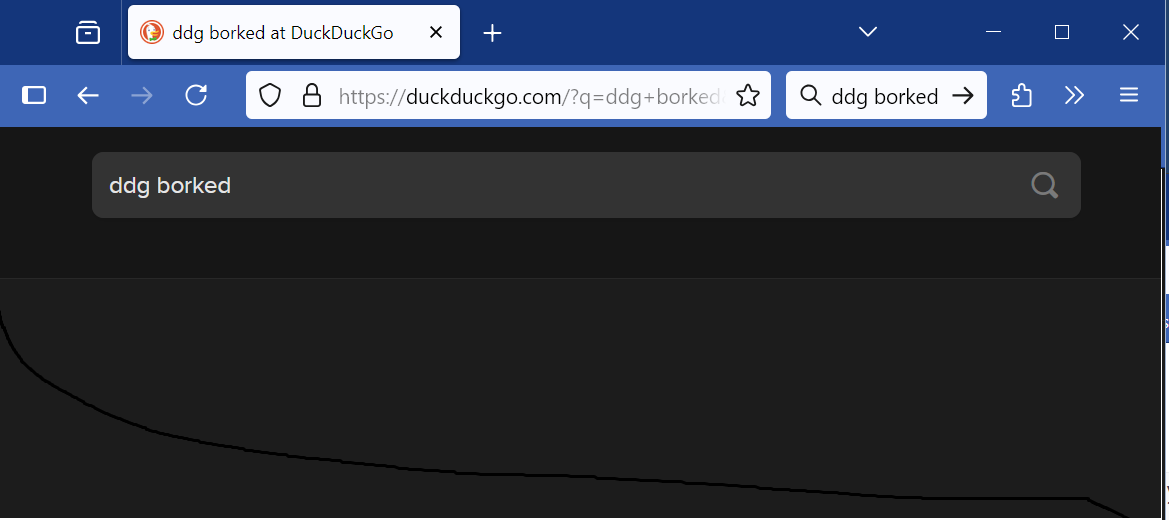
Doing any search brings up result page that just has my query and a search magnifying glass - not the search results as expected and working on Mac.
This is 2 days old only as of 11 June 25.
Crying here as I depend on it sooo much; this is a work PC and DDG is my go-to for research.
Svi odgovori (4)

Does that happen for all search results?
If so you should check if something like an add-on or Internet setting got changed. If it is company hardware there could be several other reasons that are the problem.
All search results. Internet nothing to do with it, it just loads what looks like DDG's home search page (look at the image and go to their page). Search from search bar always resulted with the results for that search.
IMHO changes that were made/are rolling out to FF and the URL bar and Search bar may be bugged. Sadly 95+ precent of users are defaulting to Google search so no flood of complaints.

Try clearing the cache:
- press Ctrl-Shift-Delete (Mac: Cmd-Shift-Delete)
- set 'Time range...' to 'Everything'
- untick all items except 'Temporary cached files and pages'
- clear, then restart FF
Also while on the DDG page, try clicking the padlock to the left of the address bar > Clear cookies and site data > refresh the tab.
Izmjenjeno od Ed
Those look like Mac commands. Issue doesn't happen on Mac just Windows.
Also, won't nuke anything that has to do with the whole system's network settings etc., this is a corporate envirnonment not home user.
Clarity on above. Thanks.