


Picture-in-picture hotkey not working in Linux?
It says on https://support.mozilla.org/en-US/kb/about-picture-picture-firefox#w_keyboard-shortcuts that the hotkey to toggle `PiP is CTRL Shift ]`. When I play a video it shows the PiP button, but the hotkey doesn't work. The other PiP keys like seeking and volume work. I'm on Fedora 41 with KDE 6.3.3 & Wayland.
Svi odgovori (3)
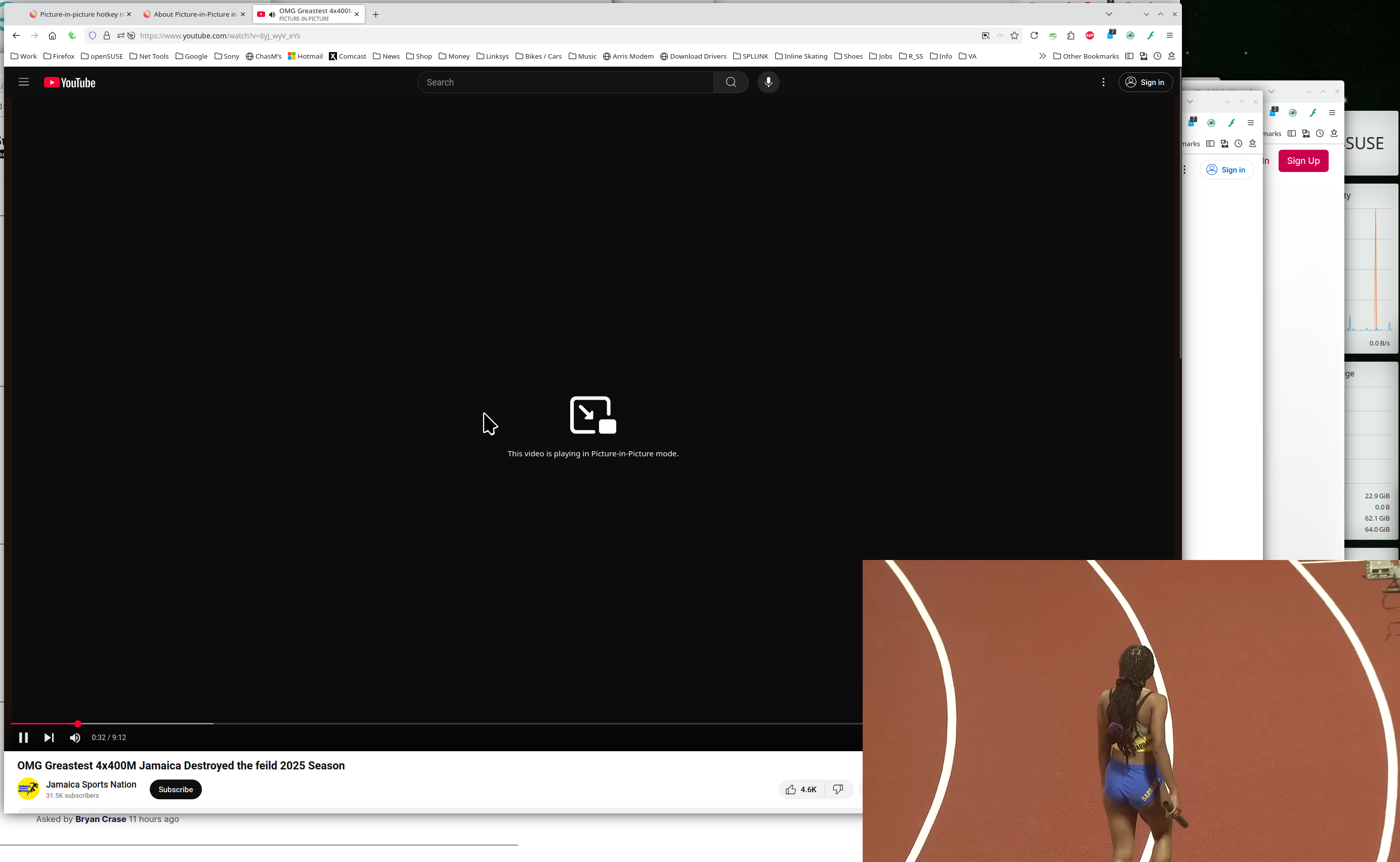
Works for me in X11. see screenshot Switch to X11 and see what happens.
Operating System: openSUSE Tumbleweed 20250329
KDE Plasma Version: 6.3.3
KDE Frameworks Version: 6.12.0
Qt Version: 6.8.2
Kernel Version: 6.13.8-1-default (64-bit)
Graphics Platform: X11
Processors: 16 × AMD Ryzen 7 5825U with Radeon Graphics
Memory: 62.1 GiB of RAM
Graphics Processor: AMD Radeon Graphics
Manufacturer: HP
Product Name: HP ProBook 455 15.6 inch G9 Notebook PC
Regardless of if it works on X11 (which is very much deprecated and would probably require a lot of setup for me), I wanna get it working in Wayland.
Test in X11, if it works, then you run off and open a bug. THE END