


Windows 10 reached EOS (end of support) on October 14, 2025. For more information, see this article.

Pretraži podršku

Izbjegni prevare podrške. Nikad te nećemo tražiti da nas nazoveš, da nam pošalješ telefonski broj ili da podijeliš osobne podatke. Prijavi sumnjive radnje pomoću opcije „Prijavi zlouporabu”.

Saznaj više

Why is TB suddenly moving messages from one folder to another but only when I try opening that folder?

  • 4 odgovora
  • 0 ima ovaj problem
  • 43 prikaza
  • Posljednji odgovor od Wayne Mery

more options

I have lots of filters to organize my copious incoming mail. Messages get moved into topical boxes. Recently I've noticed that a mailbox has unread messages in it and when I open it, I see the new messages for an instant and then they disappear. And another mailbox now has unread messages. So it seems that the filters run on the inbox when the mail is received and then they are run again (but a different set are applied) when I open the mailbox they got moved to by the first run. I see no settings in the Filters dialog that has anything to do with this behaviour. Why is this happening and how can I stop it?

BTW, most of my filters have Stop Execution as the last step. (Most only have a single Move to... action followed by Stop. And for performance reasons, all newly created filters should have Stop as an automatic 2nd step since most users wouldn't think to do this. )
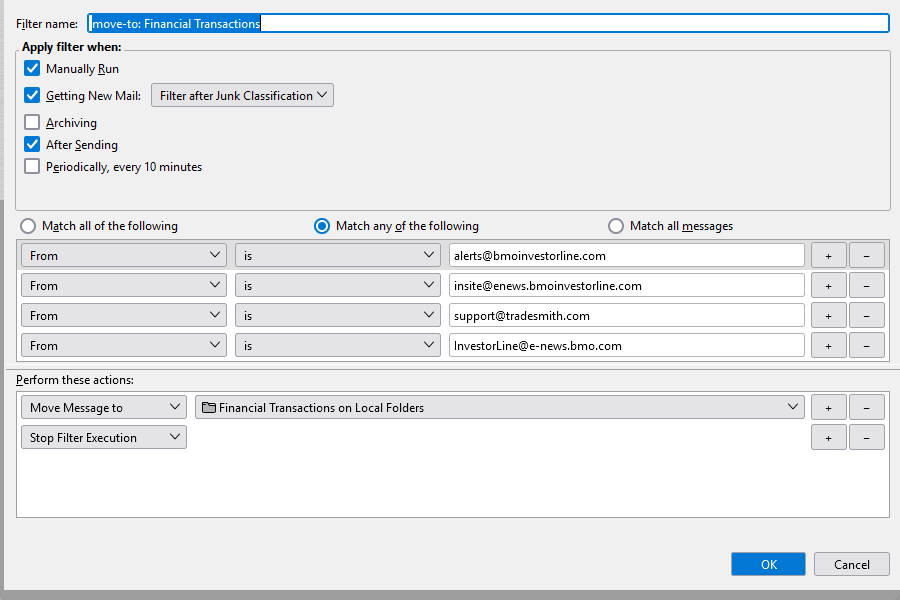
I have lots of filters to organize my copious incoming mail. Messages get moved into topical boxes. Recently I've noticed that a mailbox has unread messages in it and when I open it, I see the new messages for an instant and then they disappear. And another mailbox now has unread messages. So it seems that the filters run on the inbox when the mail is received and then they are run again (but a different set are applied) when I open the mailbox they got moved to by the first run. I see no settings in the Filters dialog that has anything to do with this behaviour. Why is this happening and how can I stop it? BTW, most of my filters have Stop Execution as the last step. (Most only have a single Move to... action followed by Stop. And for performance reasons, all newly created filters should have Stop as an automatic 2nd step since most users wouldn't think to do this. )
Priložene slike ekrana

Svi odgovori (4)

more options

Reporter,

Not sure why you would be seeing this. Does it still happen?

more options

Yes, still happens. This behaviour started about the time I upgraded to the latest ESR release. I am currently on 128.7.0esr (64-bit)

more options

Does it happen if you do Help | Troubleshoot Mode?

more options

Did you have good results?