


Thunderbird will not connect to my xfinity mail account
I have tried with no success to connect Thunderbird to my Xfinity/Comcast mail account with no success. Even Xfinity technical help could not resolve the issue. Thunderbird will not connect to the server. On the occasion that it does, it stops, asks for the password again and then says my account is blacklisted by Thunderbird.
Odabrano rješenje
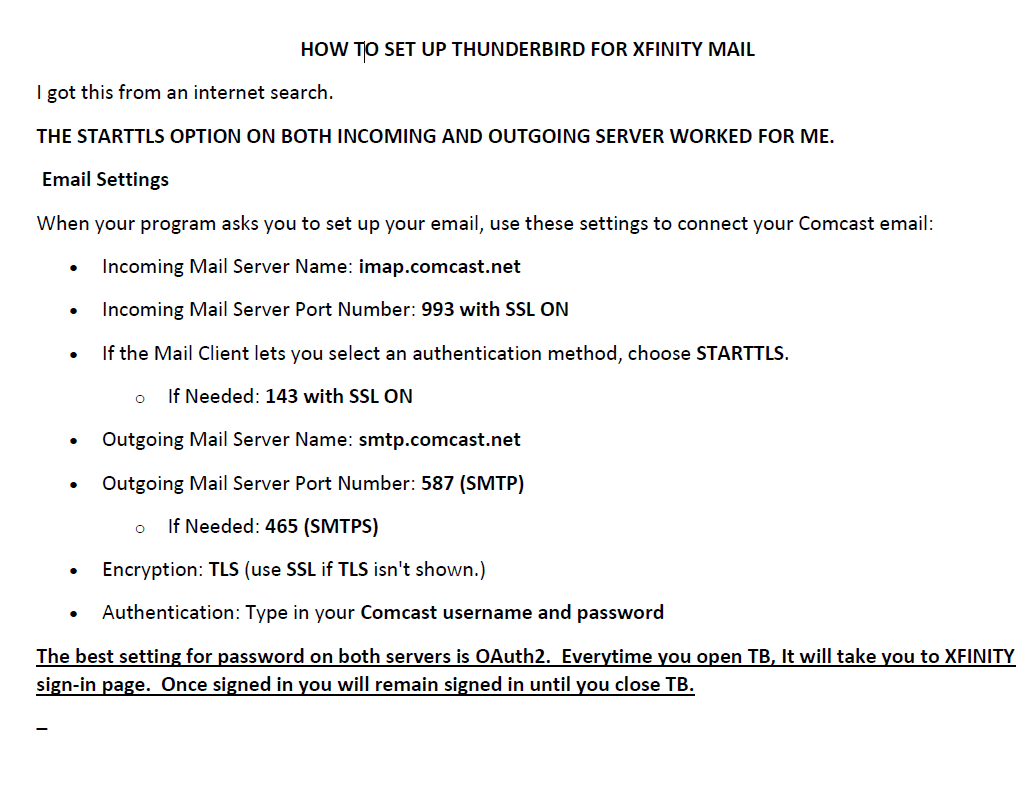
Attached is some important information on passwords.
Svi odgovori (13)
Have you enabled 3rd-party access by mail apps like TB?
https://www.xfinity.com/support/articles/third-party-email-access
https://www.xfinity.com/support/articles/email-client-programs-with-xfinity-email
Yes, because it works fine with my other 3rd party email account.
Also, the xfinity link for xfinity accounts is old and does not apply to the most recent TB dialogue boxes for setting up an xfinity account.
In addition, apple mail and spark have no trouble connecting to my xfinity mail account.
The latest version of TB, 115.6.1, includes support for Comcast OAuth2 authentication, which I can't test. Perhaps that is now a requirement. What are the 'dialogue boxes' showing for Xfinity accounts?
I don't know how to test it either. I am just going to forget using TB for XFINITY and stick to my iPad. Thanks anyway for your help.
I found additional information; however, this forum does not allow attachment of a pdf file which explains in detail what I found. I took a screenshot of the pdf page, but I don't know if you can blow it up and read it. This forum needs to accept other attachments.
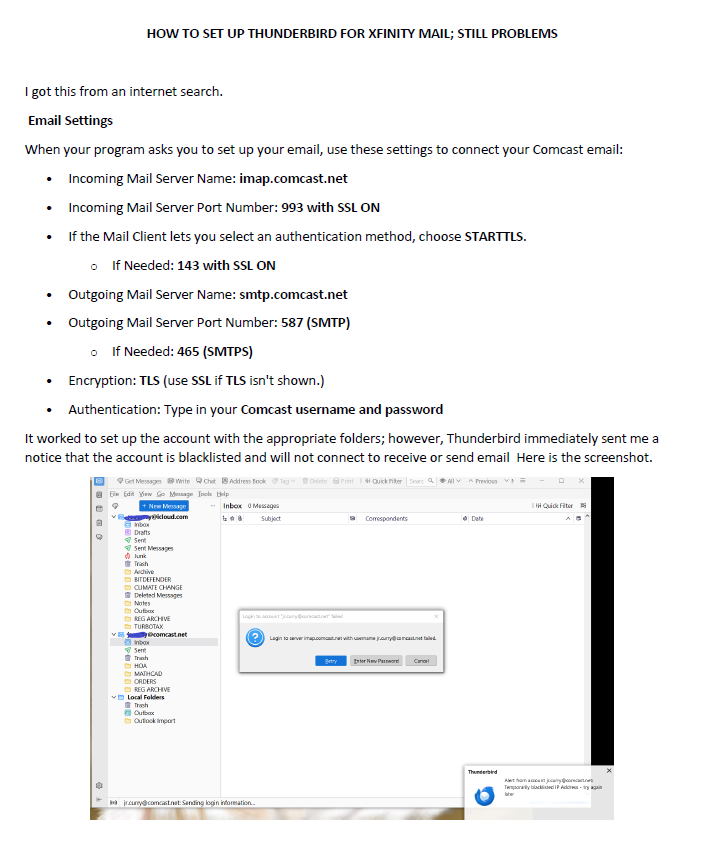
You could create a test profile from Help/Troubleshooting, about:profiles, and add an IMAP account with the settings in your picture, using manual config., except chose OAuth2 for the authentication method. If it works, you should see a browser-like window on first connection that asks for the account password to allow TB access. This is similar to the OAuth process with gmail, AOL, outlook.com accounts.
It works if I turn off my VPN; however, my icloud account works perfectly through my VPN.
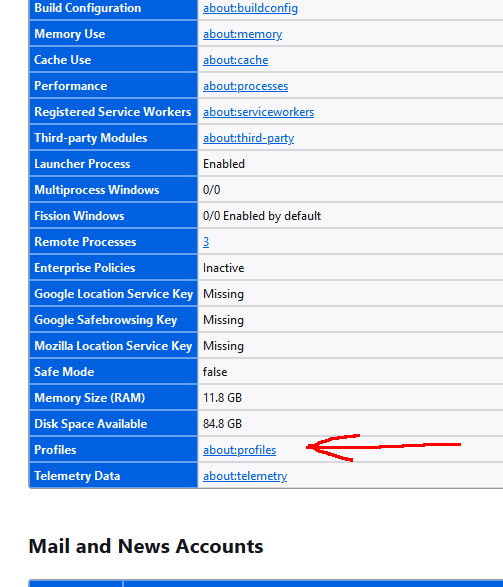
I don't see about:profiles.
See the attached screenshot of Help/Troubleshooting Info.
A VPN masks your location, which will interfere with authentication, for good reason. Different services, icloud or xfinity, have different authentication standards. Some won't care if a US customer appears to be connecting from a server in Bulgaria, or some other foreign location.
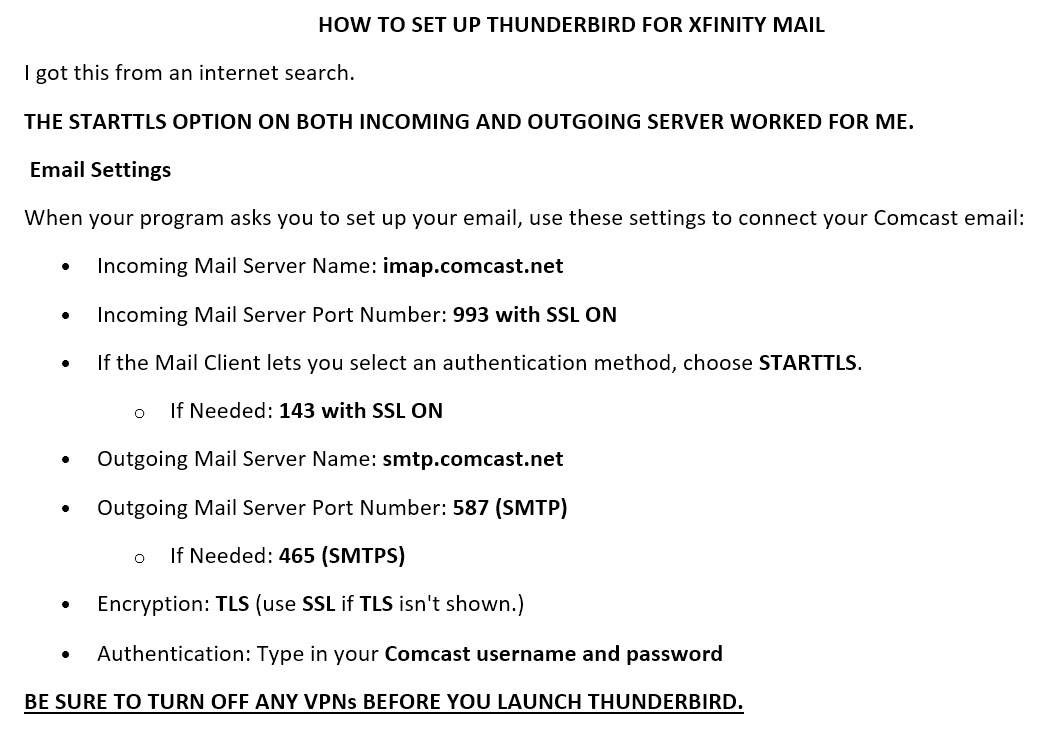
The solution is in the attached image.
Odabrano rješenje
Attached is some important information on passwords.