


No sound - again

I have tried everything - advanced app settings/set to default for Firefox. Volume mixer shows the sound coming in to my system, but nothing will play thru speakers. It is not my system. I can play vids, music, teams meetings, etc...its only Firefox not playing any sound. Tab is not muted also. Whats next?
I have tried everything - advanced app settings/set to default for Firefox. Volume mixer shows the sound coming in to my system, but nothing will play thru speakers. It is not my system. I can play vids, music, teams meetings, etc...its only Firefox not playing any sound. Tab is not muted also. Whats next?
Svi odgovori (4)
Post a screenshot of your volume mixer showing Firefox.
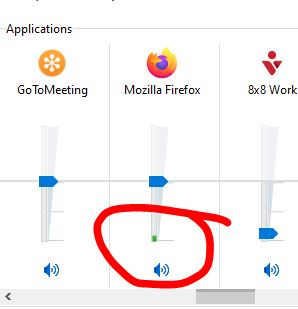
here you go. you can see green, that it is active, but no sound comes out.
Not that one. see screenshot
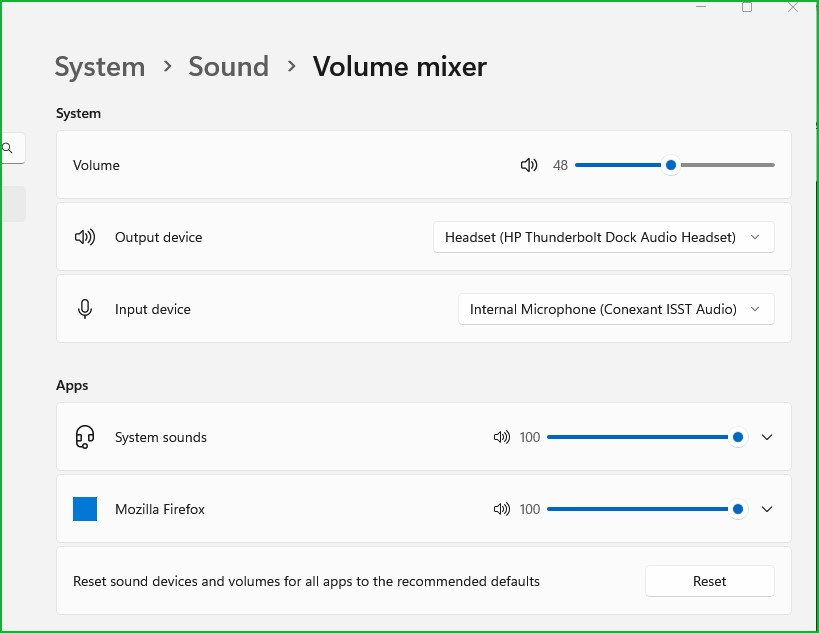
thats the exact same thing i posted, just a different way to get to the mixer. nothing is muted. as i mentioned, downloaded vids play, music plays, teams works, etc...just no sound from browser.