


Firefox using a lot or memory

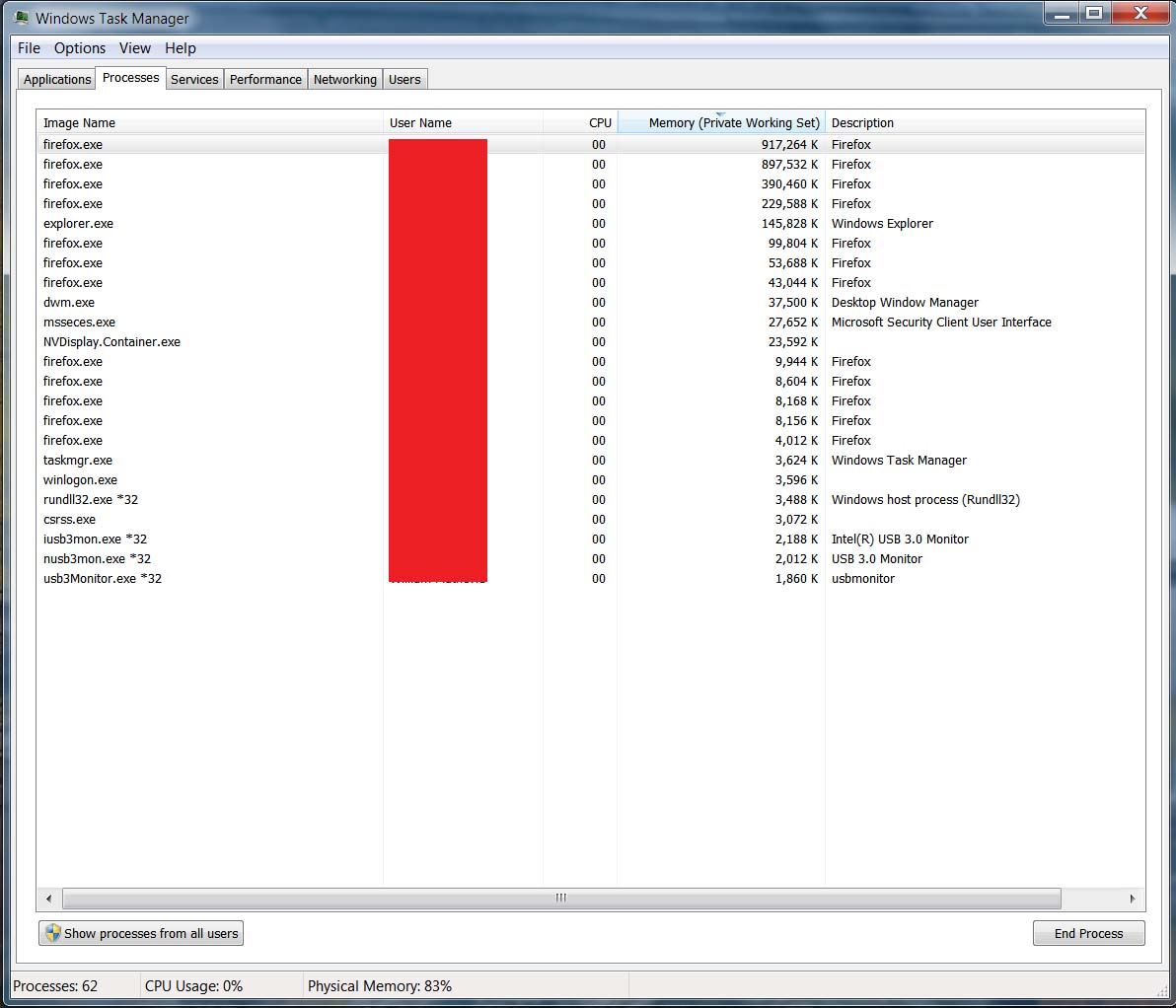
With ONE Firefox window open is it normal to have this many (12) show up in Task Manager (see attachment) and using so much RAM??
Izabrano rješenje
It is quite normal to see more Firefox processes running.
- process for the main Firefox thread (user interface)
- one or more content processes
you see more content processes when Fission is enabled - process for the compositor thread
- process for extensions
- process for WebRender when this feature is enabled
There are several toolkit.aboutProcesses prefs on the about:config page to show more info. You can find the current multi-process state on the Troubleshooting Information page (about:support).
- "Help -> Troubleshooting Information"
"Application Basics":<be>Multiprocess Windows and Fission Windows
"Remote Processes" (Web Content)
See also the about:memory and about:processes pages for more information about all processes.
Pročitaj ovaj odgovor u kontekstu 👍 1Svi odgovori (3)
donthavecow said
Did you restart and launch FireFox again to see what happens.
Yes, this it's the same. This is the "norm" for a long time - I just finally trying to find out why.
It is quite normal to see more Firefox processes running.
- process for the main Firefox thread (user interface)
- one or more content processes
you see more content processes when Fission is enabled - process for the compositor thread
- process for extensions
- process for WebRender when this feature is enabled
There are several toolkit.aboutProcesses prefs on the about:config page to show more info. You can find the current multi-process state on the Troubleshooting Information page (about:support).
- "Help -> Troubleshooting Information"
"Application Basics":<be>Multiprocess Windows and Fission Windows
"Remote Processes" (Web Content) - https://support.mozilla.org/en-US/kb/use-troubleshooting-information-page-fix-firefox
See also the about:memory and about:processes pages for more information about all processes.
- you can open "about:" pages via the location/address bar
this "about:" protocol is used to access special pages
Izmjenjeno od cor-el
Odabrano rješenje
It is quite normal to see more Firefox processes running.
- process for the main Firefox thread (user interface)
- one or more content processes
you see more content processes when Fission is enabled - process for the compositor thread
- process for extensions
- process for WebRender when this feature is enabled
There are several toolkit.aboutProcesses prefs on the about:config page to show more info. You can find the current multi-process state on the Troubleshooting Information page (about:support).
- "Help -> Troubleshooting Information"
"Application Basics":<be>Multiprocess Windows and Fission Windows
"Remote Processes" (Web Content)
See also the about:memory and about:processes pages for more information about all processes.