

Ova tema je arhivirana.
Postavi novo pitanje ako trebaš pomoć.

Arhivirano
Billing Link in Medical Account works in Chrome but not in Firefox

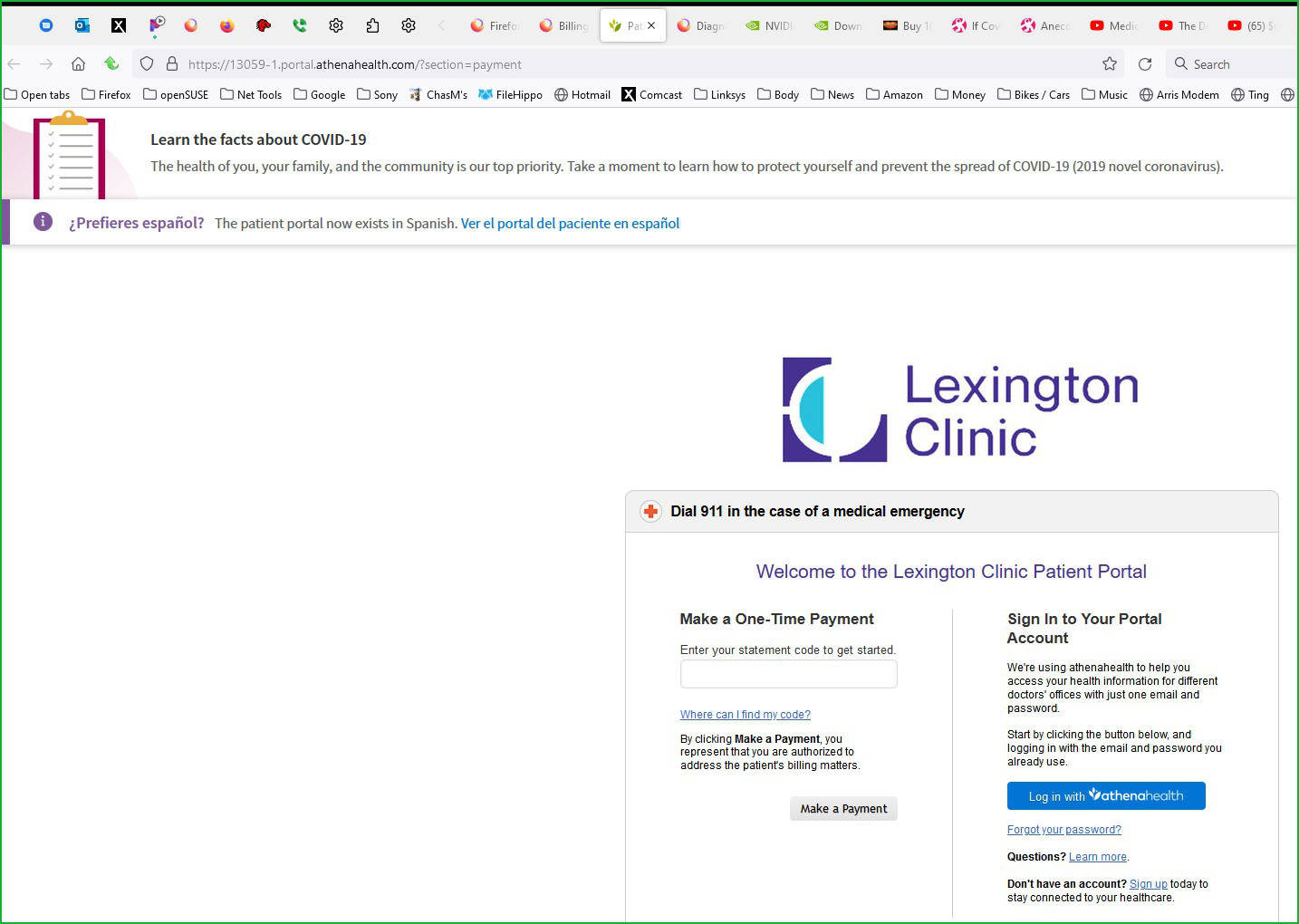
Have a medical clinic patient portal with a Billing section (https://13059-1.portal.athenahealth.com/?section=payment...) that allows you to pay your office and TeleMed bills. The link works perfectly normal in the Google Chrome browser, but is inactive/nonfunctional in Firefox. This is not a "pop-up", but a "Redirect to a Secure Payment Server", specifically https://secure.athenahealthpayment.com/ How do I configure Firefox such that it works correctly?
Have a medical clinic patient portal with a Billing section (https://13059-1.portal.athenahealth.com/?section=payment...) that allows you to pay your office and TeleMed bills. The link works perfectly normal in the Google Chrome browser, but is inactive/nonfunctional in Firefox. This is not a "pop-up", but a "Redirect to a Secure Payment Server", specifically https://secure.athenahealthpayment.com/
How do I configure Firefox such that it works correctly?
Svi odgovori (1)

You should show us what you're seeing. The 1st link works for me. see screenshot
Izmjenjeno od jonzn4SUSE