


Code displays in ad videos

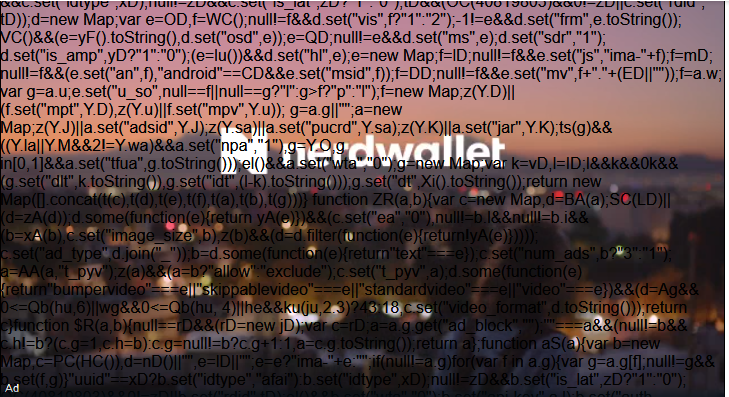
Recently my Firefox (69.0.1 64-bit on Win 10) started displaying code overlaid on video ads. It happens only on ad videos, not other videos. I don't care very much because it's only for ads, but nevertheless...
Svi odgovori (5)
Hi mwrr, I have no idea why that is visible. Browsers don't display the contents of <script> tags, so I would guess the page was modified in some way, or a script in the page injected script code into the wrong place, or you can see the matrix even when the rest of us can't.
Does it happen on other sites, or just a particular site?
Do you keep captions (CC) enabled?
This happens on all sites. I tested it on another browser (Edge) and it doesn't happen. I first noticed it happening on the full-page video ads between innings of MLB games. I don't know about "captions (CC) enabled". Tell me more.
Captions are used to display text for the hearing impaired or other languages. Just wondered if the script might be showing up instead of the intended caption text.
Do you use any external filters on your browsing, such as security suites that intercept web requests (e.g., Avast, AVG, Biteefender, ESET, Kaspersky)? Possibly one of those is modifying something, but it's hard to imagine how to re-create the situation.
Do you use any custom style rules in an optional userContent.css file?
Nope, don't use captions. Also no custom styles. I do have ESET active on my computer. I'll try disabling it and see if the issue disappears.
I didn't change anything and now, lo and behold, the video ads are normal.