Thunderbird Does Not Recognize Outlook Folder Named "Archive"

I use Thunderbird 52.2.1 (64-bit) on macOS Sierra 10.12.5, and also Thunderbird 52.2.1 (32-bit) on Microsoft Windows 10 Pro (version 1607, OS build 14393.1358).
My company uses Microsoft Office 365. My Outlook account is accessible through a web interface and through email clients--it is an Exchange account.
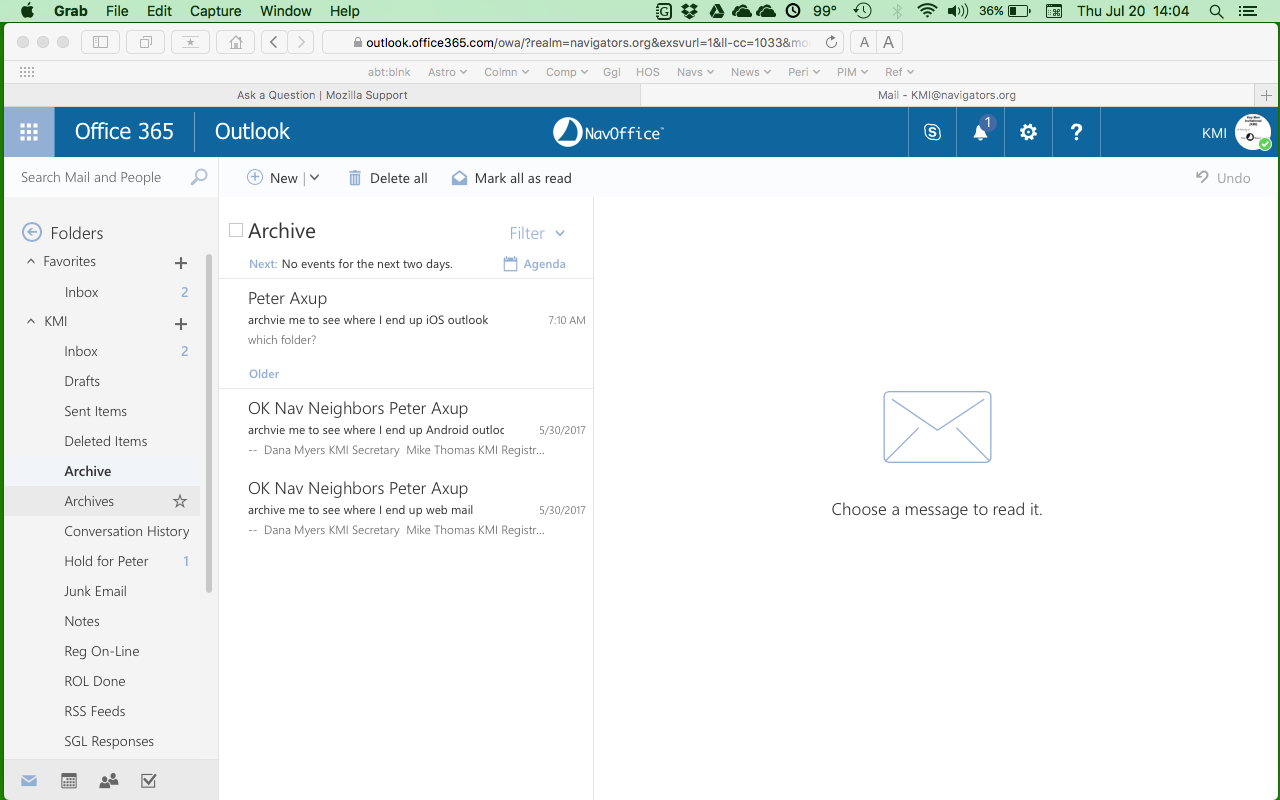
Outlook has an archive feature using a folder named "Archive" (no "s" on the end). This feature is consistent across their Android Outlook app and their iOS Outlook app. I have not used Outlook's Microsoft Windows app nor their macOS app.
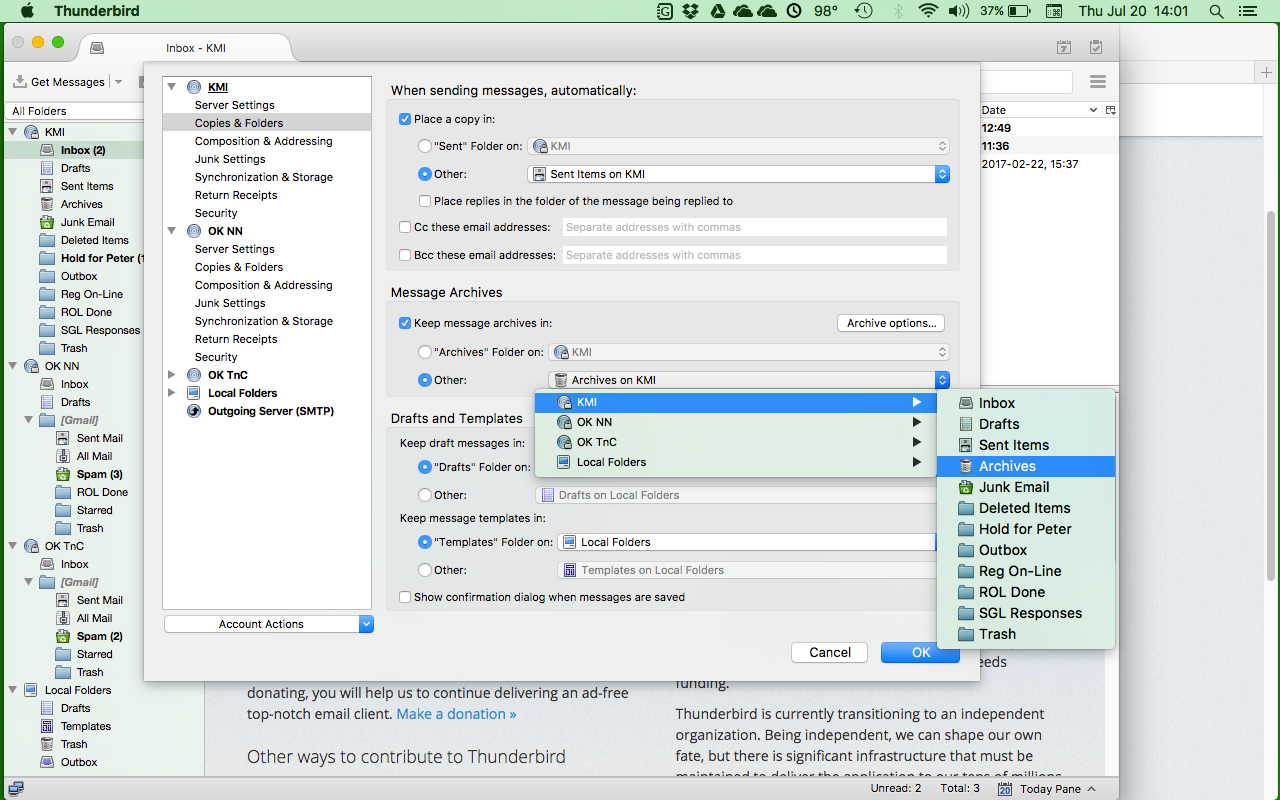
Under Thunderbird Options ("Preferences" on macOS), Account Settings, Copies & Folders, Message Archives, Keep message archives in:, Thunderbird's archive feature uses a folder named "Archives" (note the "s" on the end). If I select the "Other" option, I can select another folder in the Outlook account, except that Outlook's "Archive" (no "s") folder does not appear on the list; all other folders in my Outlook account appear.
As a result, my Outlook account (viewed through the web) has both an "Archive" (no "s") folder and an "Archives" (with "s"), and there are different emails in both, depending on whether I archived the email while using the web (or an Outlook app), or whether I archived the email while using Thunderbird.
Outlook does not give me the ability to change where it archives emails.
This problem is identical on both the Mac and MS Win 10 Thunderbird applications. I have not tried the Linux version.
How do I submit this bug, that Thunderbird cannot see the Outlook folder named "Archive" (no "s").
Thank you, Peter
Izabrano rješenje
The Archive folder appears in my Hotmail account, but it is a Subscribed folder. Right-click the account in the Folder Pane, Subscribe, and see if Archive is checked.
Pročitaj ovaj odgovor u kontekstu 👍 1Svi odgovori (2)
Odabrano rješenje
The Archive folder appears in my Hotmail account, but it is a Subscribed folder. Right-click the account in the Folder Pane, Subscribe, and see if Archive is checked.
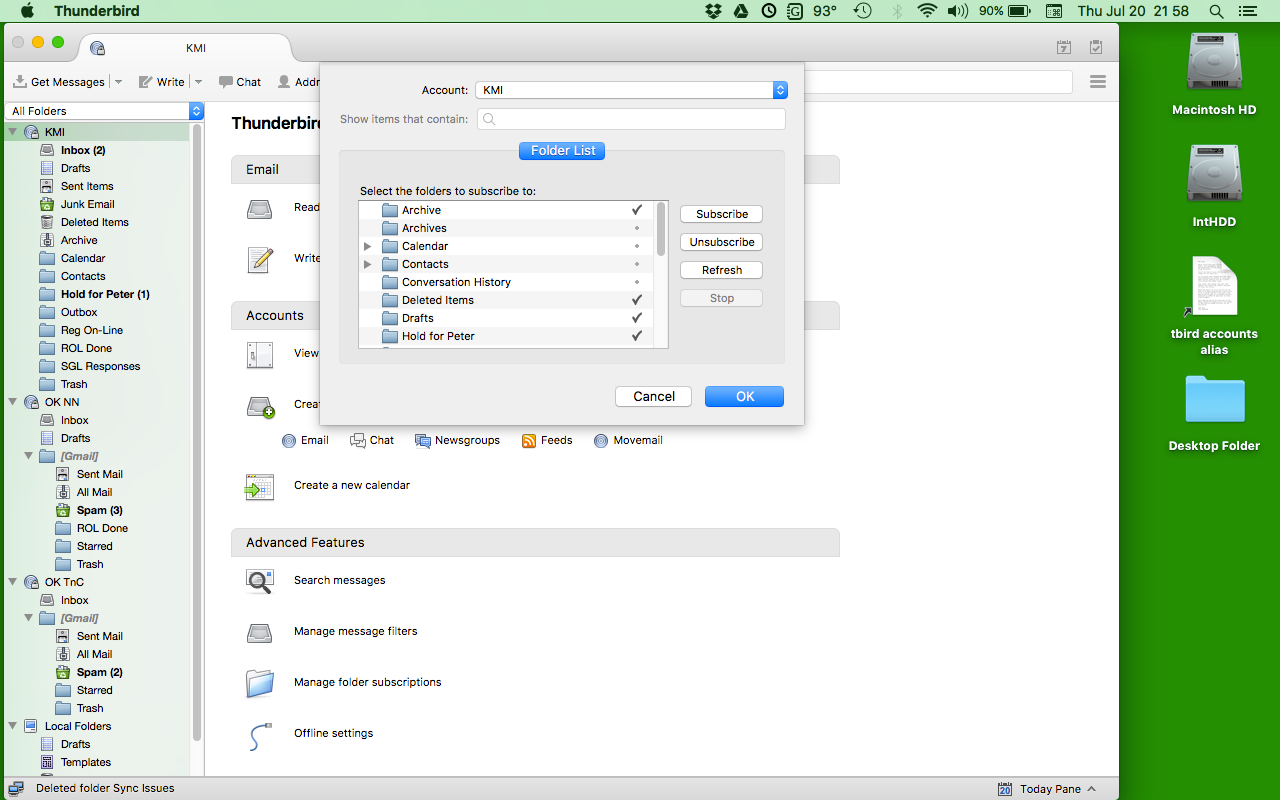
Thank you, sfhowes, for your speedy and helpful reply. Yes, you are correct, Thunderbird was not subscribed to the "Archive" folder. In the Folder Pane, select the account (in the attached image, it is "KMI"), and then control-click. A small window appears, and I could select the "Archive" folder to subscribe to it. Thank you, Peter