


Whitespace characters are removed in sent message but visible in draft.

Hi,
Plain text, ISO8859-15, estonian, sometimes when writing new message, for example:
"... sügav ning see sisaldab ."
When saving this as draft or sending it, the messages text is:
"...sügavningsee sisaldab...."
No matter how many spaces are in draft message, "...sügav ning see sisaldab....", is still saved or sent as "...sügavningsee sisaldab...."
How to fix this?
Svi odgovori (3)
Have you tried this in Thunderbird V45? If not please do
Matt said
Have you tried this in Thunderbird V45? If not please do
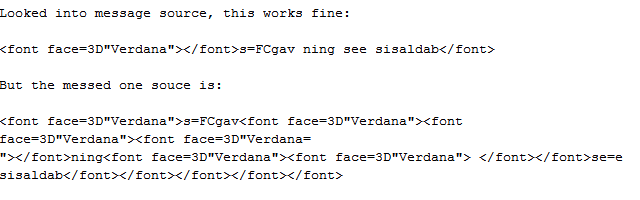
Tried V45 also, checked the saved draft message = same problem. Adding code as attachment.
Izmjenjeno od ksuuk
I know this is an old query, so sorry if reponse is not required. When I create a 'Plain Text' message, there is no formatting, so no mention of font face etc. I would guess you are not using Plain Text or you have an addon causing a conflict.
Test thunderbird in Safe modeHelp > Restart with addons disabled
If it works then you would need to disable one addon at a time to test. Maybe an addon needs updating or perhaps it is no longer compatible.