


"Do this automatically for files like this from now" is disabled when i try to download a PDF from the internet. Application/octet-stream

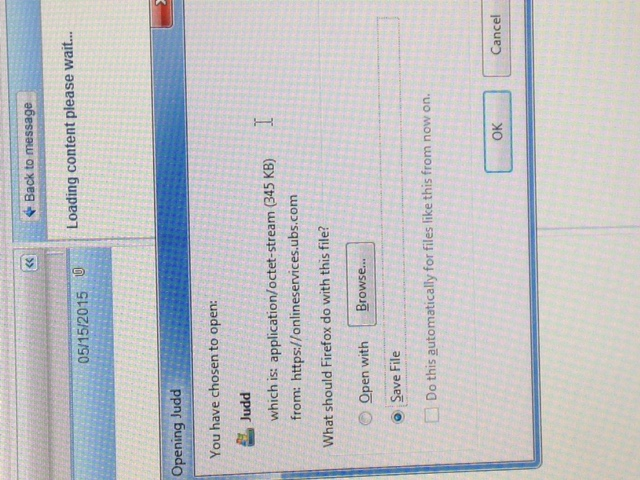
I am trying to download files from a client. They are stored on "Onlineservices.ubs.com". When i click on the PDF it brings up the "you have chosen to open" window for downloading the file. Which is fine, because i want to download the file. But the"Do this automatically for files like this from now on" box is disabled. I want to be able to select this so I can just have the file automatically downloaded each time without having to select it each time. How can i make that option available?
Svi odgovori (4)
here is a screen shot of the message box.
Have someone fix the server so that it sends the correct MIME-type with PDF files. With out the correct MIME-type Firefox will handle it as an octet-stream (binary data).
So the option to "Do this automatically for files like this from now on" will be grayed out until "They Fix their server"?
Yes it will.