


how to send reply in same format as received email

I am using Thunderbird as an email client. I have the option set to normally send emails as plain text. If I receive an email that is formatted and then reply, the email is composed as unformatted. I wan the reply to be formatted.
Is there anyway Thunderbird can detect formatting and automatically format the reply the same as received?
How can I reply to an already formatted email so that the reply is formatted?
All Replies (7)

It's not automatic, but when you hold the <Shift> key down while you click the "Reply", "Reply All", or "Forward" button and your message will be created in the OPPOSITE format of your default. That is, if your default is plain test, the reply will be in HTML format. If your default was HTML, the reply would be in plain text.
Lin द्वारा सम्पादित
Thanks.
I know about the use of the Shift key, but I was looking for an automatic solution!
Many a time I have started to reply before I realise that the original email is formatted but the reply is not.
If you write mail with the default composition setting of automatic, and do not use special formatting (such as bold and italic or font size changes), your email is sent in plain text. I think that default approach will resolve your issue.
I have sending format set to Automatic. I just did a test. I composed an email that was formatted. I sent it to another email address. From that email addressed, I replied to the email.
When hitting the Reply button I was in plain text mode. When received the whole email was plain text; all formatting was lost.
What do I have to do to get this to work?
Thanks
BTW as a test I changed Sending Format to Only HTML. By default the setting is corrupted and a default message still went out as plain test. If I held the shift key down when starting I got a Formatted message. How do I fix this?
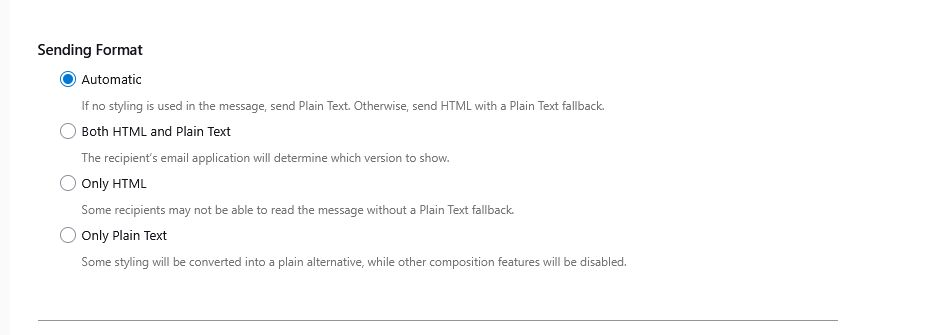
Why would you be in plain text mode? The solution is to stay in the automatic mode throughout, Plain text mode forces everything to plain text, which is what you experienced. Remember also that in settings>composition to set the default to 'variable width' and medium size font, if not already set that way.
Hi I have Sending Format set as Automatic and HTML Style as Variable Width and Medium Size. See attached screenshot
I sent a test message that has some formatting included. When I replied it automatically went to Plain text and all formatting lost.
There is something I have done or Thunderbird settings corrupted!!
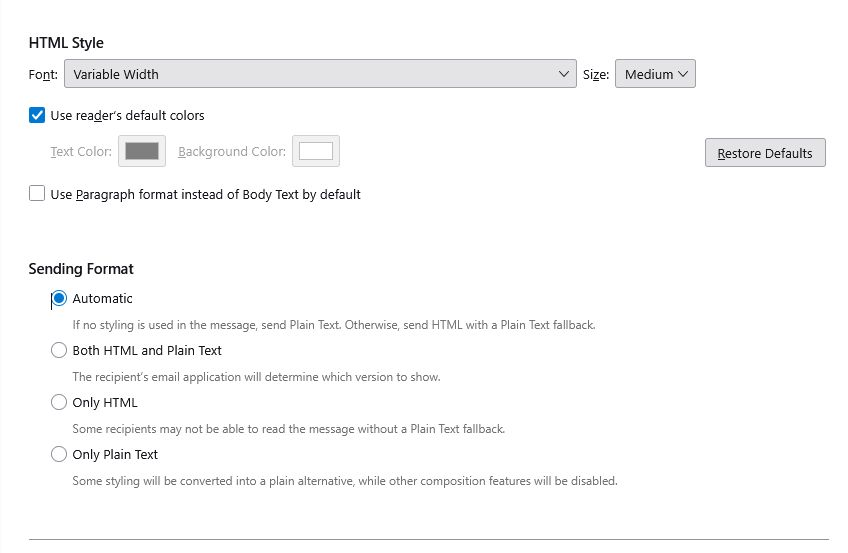
Check your 'composition and addressing' pane to see if you have the account set to send plain text. I cannot duplicate your situation.