


how to vpn on in mozilla firefox?

how to vpn on in mozilla firefox?
All Replies (2)
Bonjour
Is it your question
Automatically launch Mozilla VPN when your device starts https://support.mozilla.org/en-US/kb/automatically-launch-mozilla-vpn-when-your-device
Is it your question
Use built-in VPN in Firefox https://support.mozilla.org/en-US/kb/built-in-vpn
Unable to find the built-in VPN in Firefox https://support.mozilla.org/en-US/kb/unable-find-built-vpn-firefox
Otherwise, please, check, the preference, browser.ipProtection.enabled https://support.mozilla.org/en-US/questions/1578173
To complement, see also this discussion thread https://support.mozilla.org/en-US/questions/1605682
Is it your question
Turn on VPN automatically When I open Firefox https://connect.mozilla.org/t5/ideas/firefox-vpn-automatic-start-setting-option/idi-p/128199 https://support.mozilla.org/en-US/questions/1595791#answer-1835598 For illustration https://www.youtube.com/watch?v=QC-bFoxY2y4
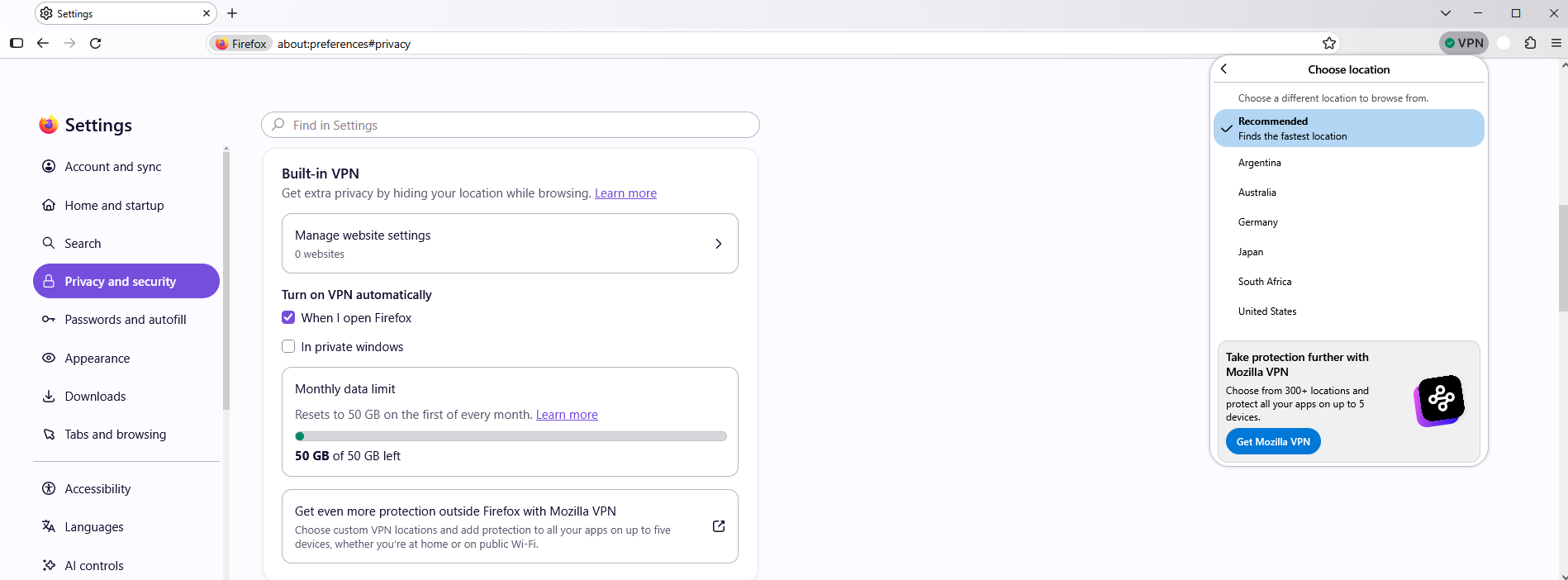
To complement,
Product: Firefox Component: IP Protection https://bugzilla.mozilla.org/buglist.cgi?product=Firefox&component=IP%20Protection, you can sort by Updated
[meta] Autostart Firefox VPN https://bugzilla.mozilla.org/show_bug.cgi?id=1990008