


Trying to migrate from plusnet to greenby/thunderbird

I have settings from Greenby to set up server connections for a new account. They are validated by thunderbird but, after, entering my greenby password, generates the error, below, which greenby claims is a thunderbird problem.
"Component returned failure code: 0x804b000a (NS_ERROR_MALFORMED_URI) [nsIIOService.newURI] Show less
Component returned failure code: 0x804b000a (NS_ERROR_MALFORMED_URI) [nsIIOService.newURI]"
Now my greenby password works on their systems
Now I'm very new to Thunderbird so not familiar with the commands
Any one any ideas ?
All Replies (9)
Maybe, if you post screenshots of your incoming and smtp server panes, someone may have suggestions. thank you
I,ve sucessfully received mail from Greenby on my Thunderbird client BUT cannot send mail. In fact I cannot create a link to the Greenby server. Attached, hopefully, are screen shots showing 1. there is no list of outgoing servers at a high level 2. the account set up (so far) 3. the list of currently defined servers in Thunderbird
I've tried to "add" a Greenby server in the outgoing server screen but nothing happens .
Can you help?
Can't attach word document
Tried importing in to paint
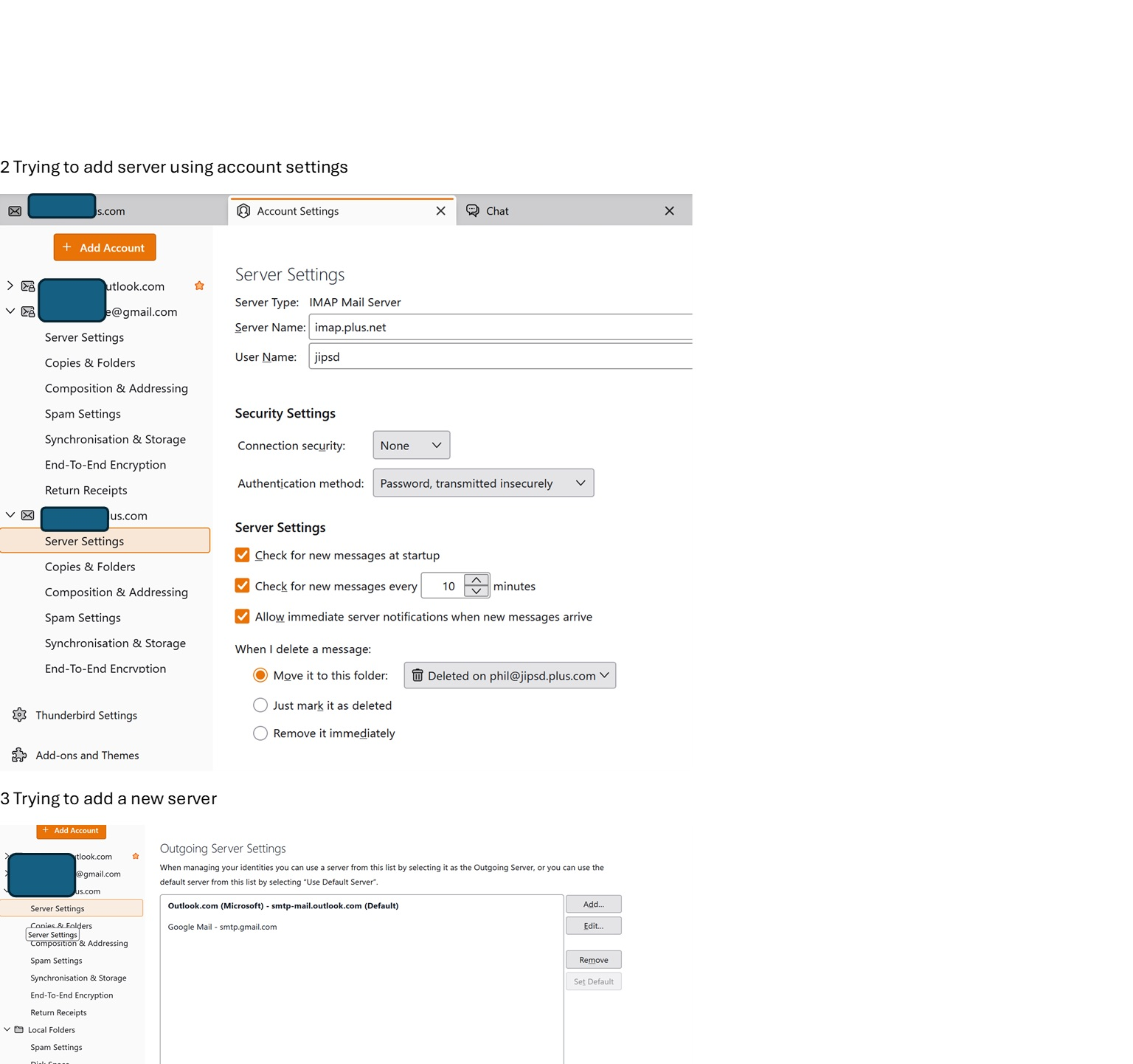
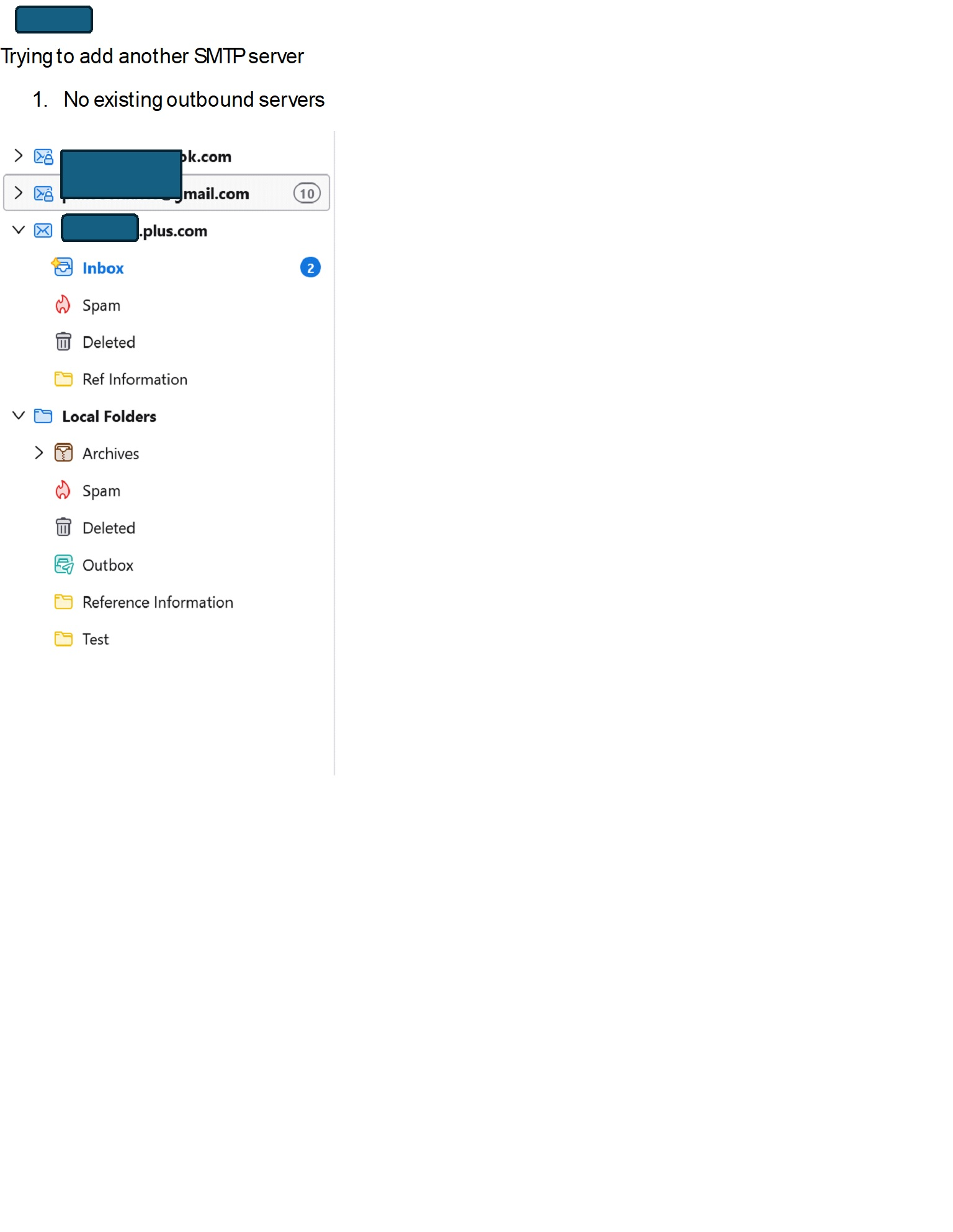
Okay, the screenshot is incomplete, BUT, I see only two SMTP servers: outlook and google. There should be one for this account. By not having one, that may be the cause of that error, Also , your screenshot was of the listing of all SMTP servers. You need to do a screenshot of the contents of the server pane for the account. You also cut the server pane short, as the port number does not appear. Here is a URL that may assist for screenshots: https://support.mozilla.org/en-US/kb/how-do-i-create-screenshot-my-problem There are also many free utilities that do that. One is MWSNAP at https://mwsnap.en.softonic.com/ (That is not an official endorsement; I just happen to know it works.)
I suggest you also look for the official Greenby settings: I did a web search for "how to set greenby emai l settings" and many websites opened up. Yes, I would like to just tell you the answer, but I don't greenby. I did find a fancy video at https://greenby.com/support/knowledgebase/article/32 Really kewl! I don't know if it's correct, but I enjoyed viewing it. It focuses on setting up greenby for thunderbird. Good luck. :)
Ok, to add an SMTP server do this:
- click to 'account settings' pane
- at bottom leftside bar is a link to Outgoing servers, click that
- on next pane, click the button to add a new SMTP server
- there, fill in all the information and save it. I encourage putting GREENBY in the Documentation line if only for documentation.
- Now that you saved it, go back to the 'account settings' pane, highlight the greenby account. In lower right screen, you should see a row titled 'Outgoing server' That is a drop down menu. Click it and select the Greenby entry and save and exit .
- that's it. :)
David, thanks for your quick reply.
I have attempted to add an SMTP server, as above, but had absolutely no response when clicking continue. No error messages, no immediate update of the list of SMTP servers available, no update after closing Thunderbird and then restarting, and no new server that I can find.
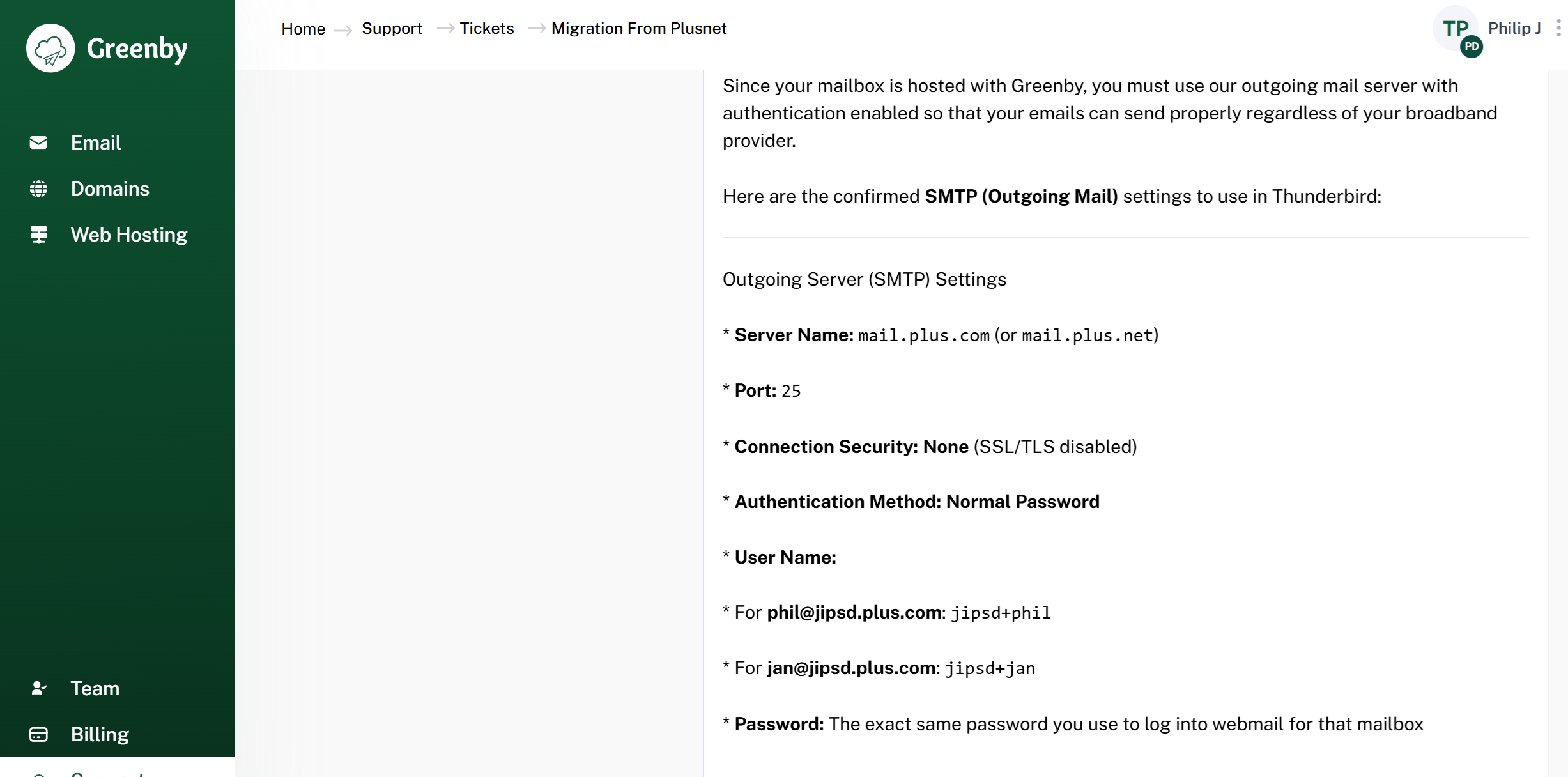
I've double checked server parameters with Greenby and confirmed I'm using the correct ones. (see attached pictures). BTW I'm not impressed by the lack of security.
I've even tried deleting my jipsd.plus.com account, so a replacement could be added, but even that did not work. (I'm using Greenby's IMAP server for down load so messages should not be lost)
Is it possible that Thunderbird has somehow become corrupted ?
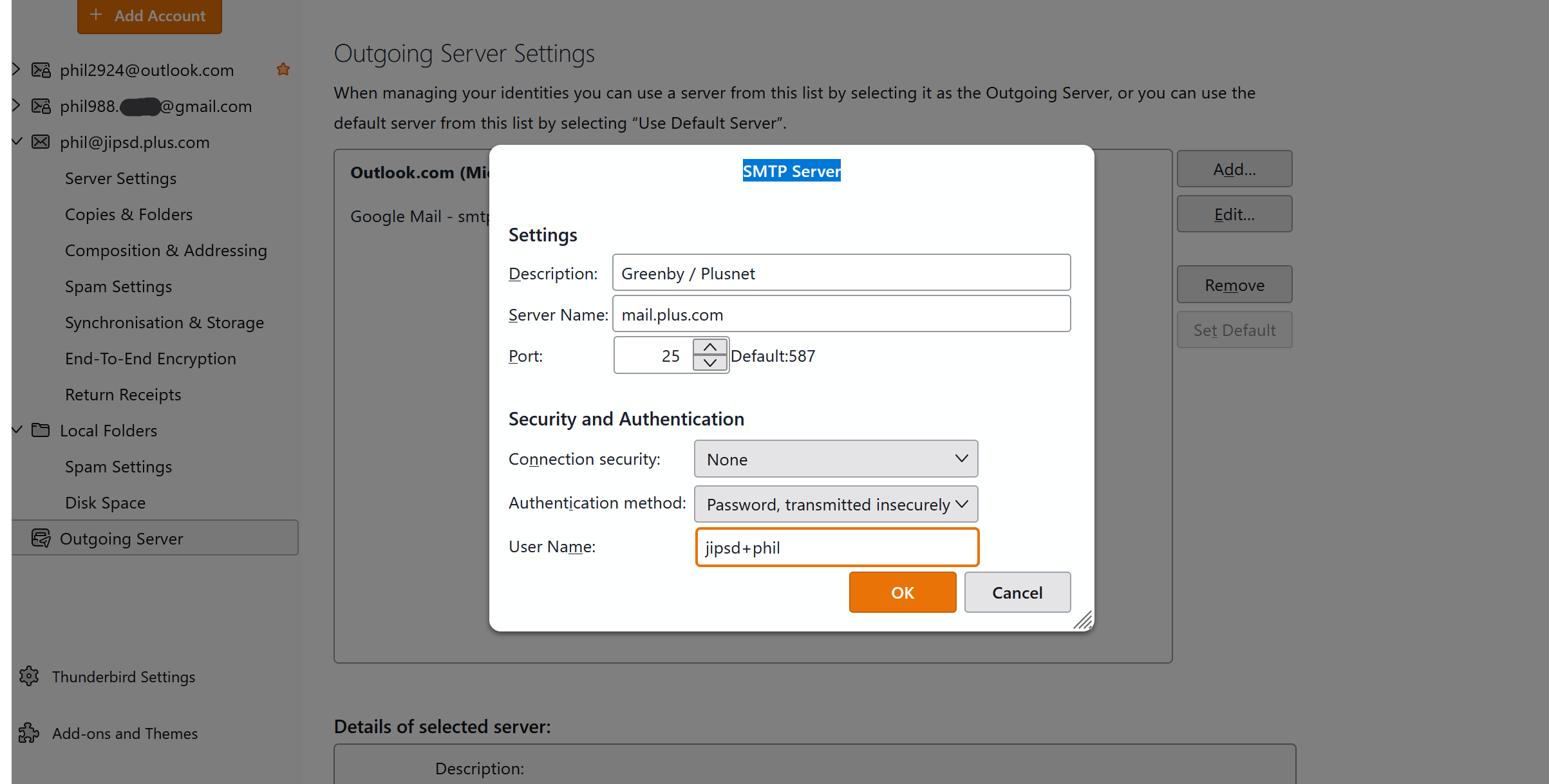
What happens when you press OK in setting up the SMTP server? That should close and show it listed with the other two SMTP servers. If that is not happening, then something is wrong and beyond my knowledge. Maybe someone else here has suggestions.
Thats not happening. As I said absolutely nothing happens. Its very frustrating.
Thanks for trying David