


Stop Blocking 3rd-Party Cookies
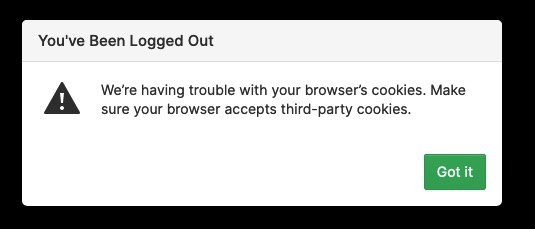
I need to edit a website in WebFlow. But when I log into the admin for the site, I get the attached dialog saying I need to make sure that Firefox accepts third-party cookies. I turned off the Cookies setting in Privacy-Security, but that didn't help. How do I turn off blocking third-party cookies?
चुने गए समाधान
[v57+]Type about:preferences#privacy
Under Enhanced Tracking Protection select Standard
संदर्भ में यह जवाब पढ़ें 👍 0All Replies (4)

https://support.mozilla.org/en-US/kb/websites-say-cookies-are-blocked-unblock-them
Make sure you are not blocking content.
https://support.mozilla.org/en-US/kb/enhanced-tracking-protection-firefox-desktop also see https://blog.mozilla.org/security/2021/03/23/introducing-smartblock/
https://support.mozilla.org/en-US/kb/smartblock-enhanced-tracking-protection
Diagnose Firefox issues using Troubleshoot(Safe) Mode {web link}
A small dialog should appear. Click Start In Troubleshoot(Safe) Mode (not Refresh). Is the problem still there?
Many site issues can be caused by corrupt cookies or cache.
Warning ! ! This will log you out of sites you're logged in to. You may also lose any settings for that website.
- How to clear the Firefox cache {web link}
Thank you for the information. Unfortunately I couldn't get any changes to make a difference. I solved the problem by using Edge browser (even Safari worked).
Edge has a specific setting for turning on/off blocking third-party cookies, so turning it off was one click, in one place. Firefox is still my first choice, but this was really a waste of time and effort.
चयनित समाधान
[v57+]Type about:preferences#privacy
Under Enhanced Tracking Protection select Standard
Thank you very much...I hope this will turn off third-party cookies blocking. If not, as I mentioned earlier, for the limited number of times I need it turned off, I can just use Edge.
Your help is much appreciated.
Michael