


How can I disable animations in tab titles?

Some websites add some annoying animation effects into their website's title (that shows in the tab title).
Example: This website: https://colourpop.com/ If you switch to another tab for several seconds, it starts flashing a message, "Hey, where'd you go?". I'd like to be able to disable this and any similar animations that can potentially be added to a website's title. Is this only possible by disabling some scripts and/or using UBlock, etc, or can I do this within Firefox?
Thank you,
כל התגובות (5)

You could try adding the following preference as a number in about:config. From memory, it is effective immediately but you may have to restart. It will mean you will see a barely motionless hourglass when loading a tab instead of the animated icon.
ui.prefersReducedMotion (give it the value 1)
https://support.mozilla.org/en-US/kb/about-config-editor-firefox
Sorry, I don't think I've explained it well enough. Perhaps this problem can only be solved with some javascript filter in AdBlocker or uBlock.
I meant -- is it possible to disable animations that the website itself creates via javascript (I think?), when the title of the tab (e.g. "Forum") changes (e.g., user receives a message, and the title starts flashing "New message! - Forum"). I was hoping there is some browser-wide configuration to disable such changes.
Here is an example of the discussion on how it can be integrated into a website


השתנתה ב־ על־ידי kattie.white
kattie.white said
Sorry, I don't think I've explained it well enough. Perhaps this problem can only be solved with some javascript filter in AdBlocker or uBlock. I meant -- is it possible to disable animations that the website itself creates via javascript (I think?), when the title of the tab (e.g. "Forum") changes (e.g., user receives a message, and the title starts flashing "New message! - Forum"). I was hoping there is some browser-wide configuration to disable such changes. Here is an example of the discussion on how it can be integrated into a website
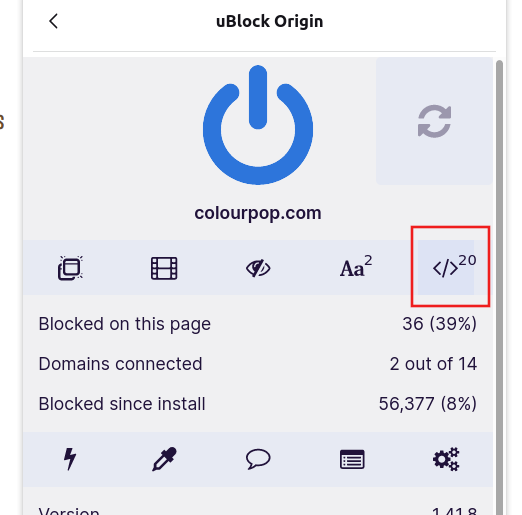
Hello! One way that I currently know of is by disabling the Javascript using Ublock Origin, click the icon marked below to do this:
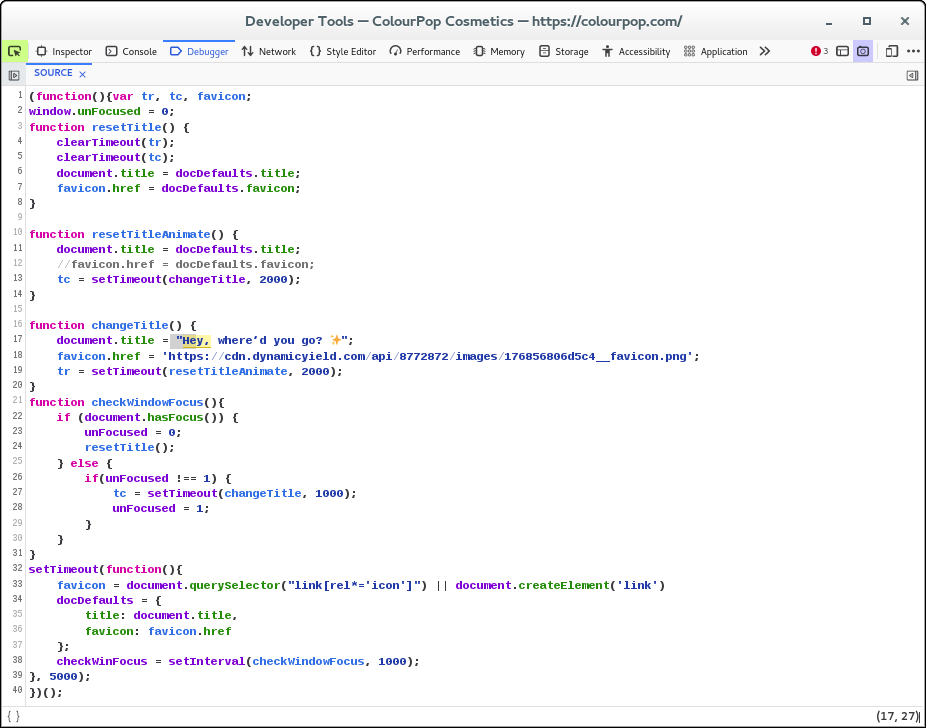
It is done via this script, but I don't know where it is coming from as I do not see it in the Network Monitor.
השתנתה ב־ על־ידי cor-el
You could try enabling Annoyance filters in uBlock Origin. I use AdGuard Annoyances and uBlock filters - Annoyances but others are listed.
השתנתה ב־ על־ידי Terry