


Open
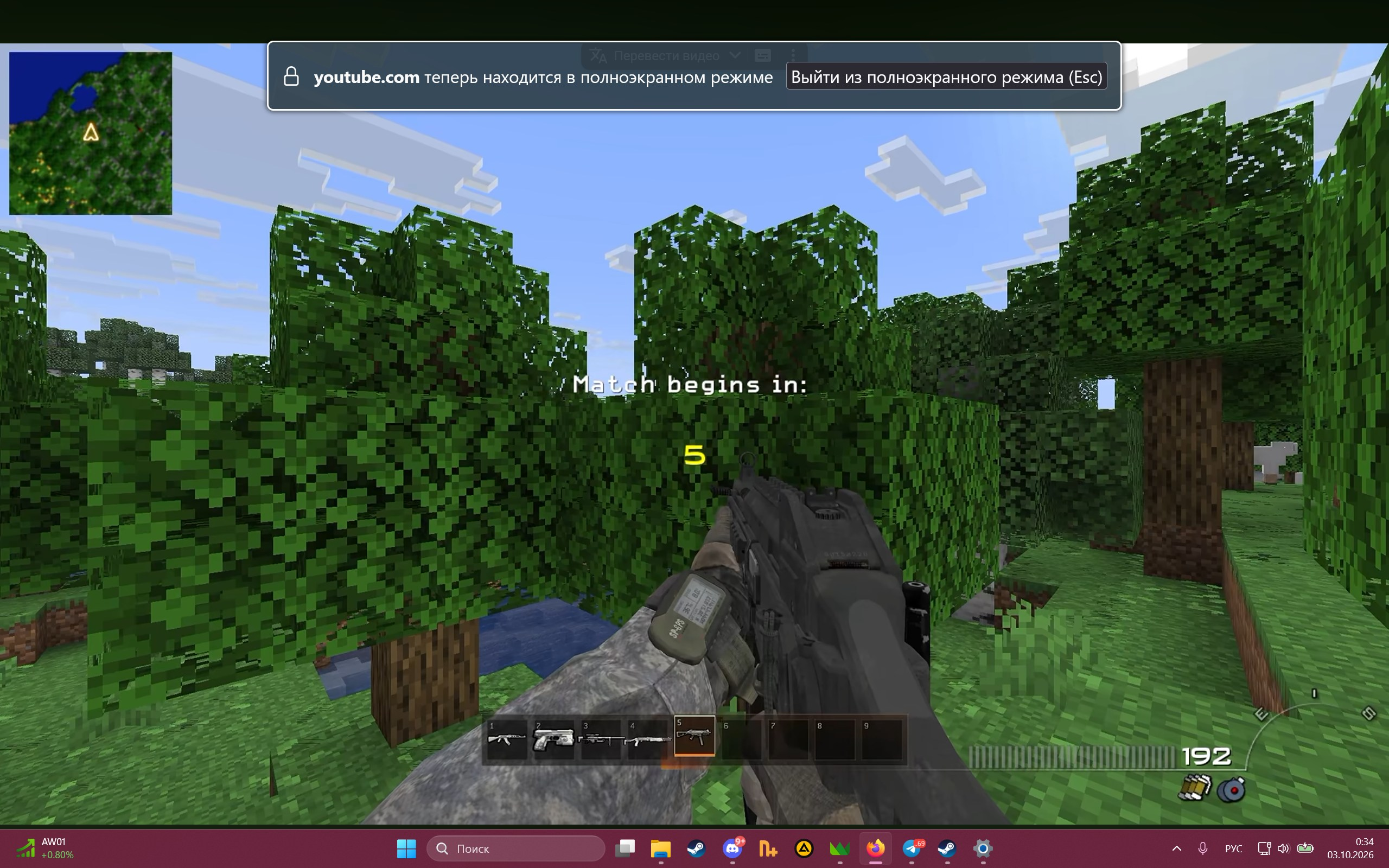
The taskbar interferes with watching videos in full‑screen mode; the taskbar itself disappears for a split second in full‑screen mode, and then reappears, overlapping part of the content.

I checked the parameters:
full-screen-api.ignore-widgets = false browser.fullscreen.autohide = true
I restarted File Explorer, the browser, and the PC; the problem only occurs in Firefox. At the same time, if I press F11 in advance, then when I press F again or open a full‑screen video with the mouse, the taskbar no longer interferes. I tried running the video in incognito mode, but the problem persists.
I checked the parameters:
full-screen-api.ignore-widgets = false
browser.fullscreen.autohide = true
I restarted File Explorer, the browser, and the PC; the problem only occurs in Firefox. At the same time, if I press F11 in advance, then when I press F again or open a full‑screen video with the mouse, the taskbar no longer interferes.
I tried running the video in incognito mode, but the problem persists.
All Replies (1)
Fixed in 157.0