


Thunderbird will not take my SMTP information

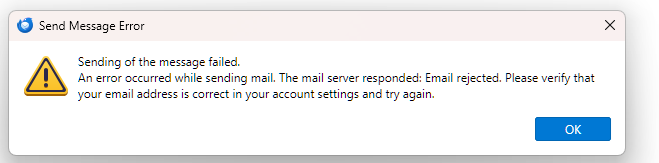
I finally got Thunderbird to not go to Rogers every time I get email. But now I cannot send any email from any address.When I try to send I get an error message. I cannot add an SMPT server as it will not take it
All Replies (3)

Zaɓi Mafita
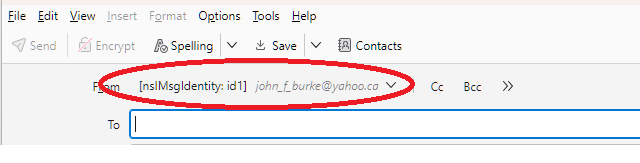
I'm not quite sure what is going on here, but your last screen shot seems to indicate a problem with one of your identities that could possibly contain a reference to a deleted or corrupt SMTP server entry. Try going to <Account Settings | (the account in question) | [main category] | Manage Identities button>. Add a new identity and designate it as the Default Identity, then go back and delete the original, now NON-default identity.
Lin said
I'm not quite sure what is going on here, but your last screen shot seems to indicate a problem with one of your identities that could possibly contain a reference to a deleted or corrupt SMTP server entry. Try going to <Account Settings | (the account in question) | [main category] | Manage Identities button>. Add a new identity and designate it as the Default Identity, then go back and delete the original, now NON-default identity.
@Lin
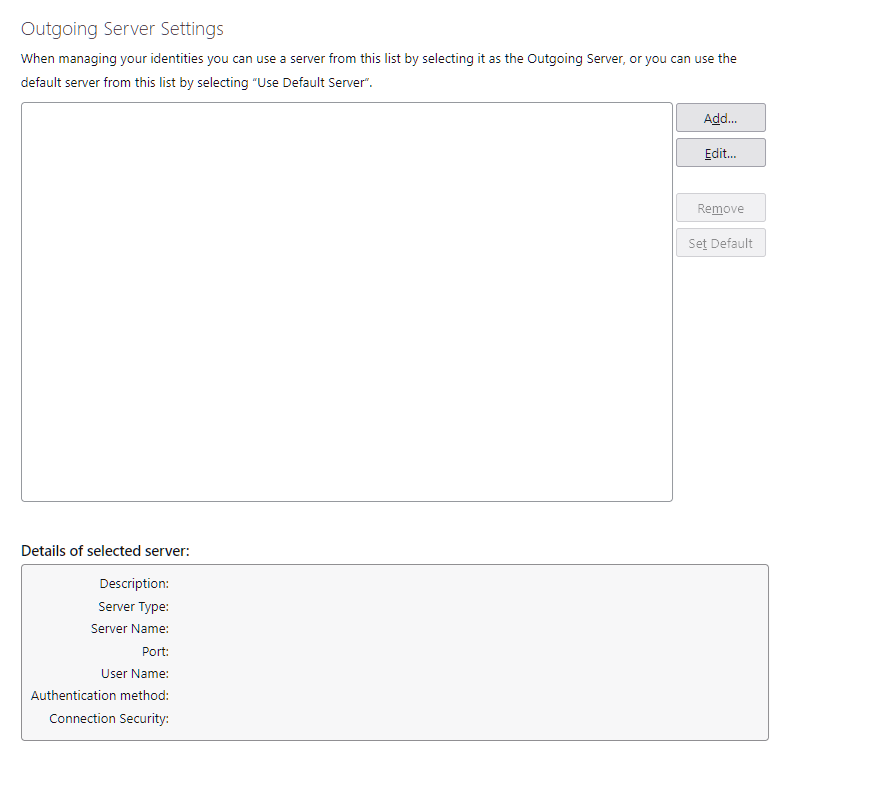
I am curious, how can an outgoing server can be allocated to the new identity when there are none configured. (the first image) Certainly there is an issue with identities, and I also think a bug as the application is displaying the items field name. but without an outgoing server it can never work.
Matt said
Lin said
I'm not quite sure what is going on here, but your last screen shot seems to indicate a problem with one of your identities that could possibly contain a reference to a deleted or corrupt SMTP server entry. Try going to <Account Settings | (the account in question) | [main category] | Manage Identities button>. Add a new identity and designate it as the Default Identity, then go back and delete the original, now NON-default identity.@Lin I am curious, how can an outgoing server can be allocated to the new identity when there are none configured. (the first image) Certainly there is an issue with identities, and I also think a bug as the application is displaying the items field name. but without an outgoing server it can never work.
Point taken. I'm shooting in the dark here - I've never seen anything like this before. I have a feeling that if you combed through prefs.js you'd find some corruption, if you could recognize it. At this point, it might be a better use of time and energy to start over with a fresh profile,