Forced update when automated updates were not selected

Hi, I noticed that my Firefox version has just been force-updated, on two of my computers, even though I had the automated updates unselected. I also noticed that the new version had added an opt-out option to use "AI" for my tabs which I do not want. There may be other settings that have appeared like this forcing "AI" on me and I am not going to check all of them. I will uninstall Firefox as it is no longer respecting my privacy and autonomy as a user, following the full-blown embrace of "genAI" which goes completely opposite Firefox values such as privacy, ethics, environmental responsibility and respect of their users. I might come back when Firefox goes back to being a privacy and environmentally-friendly browser.


All Replies (4)
Hello
For information purposes.
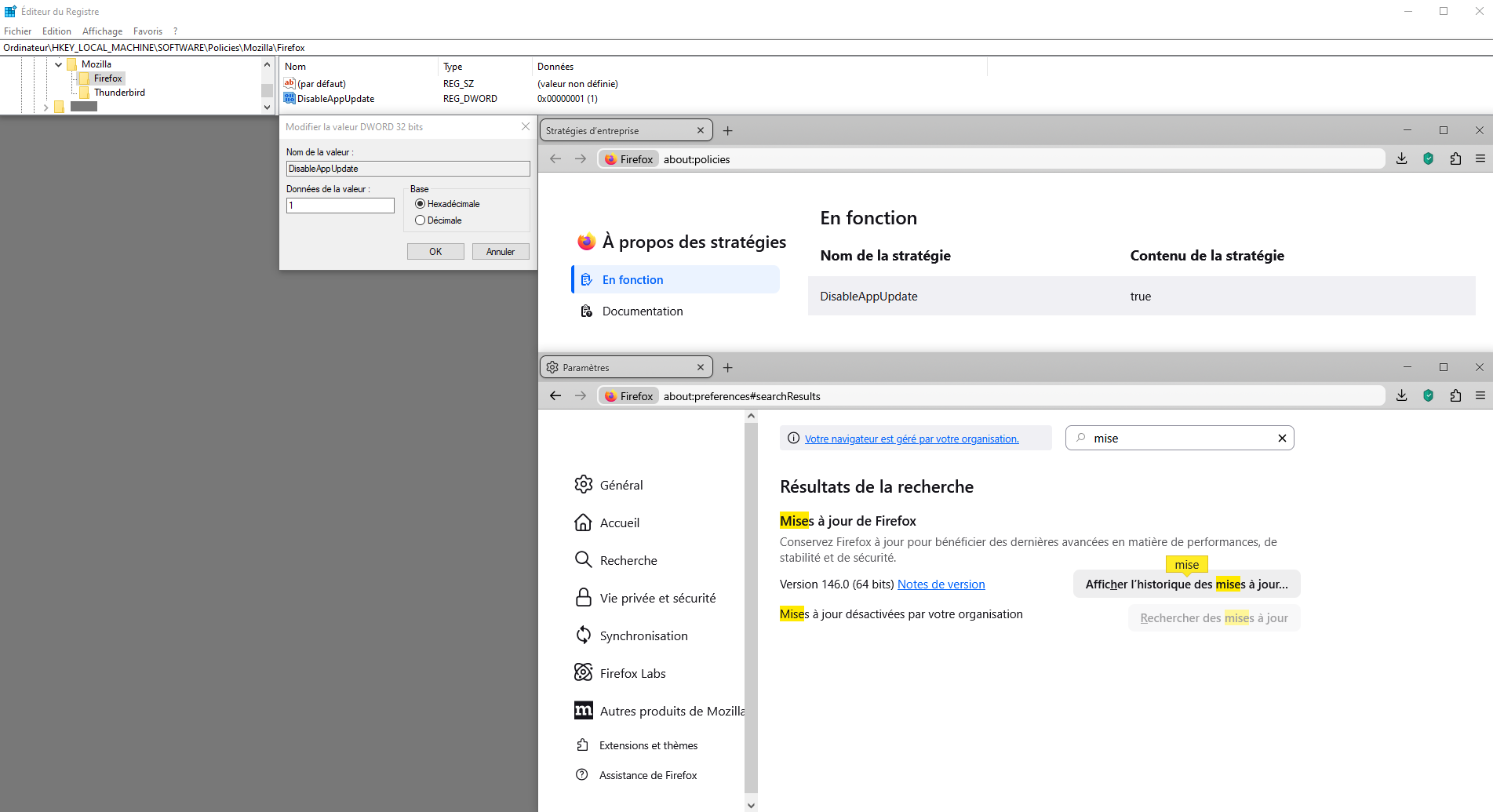
Firefox policie, DisableAppUpdate https://connect.mozilla.org/t5/discussions/upgrade-notification-spam/m-p/64080/highlight/true#M22529
https://support.mozilla.org/en-US/questions/1509058#answer-1729483 - https://connect.mozilla.org/t5/discussions/fonts-formatting-and-the-never-ending-updating/m-p/95117/highlight/true#M37113 by way of illustration.
Other illustration. https://connect.mozilla.org/t5/discussions/new-in-firefox-desktop-only-visual-search/m-p/106449/highlight/true#M41114 Firefox policies affect all profiles.
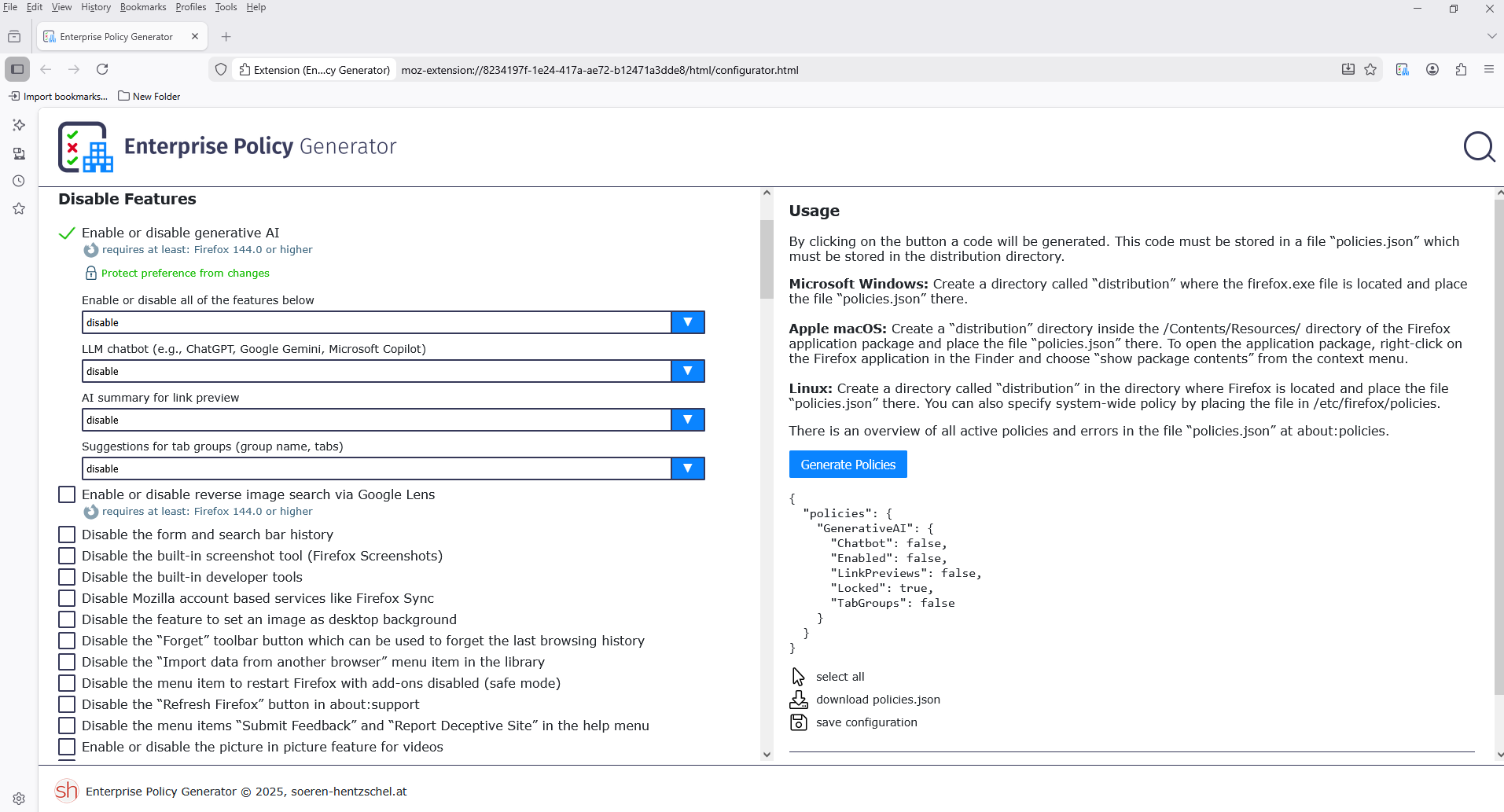
If you wish to study Enterprise Policy Generator. https://addons.mozilla.org/firefox/addon/enterprise-policy-generator
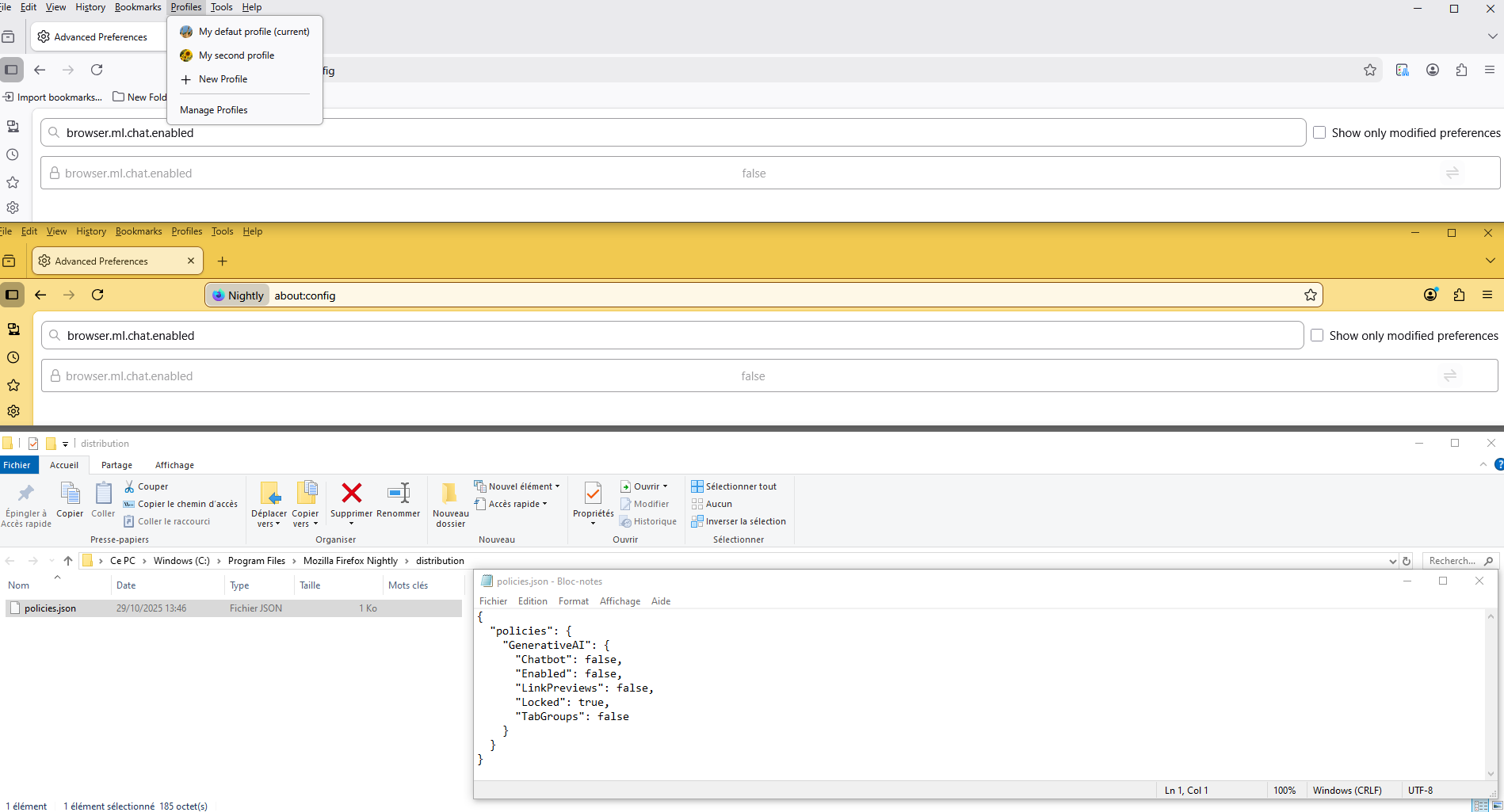
By way of illustration.
An gyara daga Agent virtuel
Firefox keeps deleting the policies files. Mozilla is hijacking people's computers to force their updates, force stopping your browser from working to force these updates whenever they feel like it. In the middle of working on a dedicated server problem my fucking browser just stops and says "restart now to continue using" because those jackasses think they own your computer and can delete files on it willy nilly.
Hello
On-device AI models in Firefox. https://support.mozilla.org/en-US/kb/on-device-models
About, How to use AI-enhanced tab group. https://support.mozilla.org/en-US/kb/how-use-ai-enhanced-tab-groups https://support.mozilla.org/en-US/questions/1552786#answer-1784165
About, Firefox Link Previews. https://support.mozilla.org/en-US/kb/use-link-previews-firefox https://support.mozilla.org/en-US/questions/1542846#answer-1785033
AboutVas said
Firefox keeps deleting the policies files.
As far as i know, that never happened to me.
If you wish, you can try your Windows registry. https://mozilla.github.io/policy-templates/#disableappupdate
https://connect.mozilla.org/t5/discussions/upgrade-notification-spam/m-p/64080/highlight/true#M22529 DisableAppUpdate 1
A illustration. Votre navigateur est géré par votre organisation.