


Don't want searches to use ai

I want to avoid any 'ai assist' searches because I do not find their summaries accurate or valuable enough to be worth the environmental impact they consume. I know my web browser searches are not under the control of firefox, but for privacy and security I kill cookies when I end browsing sessions. So I am not staying logged in to search engines when I finish my sessions, and setting my preferences to 'no ai assist' on DDG doesn't last session to session because the search engine defaults to 'ai assist' searches now, as does google.
Are there any search engines that do not use ai?
Has anyone written an extension/add-on to FF that would add 'minus ai' to all my searches no matter what browser I use? Or otherwise indicate to search engines that I do not want ai-assisted summaries period?
We've got various privacy options built into FF--this is why it is my preference always--and it would be LOVELY to have a 'no ai' option too.

選擇的解決方法
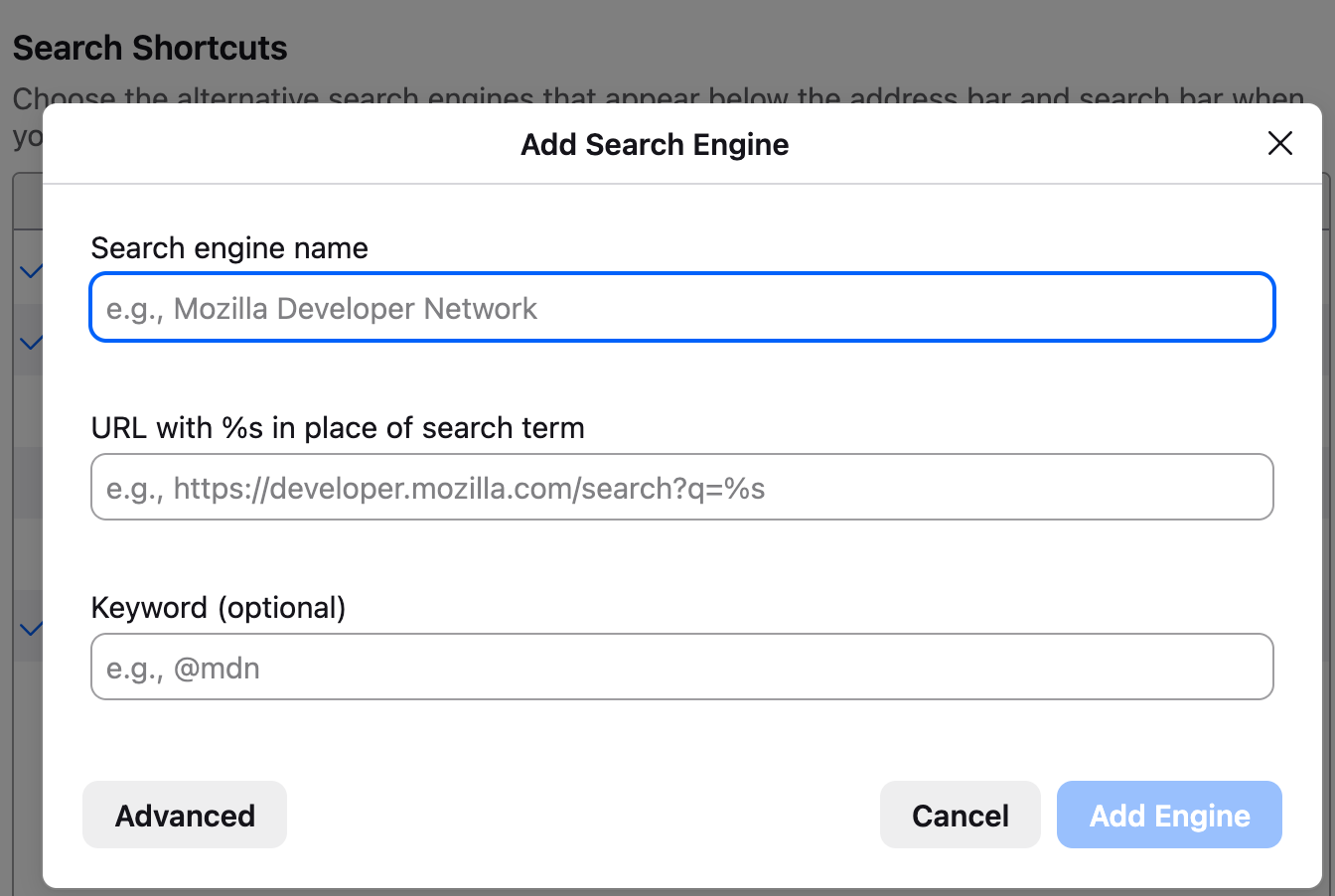
You could add it as a search engine manually at the bottom of search settings. The URL with search term would be https://noai.duckduckgo.com/?origin=funnel_home_website&t=h_&q=%s&ia=web
I found this by entering a word on noai.duckduckgo.com, then copying the resulting link and replacing the search query with the %s.
所有回覆 (4)
https://noai.duckduckgo.com/ This is a version of duckduckgo that explicitly does not use ai. Article about this: https://duckduckgo.com/duckduckgo-help-pages/ai-features/about-noaiduckduckgocom
That's lovely to know....but without that version being built-in as an option for Firefox default search engines, it still requires as much from me as typing -ai into the regular search box with DDG as my default search engine does now.
選擇的解決方法
You could add it as a search engine manually at the bottom of search settings. The URL with search term would be https://noai.duckduckgo.com/?origin=funnel_home_website&t=h_&q=%s&ia=web
I found this by entering a word on noai.duckduckgo.com, then copying the resulting link and replacing the search query with the %s.
Hello
What is Mozilla Connect? https://support.mozilla.org/en-US/kb/what-mozilla-connect
For information purposes. Since https://www.firefox.com/en-US/firefox/140.0/releasenotes
Custom Search Engines: Firefox now supports adding even more search engines. To add a custom engine, right-click a search field of a supported website and select “Add Search Engine”, or go to Settings > Search > Add (below the search shortcuts table) to manually enter a search URL.
Add or remove a search engine in Firefox. https://support.mozilla.org/en-US/kb/add-or-remove-search-engine-firefox
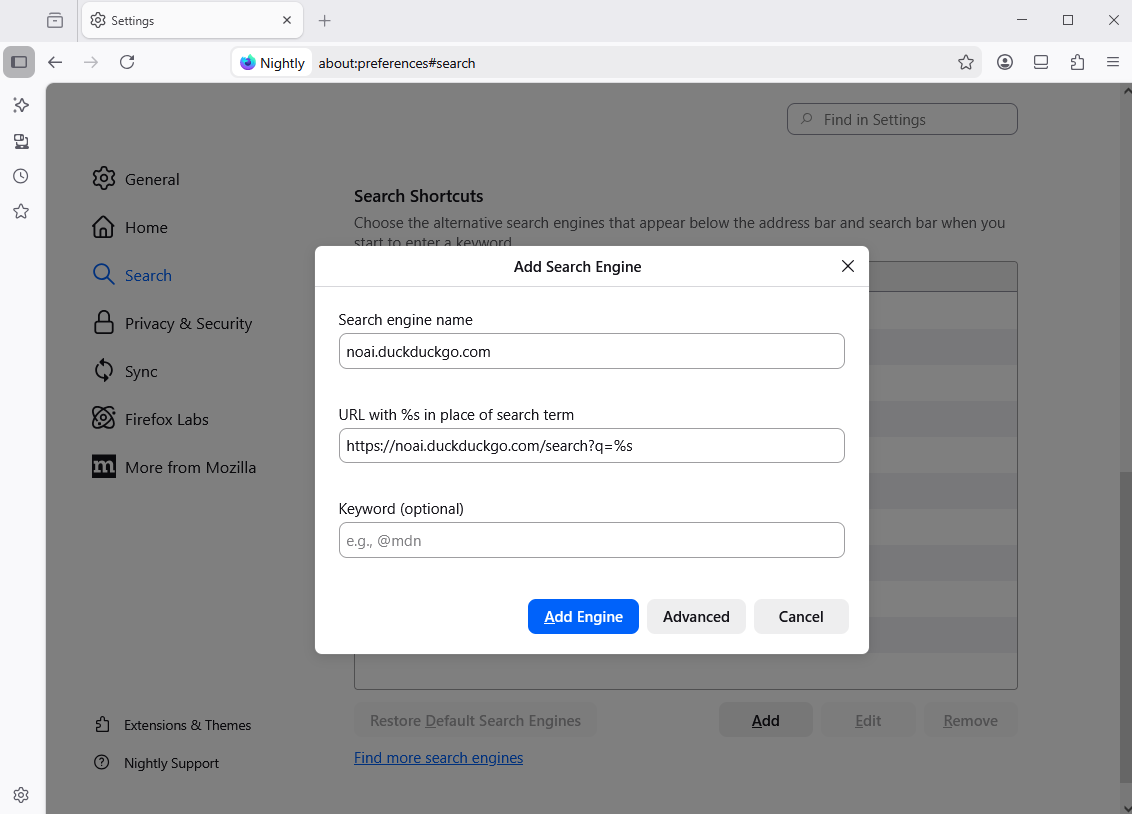
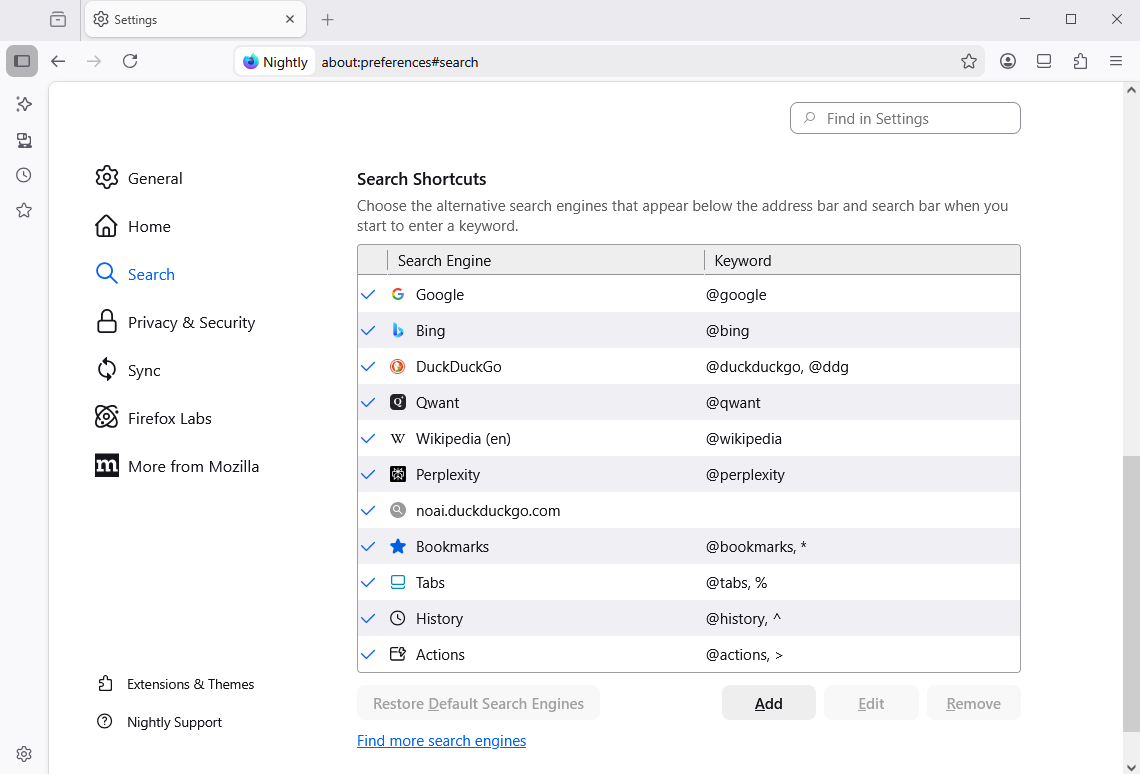
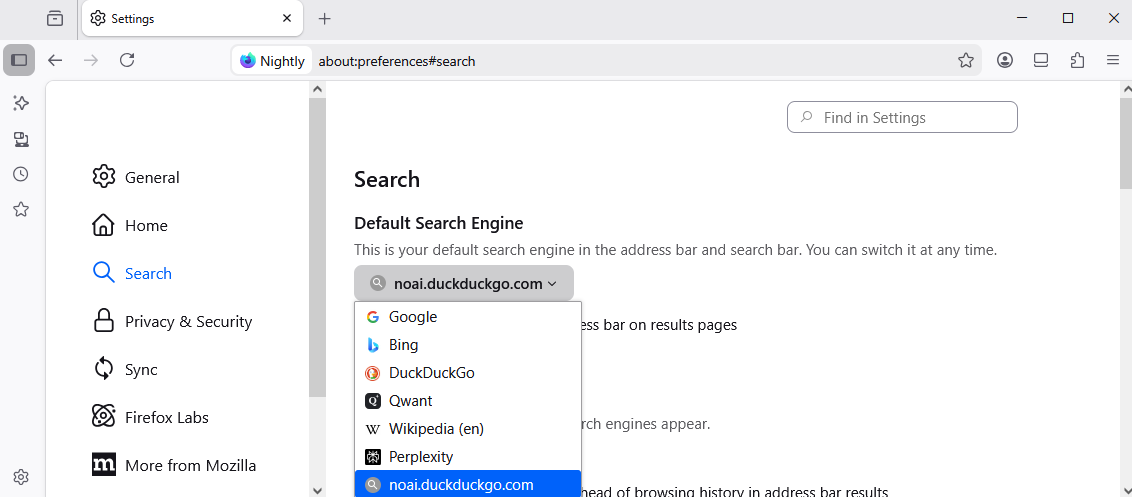
Add a custom search engine in SettingsYou can try.
https://noai.duckduckgo.com/search?q=%s
由 Agent virtuel 於 修改