


Solved
Smart Characters not rendering

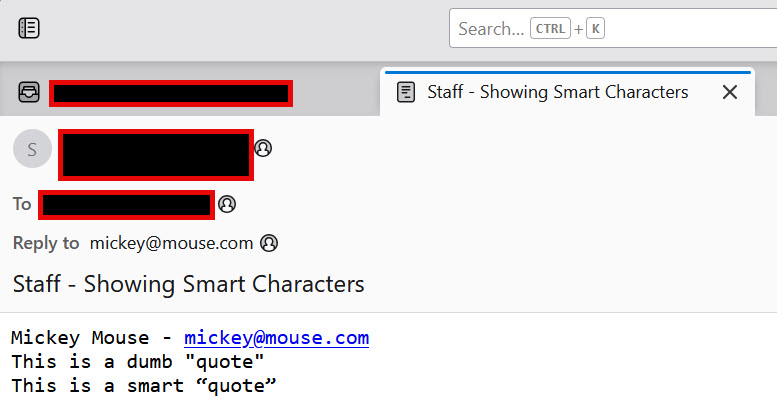
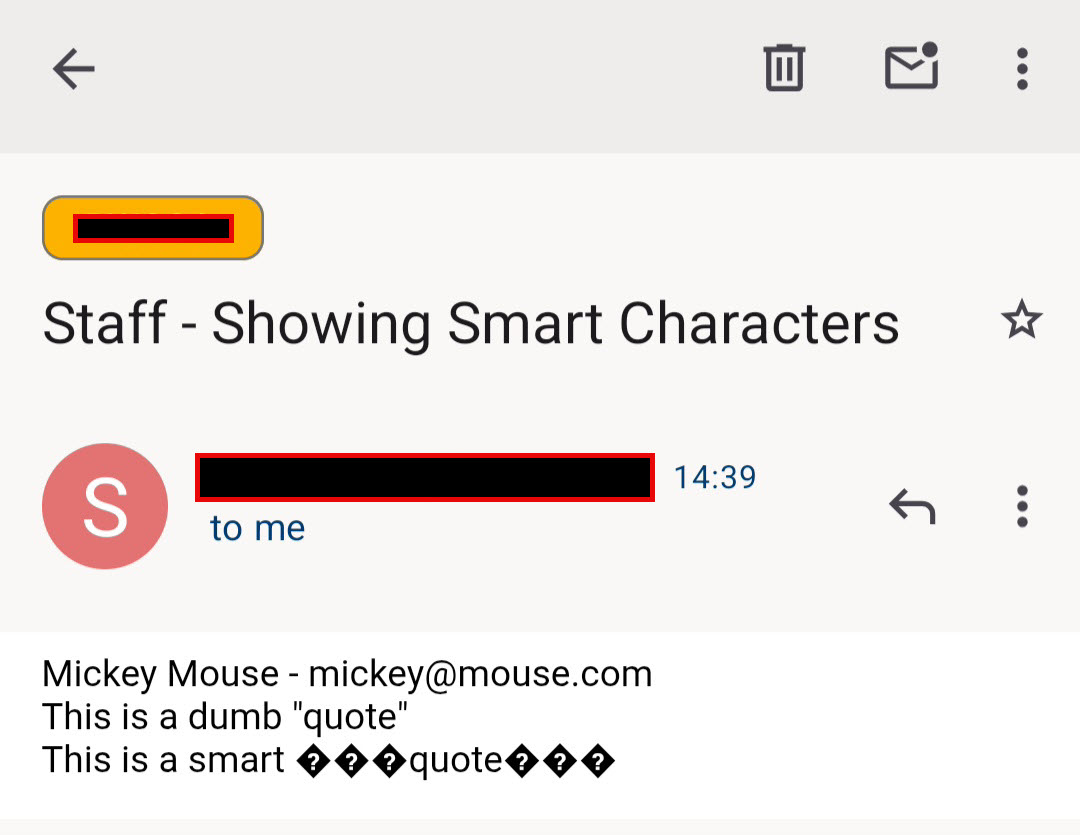
My incoming emails that contain extended characters like Smart Quotes are rendering correctly in Thunderbird on Windows, but not on Android. Is this a bug, or a wrong setting?
My incoming emails that contain extended characters like Smart Quotes are rendering correctly in Thunderbird on Windows, but not on Android.
Is this a bug, or a wrong setting?
All Replies (2)

Chosen Solution
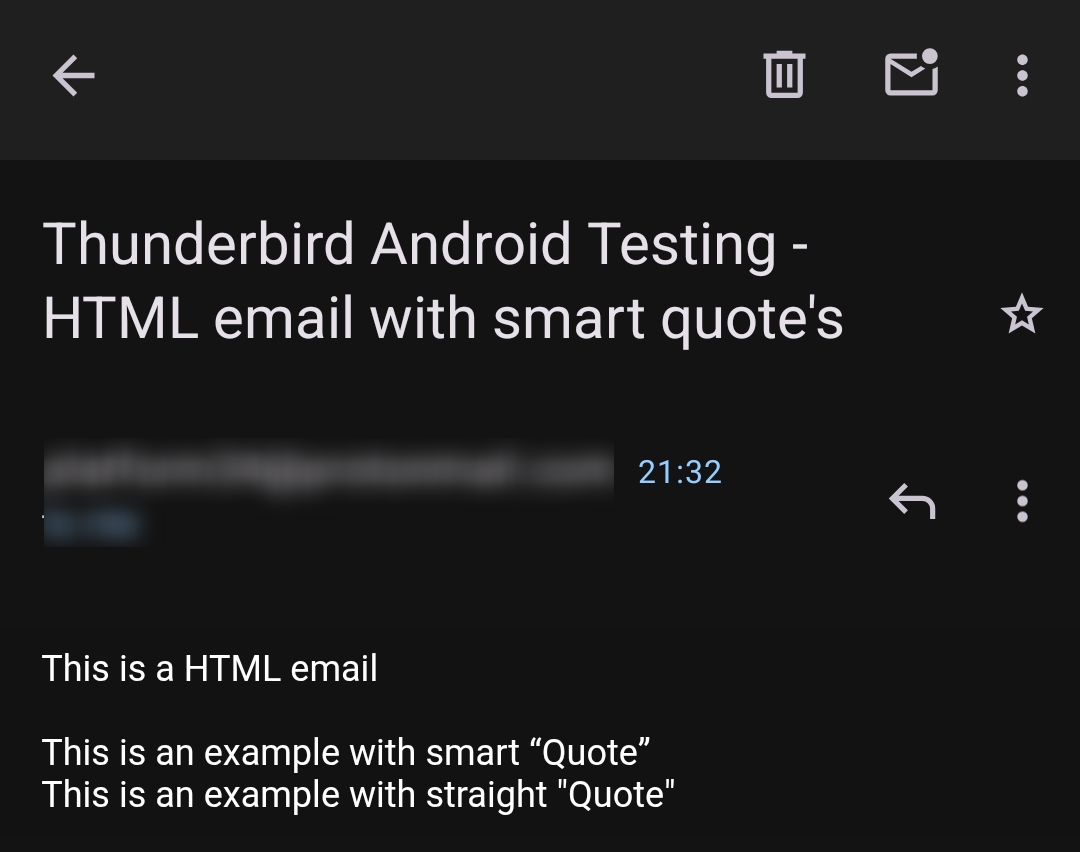
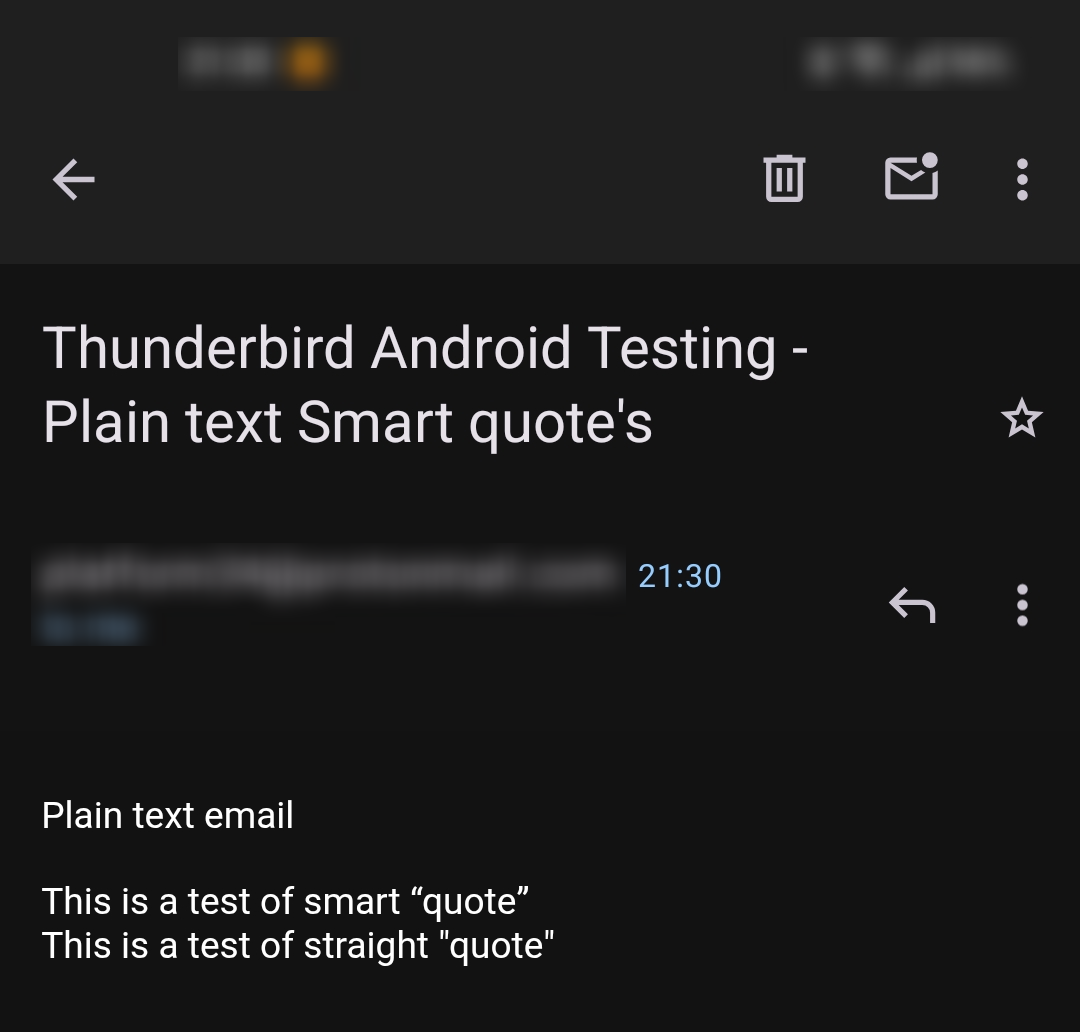
I tried sending an email from my providers webmail containing smart quotes and was unable to replicate the issue. See screen shots.
“ — U+201C (left double quotation mark) ” — U+201D (right double quotation mark)
Have you tried creating your own email in Thunderbird desktop or webmail containing smart quotes to see if the issue is replicated. It's possible it's due to formatting or character use within the email you received.
Can you paste your smart quoted text here so I can try and replicate the issue.
My form wasn't encoding properly. That was the problem