


Remove VPN from main menu/shelf
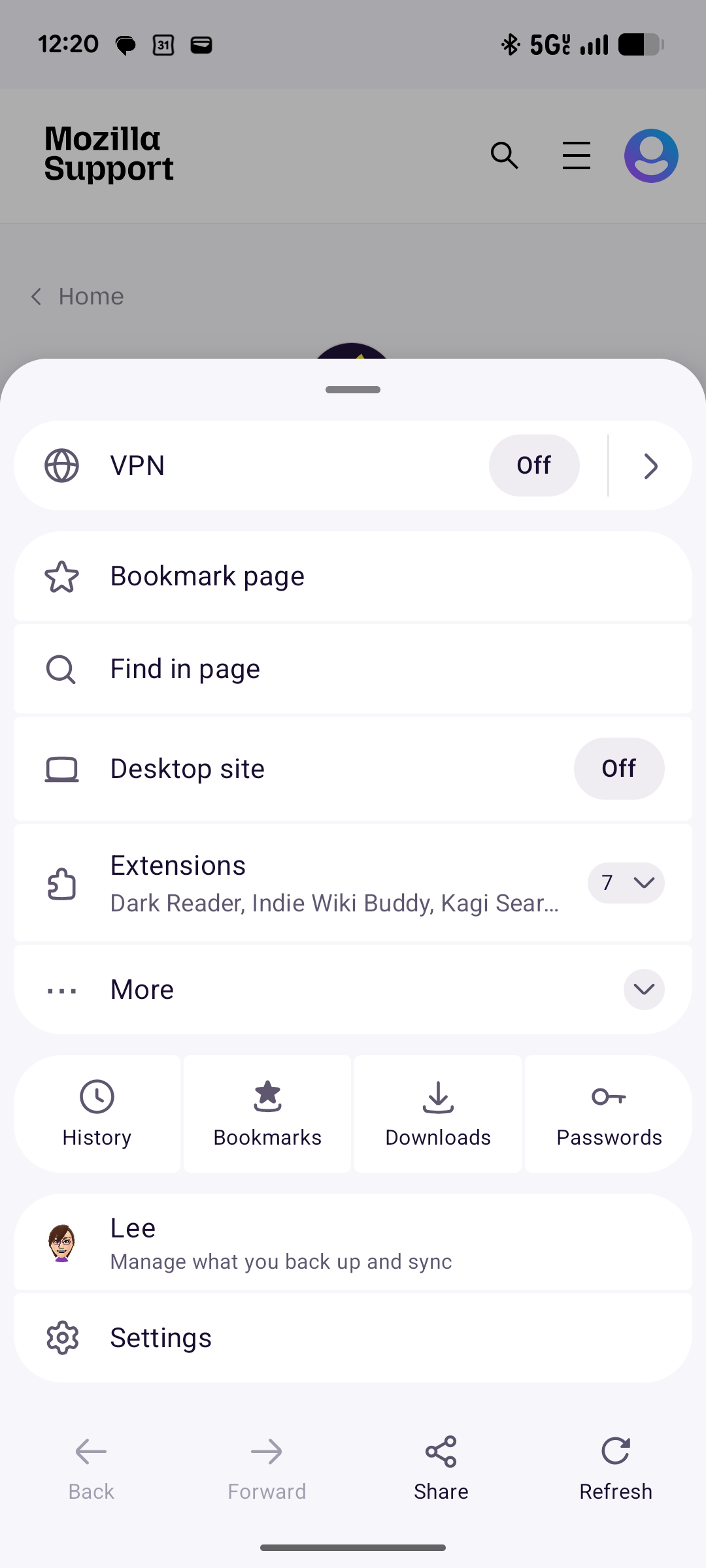
I have the new VPN feature disabled, but I cannot remove it from the main menu reachable from the url bar (three dots). Even after turning it off, it stays at the top. Please let me remove it from the shelf. It is very distracting.
Maybe the settings page for it could also have a toggle to show/hide the VPN in edition to enable/disable. I tried the nimbus experiments and debug settings but the opt out does not persist.
In the short term, a secret setting would be appreciated.
All Replies (1)
Hi Lee,
Apologies for the inconvenience. Our team is aware of the concerns and they're working on a project that will allow users to customize the menu layout to better suit their preferences.
That said, we don't have a confirmed release timeline to share just yet. We appreciate your patience while the team continues working on this improvement.
Thanks for sharing your feedback!